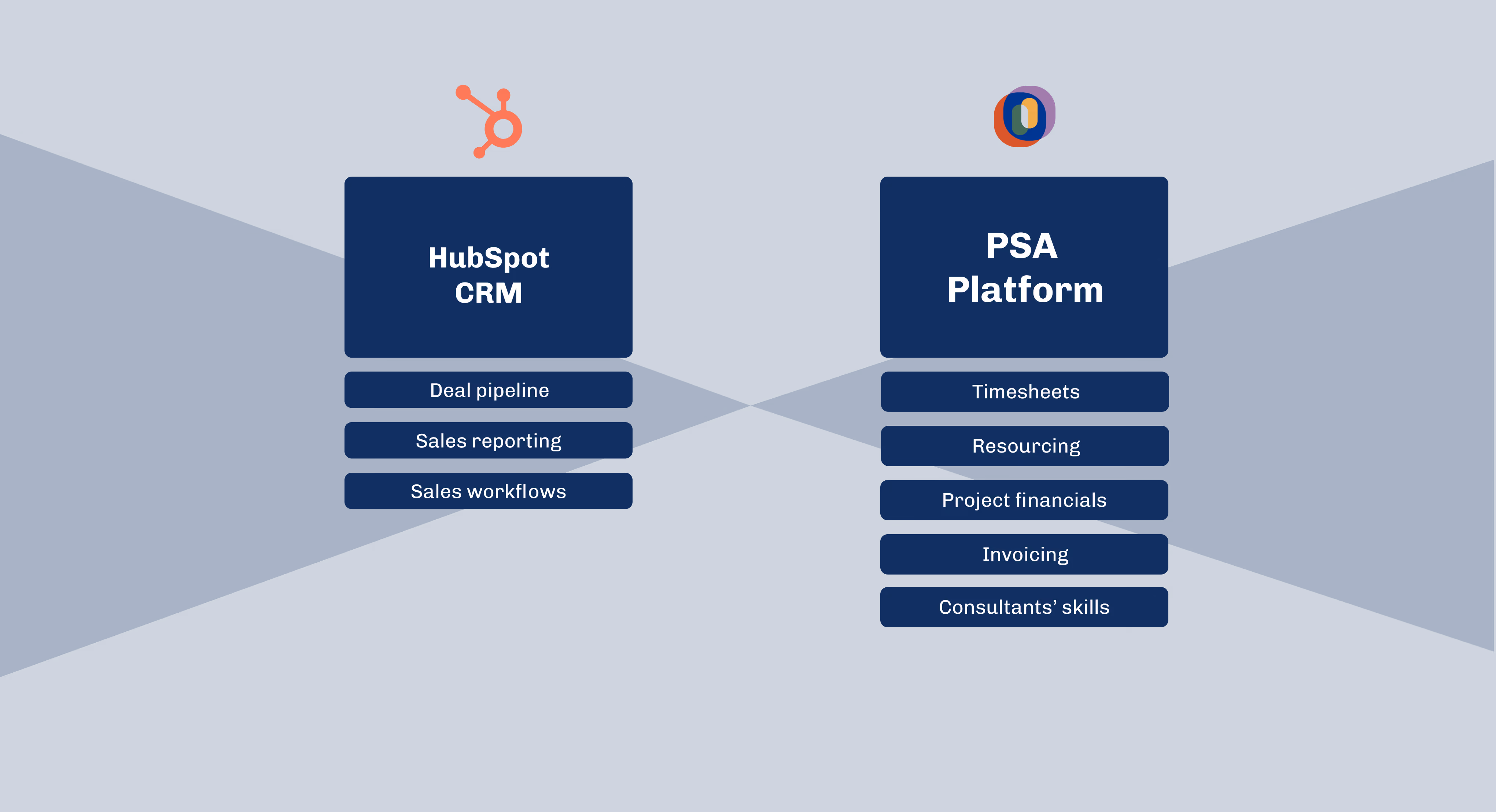
Quick summary: HubSpot manages the pipeline but not delivery, so professional services firms add a PSA platform to handle staffing, resource planning, time tracking, and invoicing. A HubSpot-connected PSA syncs deals, client data, and dates automatically, turns open deals into early capacity signals, and ties tracked time back to budgeted hours and rate cards. Operating, built for consulting and agency workflows, integrates natively with HubSpot and commonly triggers the sync at a stage like Contract Sent.
Professional services teams rely on HubSpot to win work, manage relationships, and forecast sales. But once a deal moves past a stage where you need to start planning the right team for the project, the real operational work begins. This is where many firms hit limitations. HubSpot gives you pipeline visibility, but it does not support the daily requirements of project staffing, resource planning, time tracking, or financial delivery.
This gap is why more consulting firms, agencies, and IT service providers are adopting PSA software built to work directly with HubSpot. A PSA platform turns CRM data into operational clarity, helping teams plan resources, track actual delivery, and manage financials in one connected workflow.
Below is a practical look at why PSA for HubSpot matters and how it improves utilization, forecasting, and project profitability.
Why HubSpot Teams Look for PSA Software
Most HubSpot users in professional services deal with the same challenges once they start growing:
- Deals close faster than staffing plans can keep up (or staffing requests pile up!)
- Utilization fluctuates because capacity isn’t visible early
- Time tracking, billing, and project financials live in separate tools
- Delivery teams lack context from the pipeline
- Sales teams lack clarity on available capacity
HubSpot excels at CRM, but it is not designed to answer operational questions like:
- Who is available for an upcoming engagement
- Whether current workload supports hitting utilization targets
- How project budgets, planned hours, and actuals are tracking
- Whether revenue forecasts align with staffing forecasts
A PSA system fills these gaps by connecting pipeline data with delivery and financial workflows. Instead of bouncing across spreadsheets and disconnected tools, teams get a single system that links planning, staffing, time tracking, and invoicing.
What PSA for HubSpot Should Deliver
A PSA tool with HubSpot integration strengthens the full lifecycle from deal to delivery. At a minimum, HubSpot-connected PSA software should provide:
Automatic syncing from HubSpot
Deals, client information, dates, and key metadata flow directly into your PSA platform without manual effort. This reduces errors and eliminates double entry.
Pipeline-driven resource forecasting
Open deals become early signals for capacity needs. Delivery leaders can see upcoming demand and start evaluating skills, roles, and availability before contracts are signed.
Staffing and project planning in the same system
The PSA should help you match roles, seniority levels, and skills with upcoming project needs. This keeps double bookings out of the picture and improves utilization.
Planned vs actual tracking
Teams compare estimated hours with actuals, identify overruns faster, and adjust proactively.
Time tracking connected to project plans
Time entries should tie directly back to budgeted hours, rate cards, billing rules, and invoicing.
Invoicing connected to delivery
Billable hours, milestones, rate cards, and approval workflows are all linked. No need to recreate invoices in external tools.
Centralized reporting
Utilization, capacity, delivery margin, and revenue forecasts update in real time using CRM and delivery data.
When all of this runs through HubSpot, firms move from reactive firefighting to proactive planning.
The Real Benefit: A Shared View of Demand and Capacity
Disconnected CRM, staffing, and time tracking tools create constant overhead. One team sees one version of the truth. Another team sees something entirely different. Decisions become reactive and slow.
A PSA platform connected to HubSpot solves this by aligning:
- Sales forecasts
- Resource availability
- Project budgets
- Delivery progress
- Invoicing and revenue recognition
With shared visibility, consulting and agency teams can:
- Spot staffing gaps early
- Plan hiring or contractor needs before projects start
- Prevent double bookings
- Improve billable utilization
- Forecast revenue and margins more accurately
This is the operational advantage that lets firms scale without chaos. Many professional services firms don't need this from day one, but it's especially useful when you scale from a few people to tens of consultants and running the operations starts taking more of your team's time.
A Practical Example of PSA for HubSpot in Action
Imagine a consulting firm with a large implementation project expected to close next month. In a typical setup, delivery would not see this until the deal is signed. There'd be discussions about the project in Slack or Teams, but they get buried in different threads and people have a hard time keeping up. Staffing decisions would be rushed, often leading to overbooking or last-minute contractor hires.
With a HubSpot-connected PSA platform:
- The opportunity syncs from HubSpot as soon as it reaches a defined stage.
- Project details and timelines become visible to delivery.
- Resource planners evaluate skills, capacity, and tentative roles.
- Early staffing plans surface potential risks or shortages.
- Once the deal is closed, the project moves straight into delivery with a ready plan.
Teams gain several weeks of lead time, improving utilization and protecting margin.
Why PSA for HubSpot Resonates with Consulting Firms
Consulting and agency operations depend on predicting the future. You need to know who is free, what skills you have, what projects are coming, and how those projects will impact revenue and utilization.
Traditional tools rarely give this connected view. PSA software built for HubSpot provides:
- A single workflow from deal to delivery to invoice
- Accurate forecasting based on live pipeline data
- A clear picture of current and future capacity
- A unified system for time tracking and billing
- Reduced admin through automation
- Better decision making across sales, staffing, and operations
It removes friction, reduces manual work, and gives leaders the clarity they need to run the business predictably.
Why Operating.app Is a Strong PSA Option for HubSpot Users
Operating.app is built by former IT consulting professionals specifically for consulting and agency workflows. It connects resource planning, project staffing, time tracking, financial delivery, and utilization reporting in one platform. Newsflash: we used HubSpot as our CRM when we were still running our consulting firm!
For HubSpot teams, Operating.app provides:
- Native HubSpot integration
- Automatic syncing of deals and project metadata
- Role, skill, and availability-based resource planning
- Planned vs actuals tracking for hours and budgets
- Time tracking for accurate billing
- Rate cards and financial planning
- Invoicing based on tracked hours and contract rules
- Capacity and utilization reporting
Instead of juggling spreadsheets, separate timesheet tools, and multiple delivery systems, teams manage everything in one connected environment.
How to Set Up PSA for HubSpot in Your Firm
A simple setup increases adoption and reduces operational noise.
1. Choose the handover stage
Pick a deal stage in HubSpot that serves as the trigger for syncing to your PSA platform. Many firms use “Contract Sent” or “Verbal Agreement”.
2. Define data ownership
Decide what lives in HubSpot and what lives in the PSA. For example:
In HubSpot: client details, deal metadata, dates, project summary
In PSA: staffing plans, skills, hour budgets, delivery data, time entries
3. Create a predictable handover checklist
Sales and delivery should align on:
- Scope confirmation
- Key risks
- Expected roles and hours
- Timeline assumptions
4. Standardize skills, roles, and rate cards
This makes matching and forecasting consistent across teams. You can use the skill management module in Operating to handle this.
5. Train delivery teams on the PSA workflow
Once teams see that CRM data flows directly into delivery and billing, adoption is usually quick. Don't worry, we'll help you get your people trained!
Summary
PSA for HubSpot helps consulting and agency teams close the gap between sales and delivery. By bringing CRM data, resource planning, time tracking, and financial delivery into one connected workflow, firms gain better visibility into demand, improve utilization, and make more confident staffing and financial decisions.
A purpose-built PSA platform like Operating.app gives HubSpot teams the structure they need to scale predictably without the overhead of spreadsheets or disconnected tools. The result is fewer surprises, a smoother sales-to-delivery process, and better control of project profitability.
PSA for HubSpot: FAQ
What is PSA for HubSpot?
Professional services automation (PSA) for HubSpot connects your CRM with project delivery, staffing, time tracking, and invoicing so you can manage the full lifecycle from deal to cash in one workflow.
Do I need PSA if I already use HubSpot?
Yes, if you run a consulting or agency business, HubSpot alone will not handle resource planning, utilization, staffing, or project financials. A PSA system fills this gap by turning pipeline data into actionable delivery and capacity plans.
How does PSA for HubSpot improve resource planning and utilization?
By syncing deals and project metadata from HubSpot into a PSA tool, you can forecast demand earlier, match roles and skills to upcoming work, prevent double bookings, and keep utilization closer to target across teams.
Why choose Operating.app as PSA for HubSpot?
Operating.app is built for consulting and agency firms that use HubSpot. It links deals to staffing plans, time tracking, and invoicing, so you can see capacity, monitor planned vs actual hours, and protect project margins in one integrated system.
Because Operating is the first PSA built MCP-first, the same data is reachable from AI assistants through its live MCP server: ask which HubSpot deals lack staffing cover, and write the allocations back without leaving the conversation.