


Accounting integrations that close the loop
Operating runs the project economics; your accounting platform runs the books. The integration keeps them in step — invoice data out, payment status and tax rates back — starting with Xero and QuickBooks. No export files and no re-keying, and the invoicing spreadsheet retires.
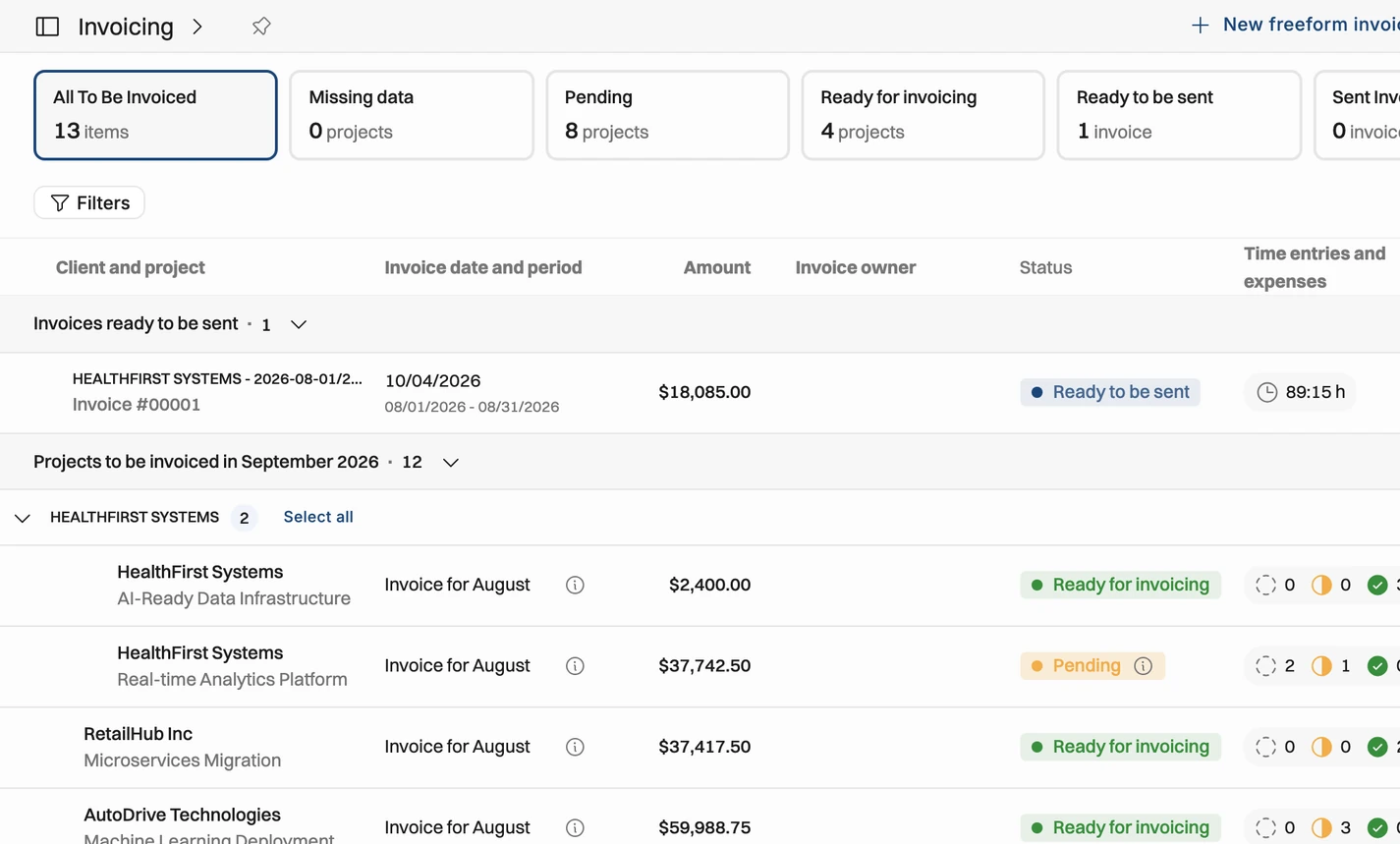

Invoices flow to accounting
Generate an invoice in Operating and send it from either system — the data lands in accounting without anyone typing it twice.

Payment status stays current
Operating polls your accounting platform, so an invoice paid there shows as paid here — with tax rates fetched, not maintained twice.

The money story in one chain
Budgeted, planned, actuals, invoiced and paid — project reporting covers the whole life of the money, so the invoicing spreadsheet retires.
Connection to accounting
When an invoice is generated in Operating, its data is ready for your accounting platform. Send the invoice from Operating and the information lands in accounting — or push it over and send it from there. Both work; neither involves typing an invoice twice.
Send from Operating, with the data flowing to accounting
Or push to Xero or QuickBooks and send from there
Either way: no re-keying, no export files
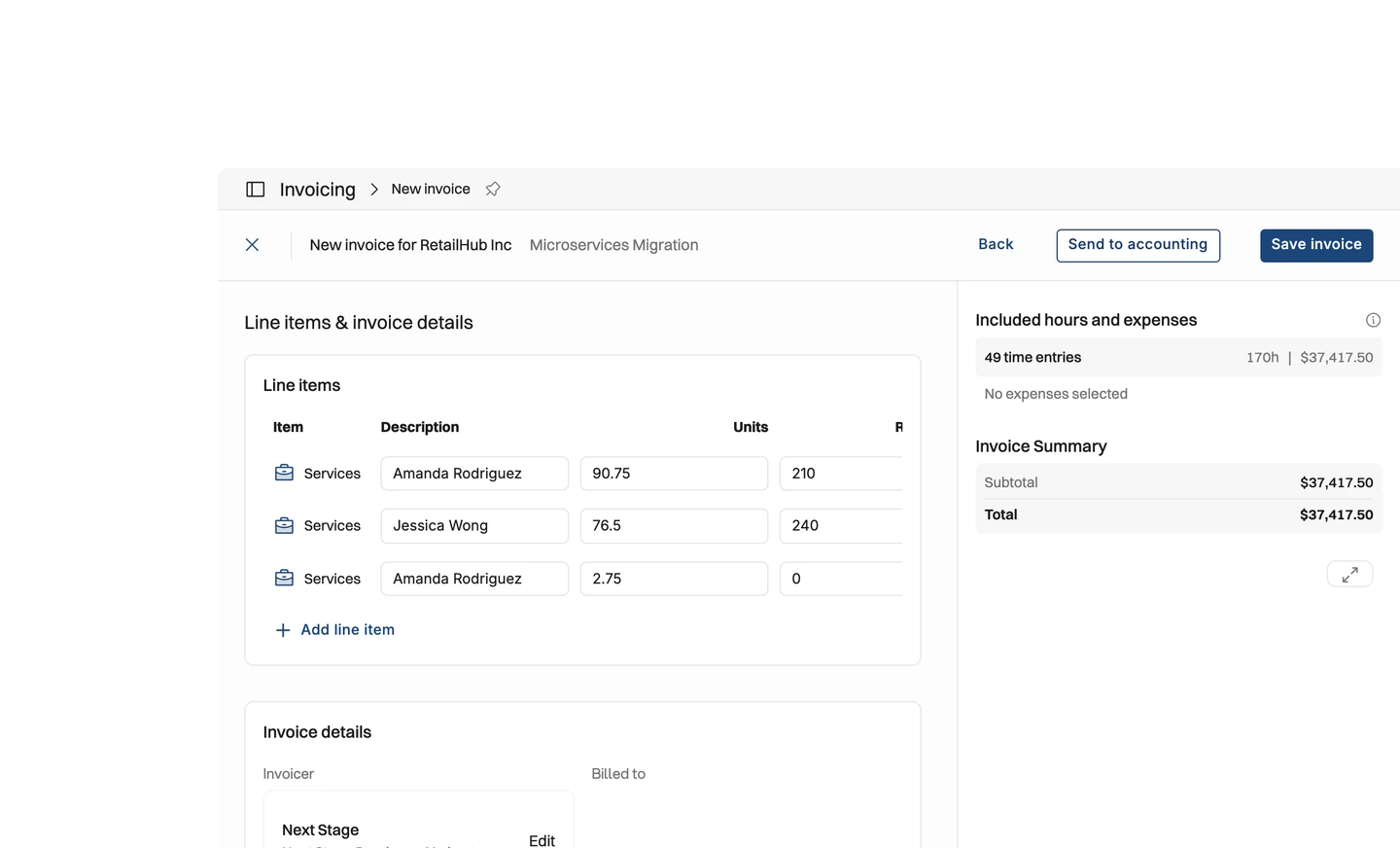





Payment status linked
Payment status belongs in the books, so the accounting platform stays the master. Operating keeps polling it: the moment an invoice is paid there, it shows paid here. Tax rates come from the platform too, and customers map one-to-one.
Payment status polled from accounting — paid there, paid here
Tax rates fetched from the platform, not maintained twice
Customers mapped one-to-one between the systems
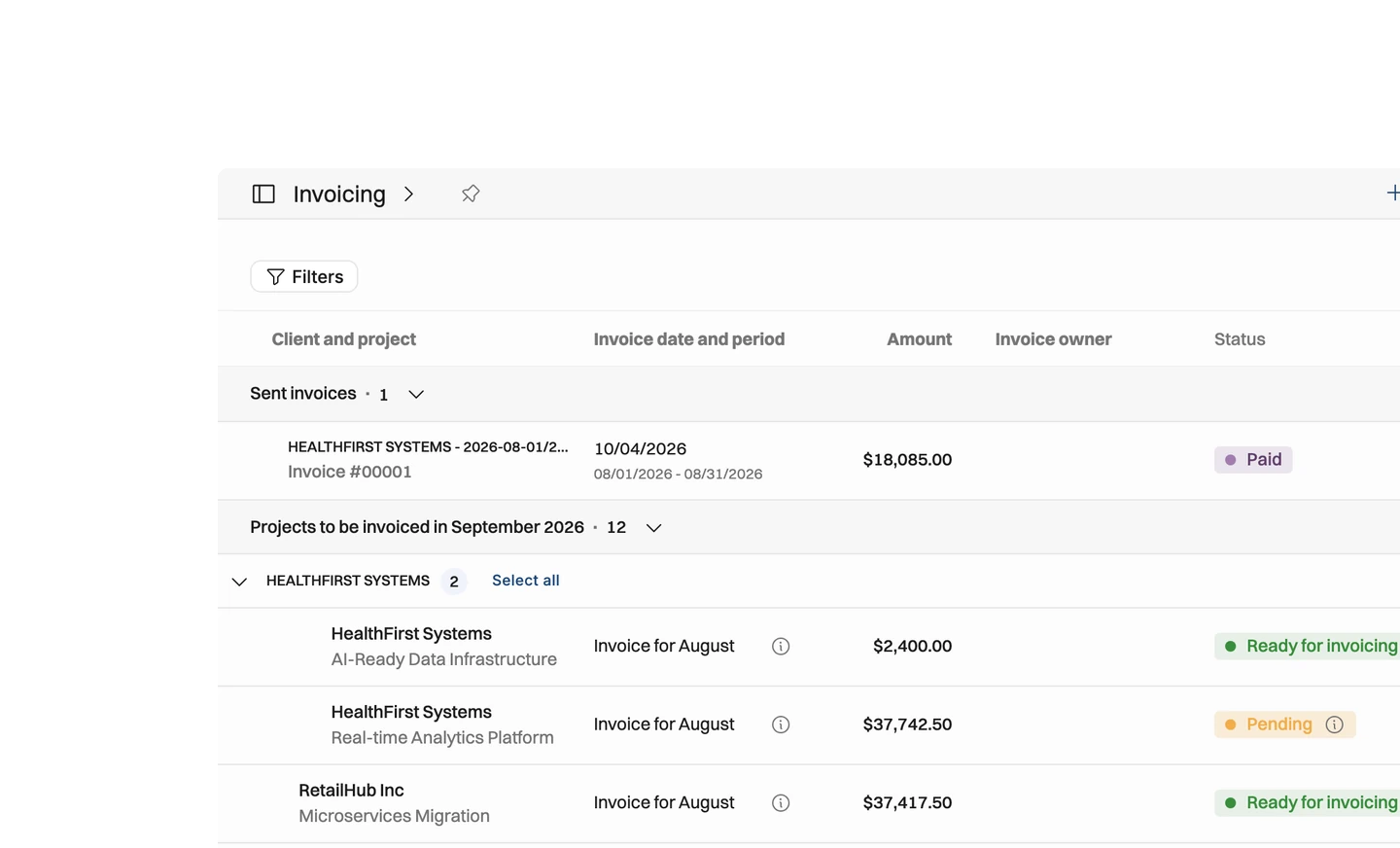
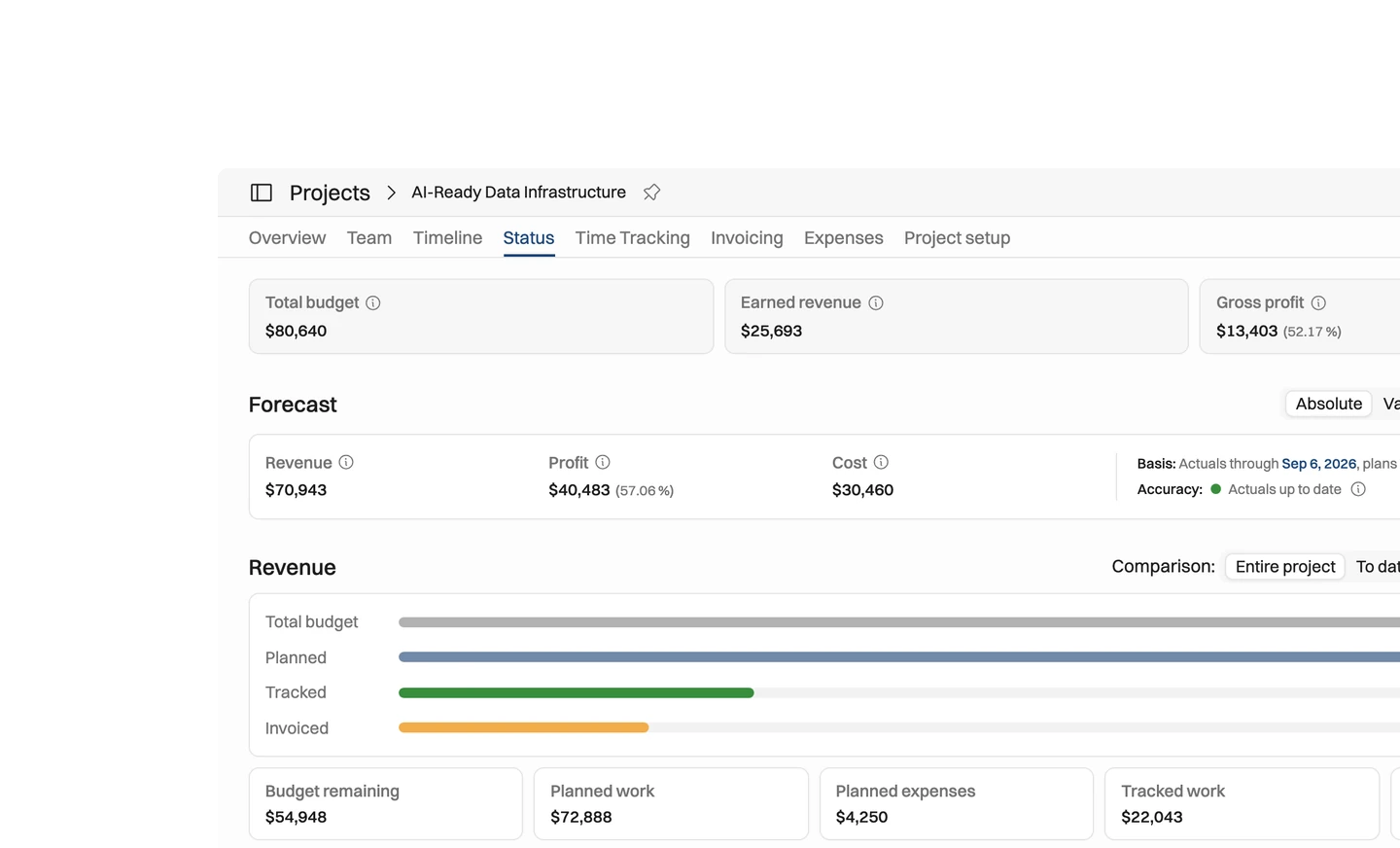
Budgeted to invoiced & paid
Budgeted, planned, actuals — and now invoiced and paid. With accounting connected, project reporting covers the whole life of the money, and the monthly ritual of reconciling an invoicing spreadsheet against two systems simply ends.
Invoiced reporting on top of budgeted, planned, and actuals
Every project's money story, end to end, in one place
Retire the invoicing spreadsheet, and the process around it
Why let accounting stay the master?
Payment status belongs in the books, so we don't compete with them.

We could have made Operating the place where invoices get marked paid. But the accounting platform is where that truth already lives, so we made it the master and had Operating poll it instead of the other way around.
The same thinking shaped the sending step: some teams want to send the invoice from Operating, others from Xero or QuickBooks. Both work.
Rather than force one direction, the integration supports both — send from Operating with the data flowing to accounting, or push it over and send from there. Neither route involves export files or typing an invoice twice, which was the point of connecting the two systems at all.
Tax rates come from the platform and customers map one-to-one for the same reason: one place owns each piece of data. What Operating adds on top is the reporting — budgeted, planned, actuals, invoiced and paid in one chain — so the monthly reconciliation against an invoicing spreadsheet simply ends.


Get the Operating Routine for resource planning
A weekly routine for staffing and capacity, written by people who ran it in their own firms. It gives your resource planning meeting a fixed agenda and a short list of numbers to check. Get the guide.
Thank you!
Get the Staffing Routine by clicking below.
Download guide
