TL;DR: PSA software (professional services automation software) is one system that runs the business side of a firm that sells expertise: who works on which project, how many hours they log, what gets invoiced and what margin is left. It replaces the staffing spreadsheet, the separate time tracker and the hand-built billing sheet that most consulting and IT services firms stitch together. Most firms start to need one at around 20 people. A plan that runs from staffing all the way to invoicing costs about $17 to $69 per user a month. Take the 2-minute check right below to see if you need one yet.
Do you need PSA software yet? Take the 2-minute check
Eight quick questions about how you run staffing and billing today. You get one of three stages, the gap that costs you most, and a next step. Nothing is sent anywhere. Your answers stay in your browser.
Tap one answer per question. Your result updates as soon as all eight are answered.
Answer all eight questions to see your stage.
Scoring: questions 2 to 8 add 0 to 3 points each (15 max). 0 to 4 points: spreadsheets OK. 5 to 9 points: time to add a PSA. 10 points or more: you need a full PSA now. Firms under 10 people are capped at the middle stage, and firms of 50 or more start at it.
Below: what PSA software does, how it differs from the IT helpdesk "PSA" that shows up in the same searches, who uses it and what it costs. At the end there's a 30-day plan you can copy for your first month on a PSA.
What is PSA software?
Professional services automation (PSA) software is a business system for firms that sell people's time and know-how. Wikipedia describes it as "software designed to assist professionals", mainly with project and resource management and utilization tracking. In practice, a PSA connects the steps most firms run in separate tools: win the work, staff it, track the hours, bill for them and learn from the numbers.
That gives you a quick test for what is a PSA software and what is not. A time tracker that also tracks project budgets and sends invoices already counts as a light PSA. A full PSA adds resource planning and skills on top, plus forecasting and margin reporting, so leaders see utilization and profit before the month is over, not after it.
You'll also see the category called "PSA professional services automation", "professional services software" or "PSA platform". They mean the same thing. The term PSA is also used in managed IT services, where it means something quite different. We'll come back to that, because Google mixes the two.
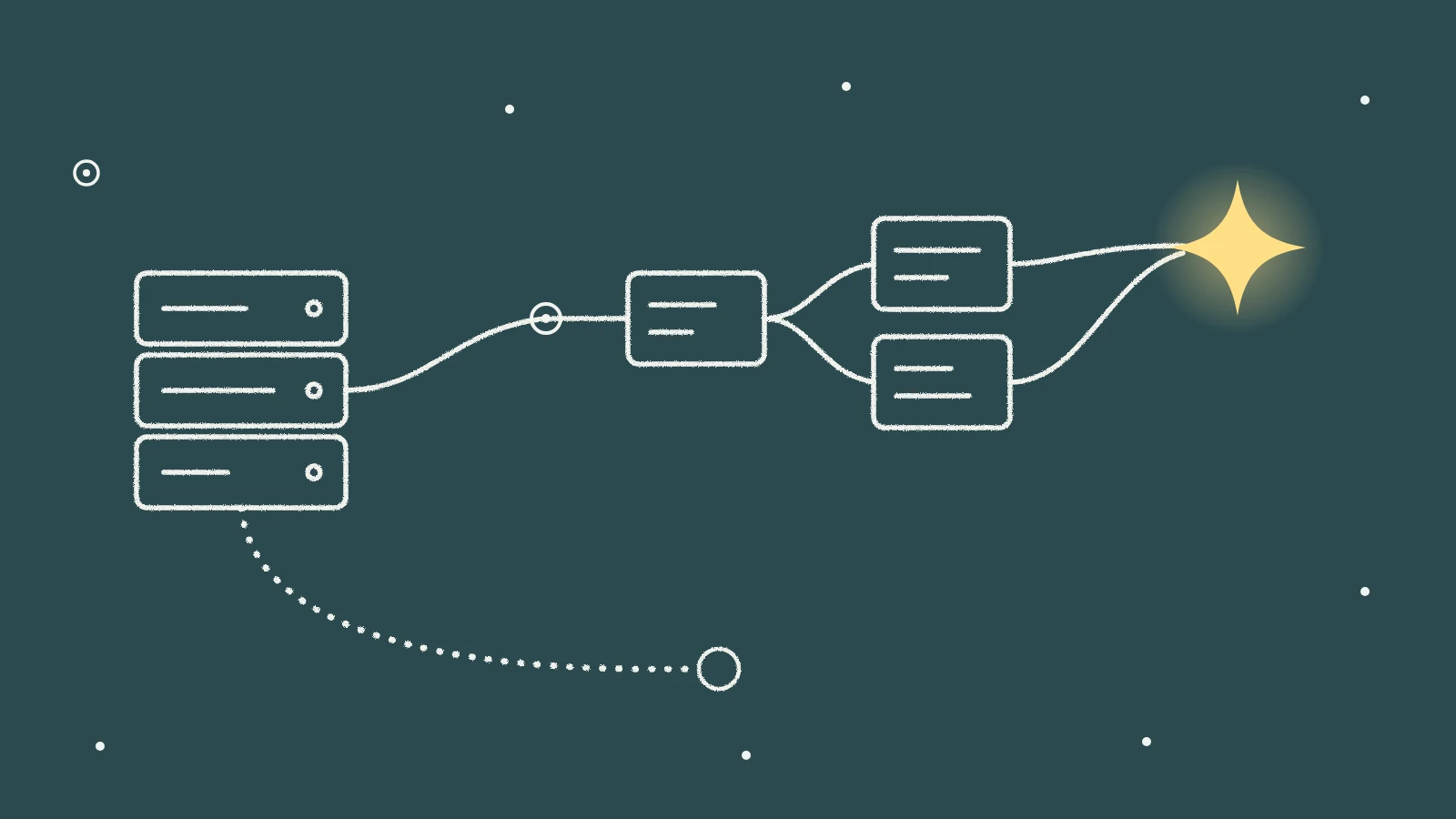
The chain a PSA owns. Each step reuses the data from the step before, so nobody types it twice.
What does PSA software do? The core features
Most PSA tools share six features. What differs is how well they connect. The table shows the question each feature answers and what firms usually use before they have a PSA.
| Feature | Question it answers | Without a PSA, you usually use |
|---|---|---|
| Resource planning with placeholders | Who works on what next month, and which roles are still open? | A staffing spreadsheet |
| Time tracking | Where did the hours go, and were they billable? | A separate time tracker |
| Budgets and rate cards | Is this project on budget in both hours and money? | Finance spreadsheets, after the fact |
| Invoicing | What do we bill this month, for each billing model? | Exported timesheets and manual invoices |
| Utilization and margin reports | How busy and how profitable is each person, team or client? | A quarterly spreadsheet exercise |
| Integrations and AI access | Do deals flow in from the CRM and invoices out to accounting? | Copy and paste |
Resource planning
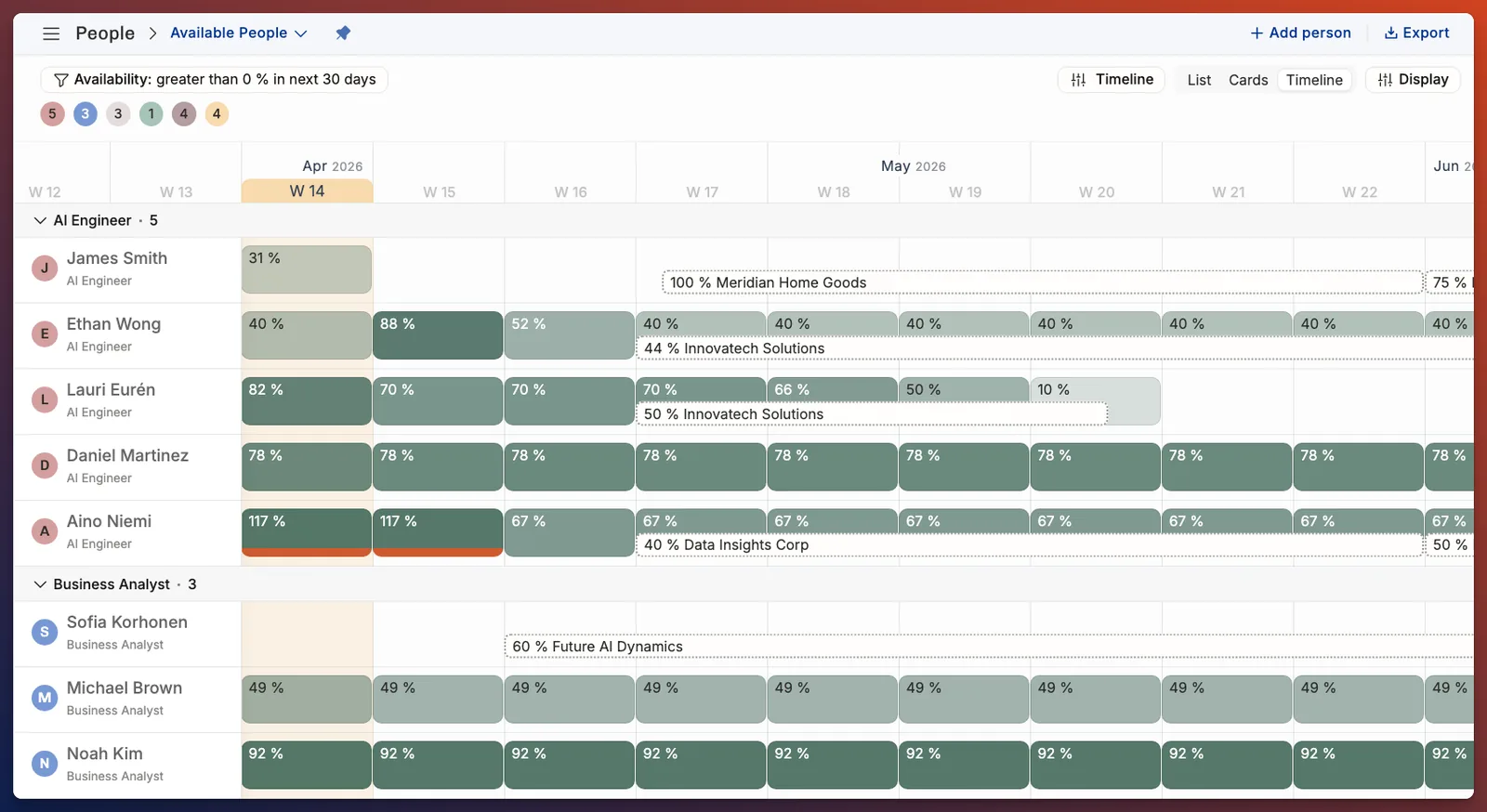
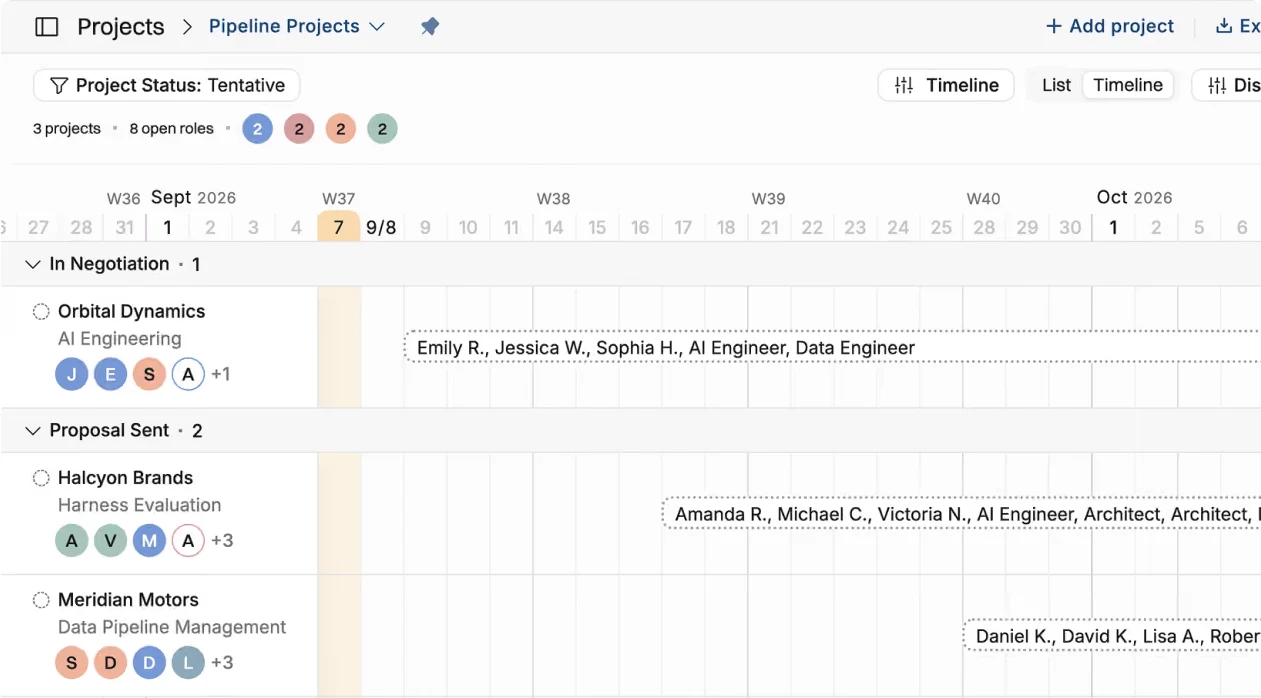
This is where a PSA earns its keep in a consulting firm. You book people on projects by week or month, see who is overbooked and who sits on the bench, and add placeholders for roles you have not filled yet. Good tools also pull likely deals from the CRM as tentative projects, so you can staff work before the contract is signed. Our guide to resource management covers the weekly routine in detail.
Time tracking and billable hours
In a PSA, people log time against the plan, so they see what they were booked on. That makes planned vs actual hours possible. It's how you catch a project running over in week three instead of at the final invoice. If your team argues about which hours count, agree on a definition of billable first.
Budgets, invoicing and revenue
Budgets can be set in hours, fees or cost. Approved time then becomes invoices, whether the project is time and materials, fixed price, capped, retainer or milestone based. Some PSAs send the invoice themselves. Others push it to Xero, QuickBooks or an ERP, where finance closes the month.
Utilization and reporting
Billable utilization is billable hours divided by available hours. A PSA calculates it straight from the timesheets (per person, per team or for the whole firm) and puts it next to the planned figure for the coming weeks. To see what the gap to your target is worth in money, try our free utilization calculator.
Integrations and AI
A PSA sits between your CRM and your accounting system, so check integrations before anything else. Operating, for example, brings HubSpot, Salesforce and Pipedrive deals in as tentative projects. It also has an MCP server, so an assistant like Claude or ChatGPT can answer staffing and margin questions, and every call runs under that person's own permissions.
PSA vs project management, CRM, ERP and MSP software
A PSA is easy to confuse with four other kinds of software. The short version: project management runs tasks, CRM runs deals, ERP runs the books, and an MSP "PSA" runs IT support tickets. A consulting PSA runs people and the hours they bill.
| Software | Built to run | Typical examples | Main record |
|---|---|---|---|
| Consulting PSA | Staffing and time tracking through to billing and utilization | Operating, Projectworks, Ruddr, Kantata | A person on a project in a given week |
| Project management | Tasks and deadlines for the team | Asana, Jira, Monday.com | A task |
| CRM | Pipeline and customer relationships | HubSpot, Salesforce, Pipedrive | A deal |
| ERP or accounting | Ledger and payables up to the financial close | NetSuite, Xero, QuickBooks | A journal entry |
| MSP PSA | IT helpdesk tickets and SLAs under service contracts | ConnectWise PSA, Datto Autotask PSA, HaloPSA | A ticket |
PSA vs project management tools
Project management tools help a team finish the work. A PSA helps leaders run the business around the work: who is free, what it costs and what to bill. Many PSAs include basic tasks, and many firms keep Jira or Asana for delivery and connect it to the PSA.
Is HubSpot a PSA software?
No. HubSpot is a CRM. It holds deals and contacts, but it does not plan people, collect timesheets or invoice from approved time. Many firms connect it to a PSA so that a deal at a set stage becomes a tentative project with the amount and close date already filled in. Here is how the HubSpot integration works in Operating.
What is PSA in IT and managed services?
In managed services, PSA means the business system that sits next to remote monitoring tools: ticketing and SLA tracking, plus billing against contracts. ConnectWise PSA, Datto Autotask PSA and HaloPSA are built for that. If most of your hours come from support tickets under recurring contracts, shop there. If they come from projects and engagements, you want a consulting PSA, which is what the rest of this guide covers.
Who uses PSA software, and how?
PSA software is built for firms that bill for time or expertise. That means consulting firms, IT and software services companies and digital agencies, plus engineering and technical consultancies and the services teams inside software companies. What do they share? People are the product, so an idle week is revenue lost for good.
Headcount is a weaker signal than how many projects share the same people. Still, a pattern repeats. Up to about 20 people, one person can hold the staffing plan in their head. Somewhere between 20 and 50 that stops working. Several managers book the same people, the spreadsheet splits into versions, and invoicing takes days. That's where most firms add a PSA, as we explain in is a PSA worth it for a 30-person firm.
How do consulting firms use professional services automation?
Most run a weekly loop like this one:
- Pull likely deals from the CRM into the plan as tentative projects.
- Staff them with named people, or with placeholders for roles still open.
- Confirm the plan in a short weekly resourcing meeting.
- Let people log time against what they were booked on.
- Approve timesheets, and turn approved time into invoices at month end.
- Check utilization and margin against the plan, then adjust next month.
The gains usually come from small blind spots. Alisha David, COO at Supreme Optimization, used to spend about 3 hours a week copying CRM data into resourcing sheets. With the CRM feeding the plan, she says "it only takes me 15-20 minutes".
Benefits of PSA software
The benefits come from one change: the same data drives the plan, the timesheet and the invoice. Here is what that changes in practice.
Fewer hours lost between tools
When staffing sits in one tool and hours and billing sit in others, someone retypes data every week. A PSA removes that work. Staffing and timesheet approval turn into weekly routines, and so does the invoice run.
Higher billable utilization
You can't raise a number you only see once a quarter. With planned and actual utilization side by side, a manager sees the bench forming three weeks out and can book those people before the hours are gone.
Billable utilization fell to 66.4% in 2025, the lowest level in SPI Research's 19-year history. At a 50-person firm with 1,880 available hours per person (after vacation and public holidays), each point is 940 billable hours a year.
Less unbilled work
Hours that were logged but never invoiced are the most expensive leak, because the work is already done. James Shaw, COO at Inventive.io, puts it plainly: "Last year, pre-Operating, we absorbed $250,000 in unbilled work due to inefficiencies. This year, it's down to $25,000."
Earlier warnings on margin and hiring
Because tentative projects sit in the plan with their open roles, you see a capacity gap before the deal closes. That helps you hire, shift people or push a start date while you still have choices.
There's outside data too. The Consultancy BenchPress survey, reported by CMap, found that firms using a PSA report 15% higher margins than firms running mostly on spreadsheets. Read that as a correlation among well-run firms, not proof that software caused it. Firms that run well also tend to buy better tools.
Types of PSA tools, with examples
This guide is not a ranking. We compare 15 tools side by side, with a 2-minute finder, in best PSA software for consulting firms. Here are the main types, so you know which shelf to shop from.
| Type | Best for | Examples |
|---|---|---|
| Consulting and IT services PSA | Firms of roughly 20 to 500 people that share consultants across projects | Operating, Projectworks, Ruddr |
| Agency all-in-one | Digital and creative agencies that want CRM to invoice in one tool | Productive, Scoro |
| Enterprise or ERP-native PSA | Firms past about 150 people, or standardized on Salesforce, NetSuite or Microsoft | Kantata, Certinia, NetSuite SuiteProjects Pro, Dynamics 365 Project Operations |
| Implementation PSA | Onboarding and implementation teams inside software companies | Rocketlane |
| MSP PSA | Managed IT services firms working from tickets and contracts | ConnectWise PSA, Datto Autotask PSA, HaloPSA |
| Light stack | Small firms that only need time and billing for now | A time tracker plus a planning tool, such as Harvest with a resource planner |
Disclosure: Operating makes one of these tools. Fit descriptions follow our full comparison, where every tool gets the same criteria.
If you only need the planning part, see our list of resource planning platforms for consulting firms.
How much does PSA software cost?
A PSA plan that includes resource planning and time tracking as well as invoicing costs about $17 to $69 per user per month on published annual plans, checked on October 27, 2026. Most tools land between $17 and $25, and entry plans that look cheaper often leave out placeholders, timesheets or invoicing. Kantata and Certinia, like several other enterprise tools, only sell on quote. Every tool's actual price and a cost calculator for your headcount are in our PSA pricing comparison.
For reference, Operating's pricing is $13 per person a month for Planning, $17 for Plan & Track with timesheets, and $21 for the Full Suite with invoicing, billed annually. Disclosure: Operating makes one of these tools.
How to choose PSA software
Feature lists look alike across vendors. These five checks separate them faster:
- Map your chain. Write down where each part lives today (deals, staffing plans, hours, invoices) and where someone retypes data. That's the part the PSA must replace.
- List the integrations you can't drop: your CRM (HubSpot, Salesforce or Pipedrive), your accounting tool, and your HR system for time off.
- Bring a live deal to the demo. Ask the vendor to turn it into a tentative project, staff it with one named person and one placeholder, log a week of time and produce the invoice. Count the screens.
- Price the plan you'll actually need. Check who counts as a seat, whether scheduled-only people pay full price, and what setup costs.
- Ask how people will get answers. Every tool has reports. Check whether managers can ask questions in plain language through an AI assistant, and whether that access respects each person's permissions.
For a longer list, our PSA requirements checklist explains which requirements decide whether people adopt the tool.
Your first 30 days with a PSA
Whatever tool you pick, the first month decides whether people use it. Copy this plan and adjust the weeks to your size.
| Week | Do this | Done when |
|---|---|---|
| 1 | Import people with their roles and skills, then your active projects. Connect your CRM. | Every billable person and live project is in the PSA. |
| 2 | Move the staffing plan in and add placeholders for open roles. Run the weekly resourcing meeting from the PSA. | The old spreadsheet is read-only. |
| 3 | Start timesheets against the plan. Agree what counts as billable. | Everyone logs the week by Friday. |
| 4 | Run month-end from approved time. Review planned vs actual hours and utilization. | Invoices go out from approved time, and you know last month's utilization per person. |
PSA software FAQ
Questions people ask about PSA
Short answers. Each links to the section with more detail.
What is a PSA software?
PSA (professional services automation) software is a system that runs the business side of a firm that sells expertise. It plans people on projects, tracks their time, manages project budgets, creates invoices from approved hours and reports utilization and margin, all from the same data.
What does PSA stand for in business?
PSA stands for professional services automation. In managed IT services the same letters describe a ticketing and contract billing system, such as ConnectWise PSA or HaloPSA, which is a different kind of tool.
What is the difference between PSA and project management software?
Project management software tracks tasks and deadlines. PSA software runs the business around the work: who is available, how many hours were billable, what to invoice and what margin is left. Many firms connect the two.
Is HubSpot a PSA software?
No. HubSpot is a CRM for deals and contacts. It does not plan people, collect timesheets or invoice from time. Firms often connect HubSpot to a PSA so likely deals become tentative projects that can be staffed before they close.
When does a firm need PSA software?
Usually somewhere between 20 and 50 people, when several managers book the same people, the staffing spreadsheet splits into versions and month-end invoicing takes days. The self-check in this article gives you a stage based on your own answers.
What PSA software suits a consultancy with 20+ employees?
A mid-market consulting PSA that covers resource planning with placeholders, timesheets and invoicing in one plan, and connects to your CRM and accounting tool. Operating, Projectworks and Ruddr are examples. Our comparison of 15 PSA tools covers fit by firm type. Operating makes one of these tools.
How much does PSA software cost?
About $17 to $69 per user per month on published annual plans for resource planning, time tracking and invoicing, checked on October 27, 2026. Enterprise tools like Kantata and Certinia sell on quote.
Is PSA software cloud based?
Most PSA tools sold today are cloud software, priced per user per month. Check where your data is hosted, whether SSO is included, and whether the vendor has a security certification such as SOC 2.