


Revenue recognition from live delivery data
Stop rebuilding revenue in spreadsheets at month-end. Operating recognizes revenue from the same data your projects run on: time, staffing, budgets, and billing. This way, finance sees what's earned, what's still to deliver, and a forecast that matches reality.

Methods that match how you work
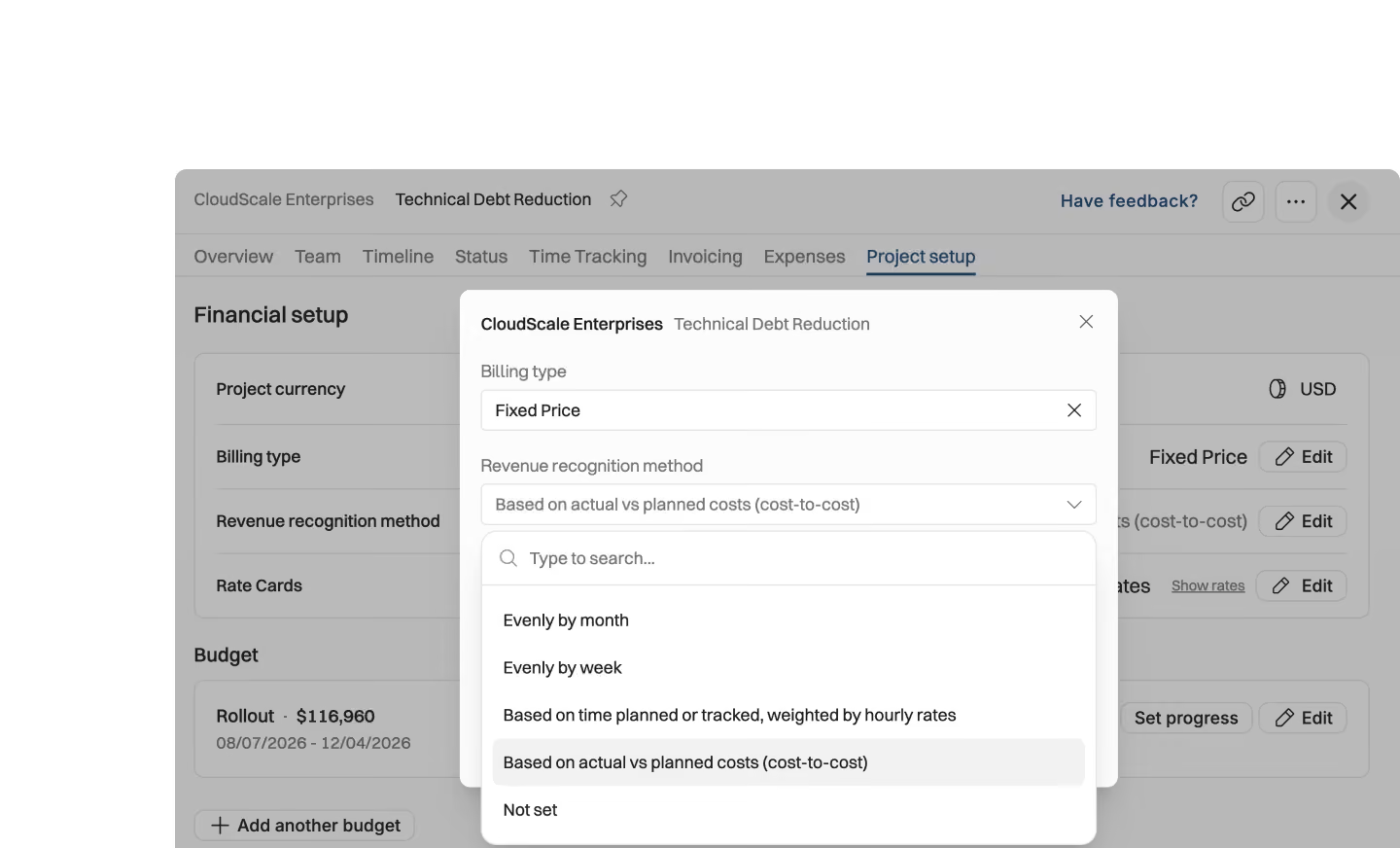
Cost-to-cost, month-by-month, or manual progress — set the method per project and let recognition run from delivery data.

Forecast and order backlog
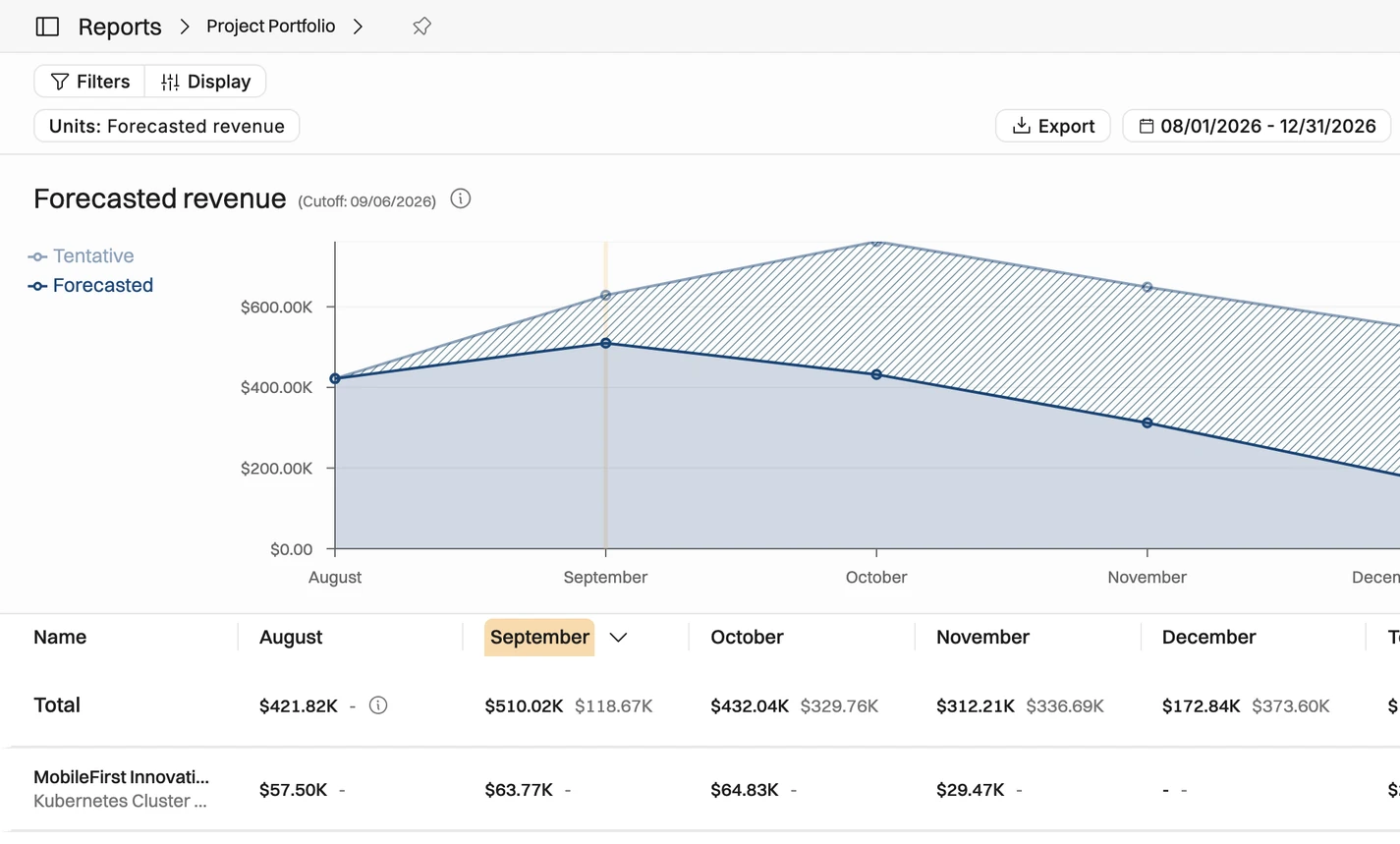
Recognized revenue updates as work happens, so you see earned revenue against invoiced-but-not-earned: your deferred revenue and true order backlog.

Drill down to any project
One firm-wide number with the whole trail behind it. Drill into any project, any method, any period when the auditor asks.
Recognition methods that match how you work
Cost-to-cost, month-by-month, or manual progress — set the method per project and let recognition run from delivery data. Built for firms reporting under ASC 606 and IFRS 15.
Time-and-materials and fixed price revenue recognition
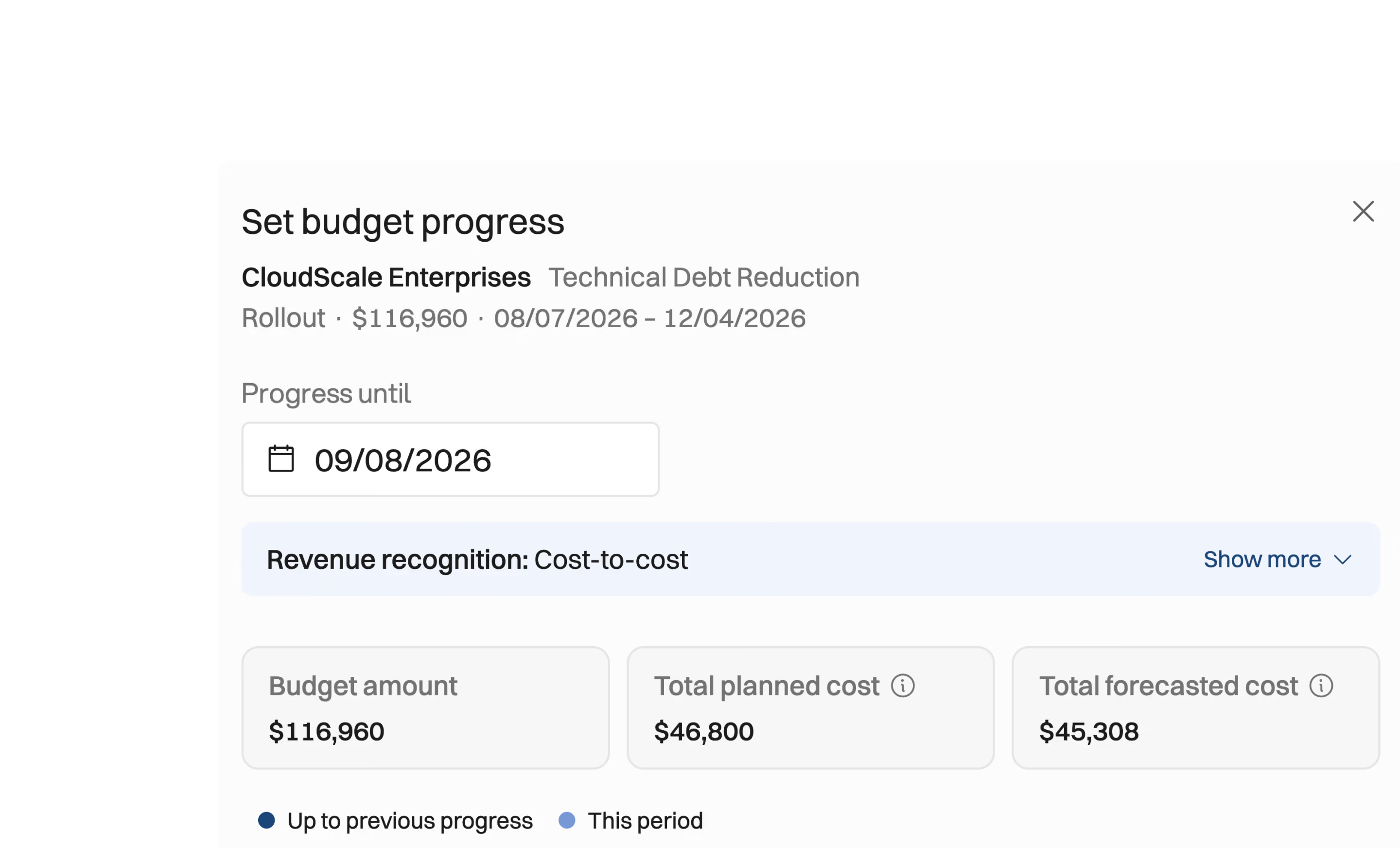
Cost-to-cost percentage of completion, computed from actuals
Month-by-month recognition for ongoing, steady engagements
Manual progress setting when the number needs judgment





Automated and manual revenue recognition
Recognized revenue updates in real time as work happens. Set it against contracted value and you get the number a sales dashboard can't give you: your order backlog — sold but not yet earned — and a revenue forecast based on what's actually been delivered.
Recognized revenue in real time, not month-end batches
Proactive revenue recognition suggestions
True order backlog: contracted value minus recognized revenue
Negative revenue corrections handled, not hidden
Forecast and monitor your true order backlog
Most PSA software gives you forecasted project numbers as one figure. Operating gives you visibility to invoiced and earned, and invoiced and not earned: see how much work there is left to be done, and what sits in your ledger as a liability
Per-project revenue recognition drill-downs
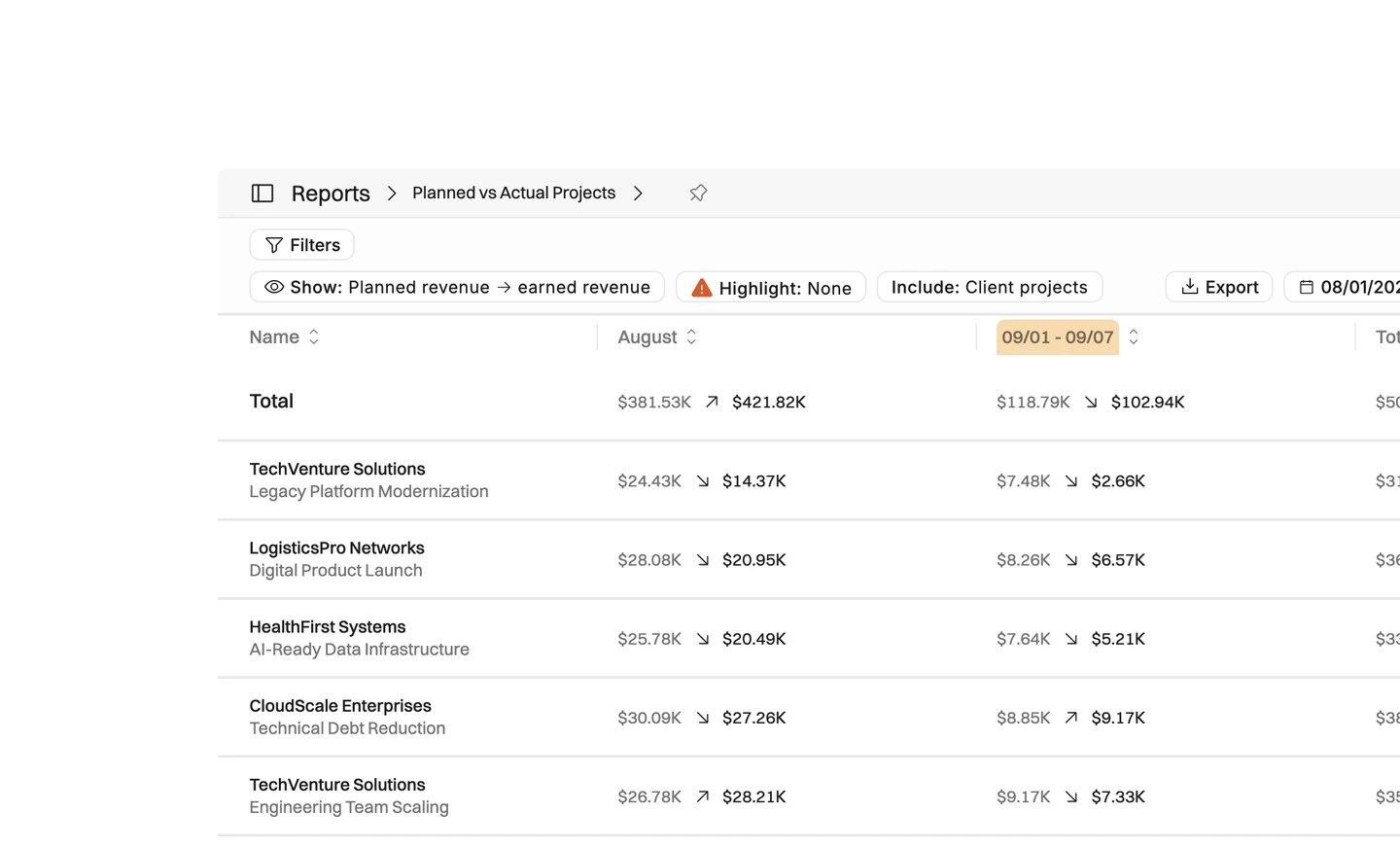
Portfolio-level insights to planned vs. actual earned revenue
Audit trail for every recognized dollar
Month-end close without rebuilding spreadsheets by hand
Why recognize revenue from delivery data?
Revenue rebuilt in spreadsheets at month-end is already out of date.

Finance and delivery usually keep separate numbers, and the gap only closes at month-end. Operating recognizes revenue from the same time, staffing, budget, and billing data your projects already run on, so both sides read the same figure.
The right recognition method depends on the project, so you choose it per project instead of applying one across the whole firm.
That is why cost-to-cost percentage of completion, month-by-month recognition, and manual progress all sit side by side. Cost-to-cost computes from actuals, ongoing and steady engagements recognize month by month, and when the number needs judgment you set the progress yourself.
The same trail that makes the number trustworthy makes it useful. Set recognized revenue against contracted value and you get true order backlog — sold but not yet earned. Drill from the firm-wide figure into a single project to see the method, the progress, and every change along the way.


Get the Operating Routine for resource planning
A weekly routine for staffing and capacity, written by people who ran it in their own firms. It gives your resource planning meeting a fixed agenda and a short list of numbers to check. Get the guide.
Thank you!
Get the Staffing Routine by clicking below.
Download guide
