


Invoicing built straight from project data
The end of the month shouldn't start an investigation. Operating builds invoices from the projects themselves — approved hours, billable expenses, agreed schedules — so the numbers on the invoice are the numbers from the work.
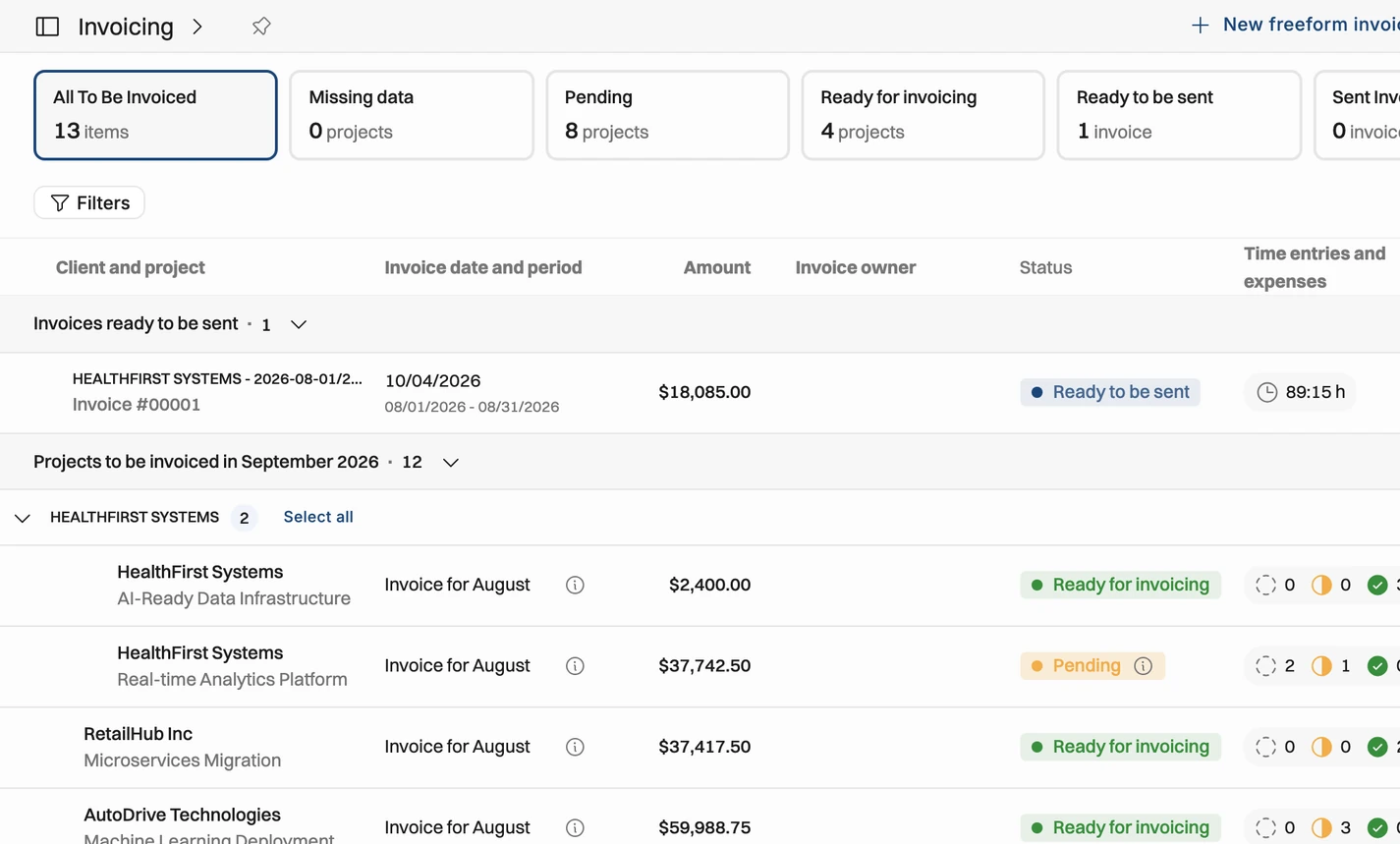

Invoices that assemble themselves
Rates, approved time, billable expenses and the agreed schedule flow straight into the invoice — nothing re-keyed from another tool.

See what's ready to send
The whole month's invoicing at a glance — what's ready, what's missing data, and where each invoice's approvals stand.

The details generic tools skip
Multiple country entities, credit notes, discounts and tax codes, handled in place and synced two ways with Xero and QuickBooks.
Billing & invoicing
Most invoicing months begin with a hunt: hours from one tool, expenses from another, contract terms from a PDF. In Operating the invoice is generated automatically from project data — rates, approved time, billable expenses, and the schedule you agreed.
Generated automatically from time, expenses, and the project plan
Time entry rounding supported supported in invoicing
Rates and terms come from the project — nothing re-keyed
Custom fields for whatever your invoices need to carry
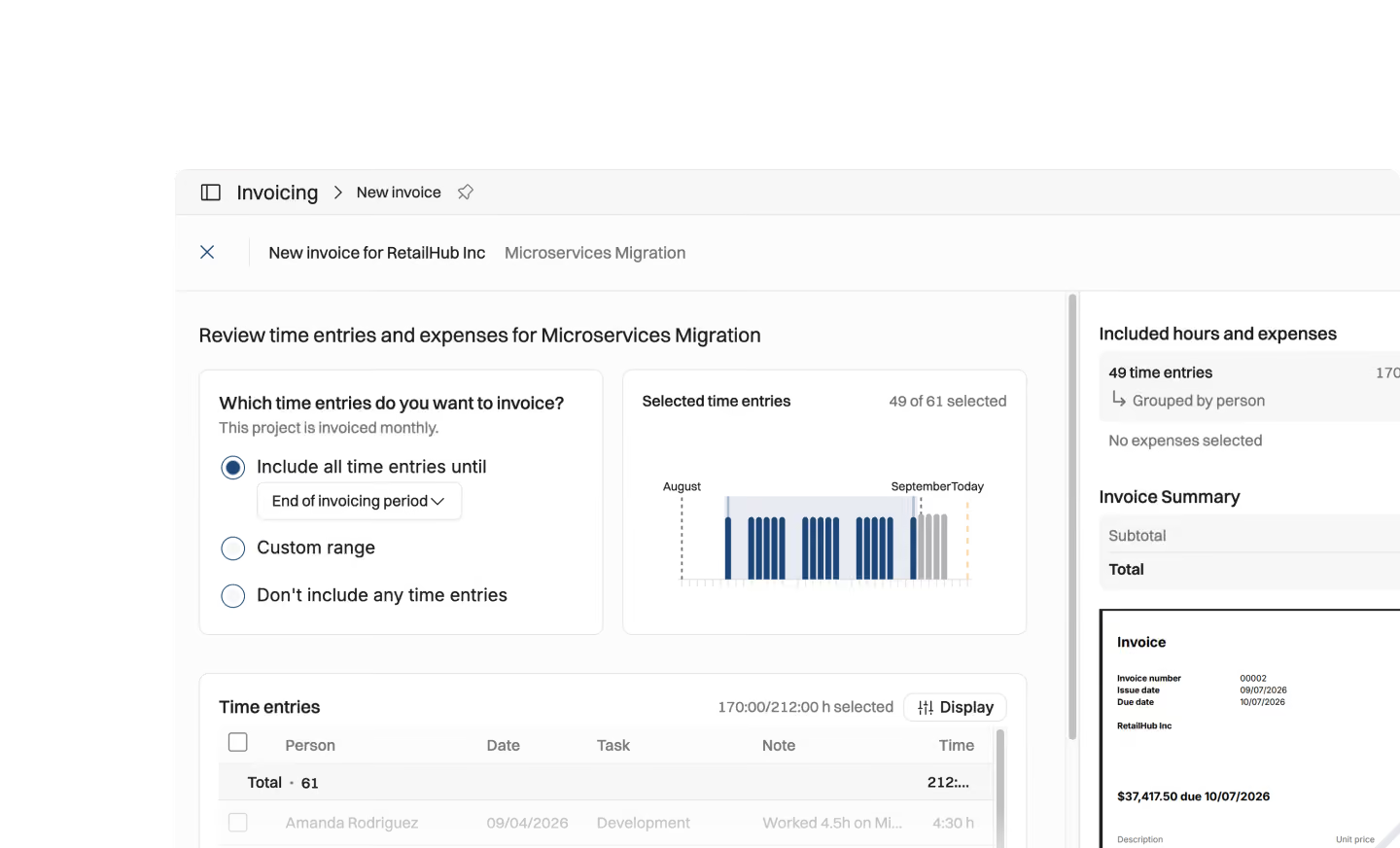





The invoicing workflow
An invoice is only as done as its slowest timesheet. Operating shows the whole month's invoicing at a glance: which invoices are ready to send, which are missing data, and exactly where each one's approvals stand.
Missing-data vs ready-to-send, across all invoices
Approval status per invoice: time entries submitted, pending, approved
Custom schedules for milestone projects; monthly cadence for the rest
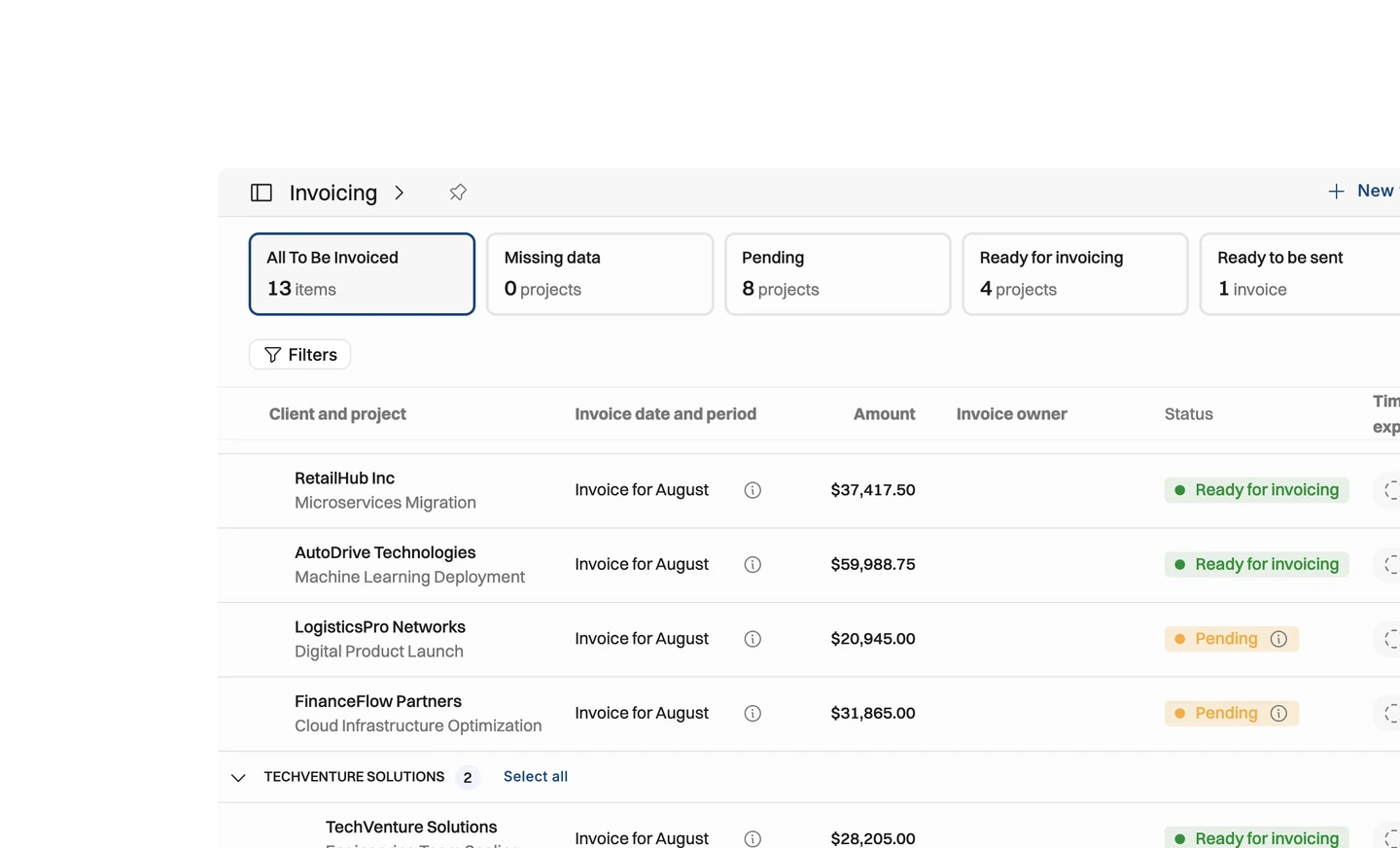
Flexible invoice generation
Multiple country entities, credit notes, discounts, tax codes — the parts of invoicing that make generic tools give up. Operating handles them in place, and is built to work hand in hand with your accounting platform, starting with Xero and QuickBooks: invoice data flows to accounting, invoiced data comes back for reporting.
Multi-company support for separate country entities
Credit notes, plus discounts on line items or per-tax-code sums
Two-way accounting sync — Xero and QuickBooks first
.avif)
Why build invoices from project data?
The end of the month shouldn't start an investigation into your own projects.

Most invoicing months begin with a hunt: hours in one tool, expenses in another, contract terms buried in a PDF. We saw that every re-keyed number is a place where the invoice and the work drift apart.
An invoice is only as done as its slowest timesheet. If you can't see which approvals are missing, you can't tell what's actually blocking the month.
So the whole month sits in one view: which invoices are ready to send, which are still missing data, and exactly where each one's approvals stand — time entries submitted, pending, or approved. Milestone projects get custom schedules; everything else runs on a monthly cadence.
The other reason is nuance. Separate country entities, credit notes, discounts on line items or per-tax-code sums — these are the parts of invoicing generic tools give up on, so we handled them in place. And because accounting is where invoices end up, data flows to Xero and QuickBooks and comes back for reporting.


Get the Operating Routine for resource planning
A weekly routine for staffing and capacity, written by people who ran it in their own firms. It gives your resource planning meeting a fixed agenda and a short list of numbers to check. Get the guide.
Thank you!
Get the Staffing Routine by clicking below.
Download guide
