Quick summary: Operating's November update adds fully custom invoice schedules for fixed-price projects with any number of stages, dates, and amounts, plus credit notes that show which invoice they belong to. Planned gross margin now appears on each project position, with hover detail for rate, cost rate, and gross profit per hour. HubSpot mapping covers any Company field as the client, your own legal entity, and project IDs, and the 400-item list cap is gone.
We’ve been busy shipping updates that make Operating.app faster, clearer, and easier to use across projects, people, and invoicing. Below is a summary of what’s new.
New sidebar navigation
The new sidebar is still in beta but will become the default soon. It introduces two important improvements that change how teams navigate Operating.
Pin any page
You can now pin almost anything to the sidebar. Person pages, project detail pages, client pages, filtered lists, and more. Build your own shortcuts and structure your workspace the way you prefer.
Saved views and automatic pinning
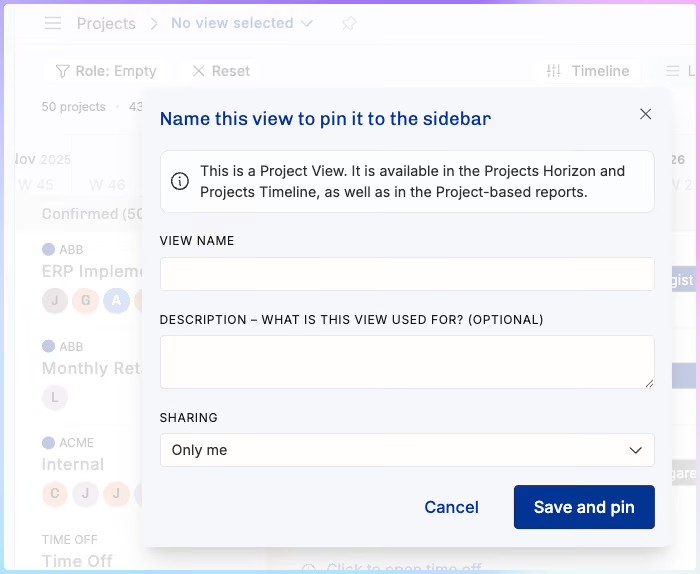
When you pin a filtered page, Operating now creates a saved view automatically and adds it to your sidebar. This removes unnecessary steps and makes your go-to layouts easier to reopen.
Some customers told us the new navigation felt unfamiliar at first. Once teams understand how pinned items work, the flexibility becomes very clear and the navigation starts working the way people naturally think about their work.
Invoicing
Custom invoice schedules
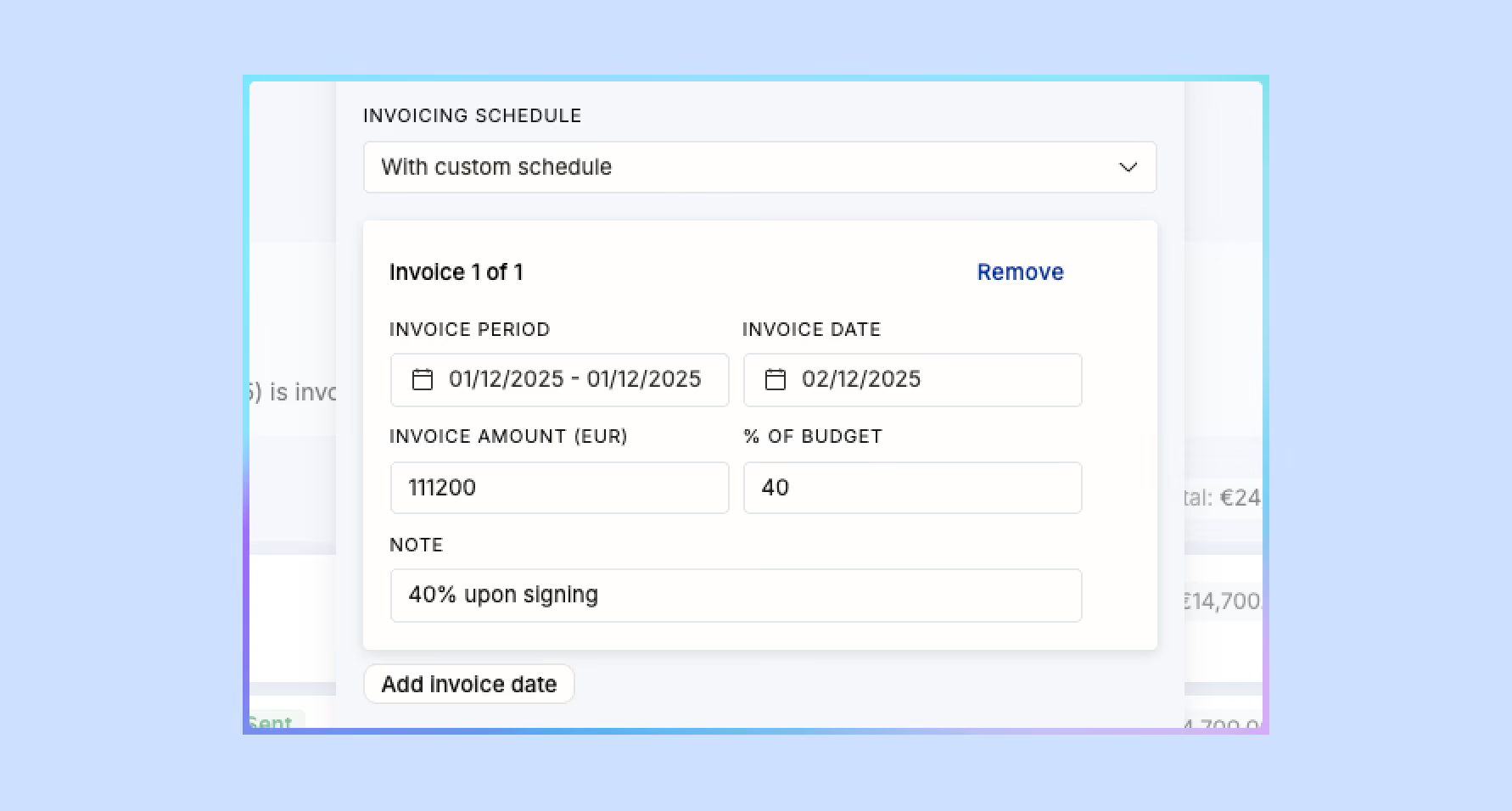
Fixed-price projects now support fully custom invoice schedules. Add any number of invoice stages with custom dates and amounts. This works well for upfront payments, multi-stage billing, or non-standard contract terms.
Credit note improvements
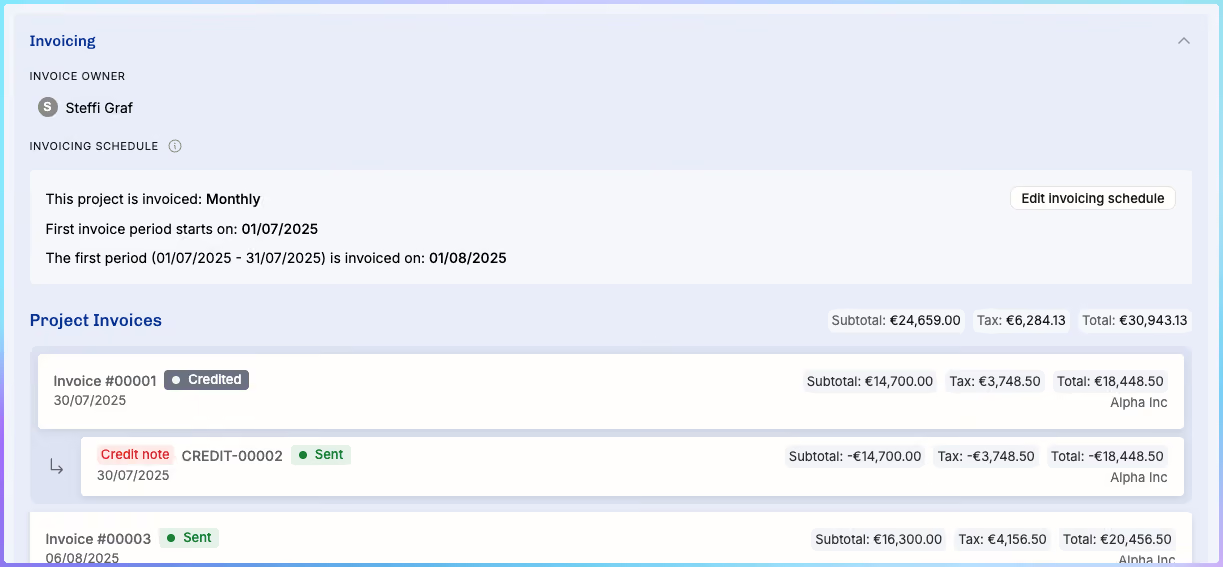
Credit notes now show which invoice they belong to. This makes the invoicing timeline easier to follow and helps avoid mistakes when multiple adjustments occur in a project.
HubSpot integration upgrades
Let’s call this version three or four. The important part is that it keeps improving. Three key additions were released.
1. Import any Company field as the Client
You can now map any Company field from HubSpot, including the Company Record ID, to the client in Operating. This has been one of the most common requests from teams with customized CRM setups.
2. Import the Operating company (your own entity)
If your business operates through multiple legal entities, such as a Netherlands company and a Denmark company, you can now bring that information in directly from HubSpot Deal fields.
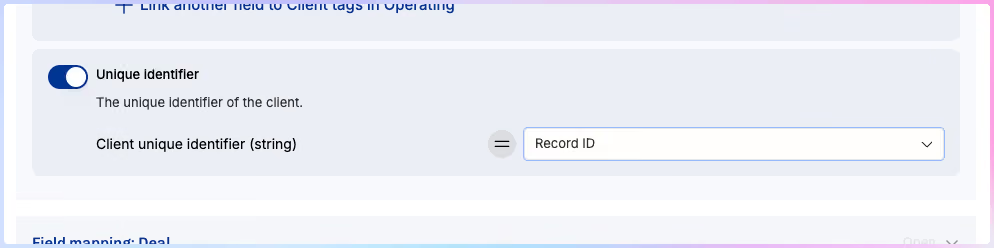
3. Import a project’s unique ID
Many firms track unique project identifiers across systems. You can now import this ID from HubSpot into Operating for consistent referencing.
Other quality-of-life improvements
Employee ID field
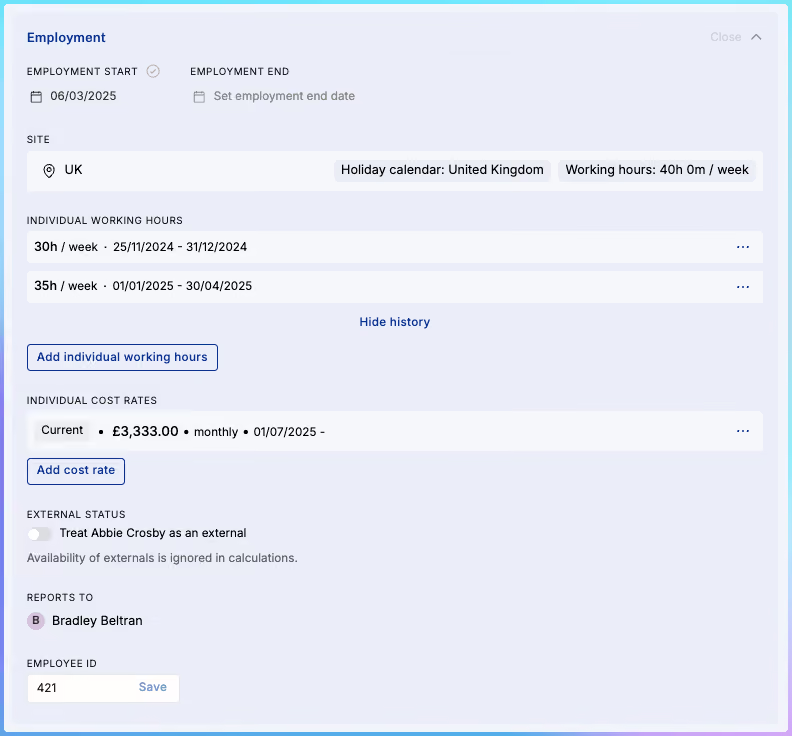
Every person now has an Employee ID field. It is editable on the person page, included in people-related CSV exports, and available through the API. Operating isn’t trying to replace your HRIS, but many smaller firms can now use it as a central reference for day-to-day people data.
Gross margin visibility
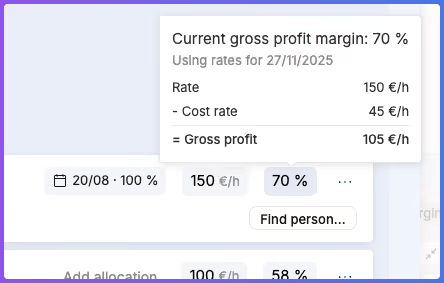
On each project position, you now see the current gross margin percentage and the details behind it. Hover over the value to see the rate, cost rate, and gross profit per hour. This gives PMs and operations teams a real-time view into project profitability.
Enhanced CSV exports
Exports now include more operational data.
Position exports now include:
• Work start and end dates
• Project groups
• Allocation details
Project exports now include:
• Unique identifiers
• Project numbers
• Deal IDs
• Budgets
Time entry exports now include:
• Employee IDs
• Project IDs
• Client IDs
• External system IDs (for payroll and third-party matching)
Project burnup refresh timestamp
If you're using time tracking data from Harvest or another third-party source, the burnup chart now shows when the data was last refreshed. This helps PMs know whether they are looking at live numbers or something slightly behind.
Pagination for very long lists
Until now, some lists capped out at 400 items. That limit is gone. All lists now load dynamically as you scroll, so you can see your full set of people, projects, or positions without hitting a ceiling.
Mark time entries invoiced (even if you invoice elsewhere)
From the Time Entries directory, you can bulk-edit entries and mark them as invoiced. This is helpful for teams that track time in Operating but create invoices in another system.
There is no undo for this action. Once entries are marked as invoiced, they stay that way.
Approval flow controls
Approval flows now support disabling self-approval. This ensures time entries are reviewed by someone with proper oversight instead of allowing users to approve their own hours.
FAQ
How do custom invoice schedules work in Operating.app?
Custom invoice schedules let you define any number of invoice stages with your own dates and amounts. This is useful for upfront payments, phased billing, or non-standard fixed-price agreements.
Can I pin any page to the sidebar?
Yes. You can pin person pages, project detail pages, clients, and filtered views. Pinning a filtered page automatically creates a saved view for easy access.
What improvements were made to the HubSpot integration?
You can now import any Company field as the client, bring your own legal entity field into Operating, and map a project’s unique identifier from HubSpot.
How does gross margin visibility work on projects?
Each project position now shows its current gross margin. You can hover over the percentage to see the rate, cost rate, and profit per hour, giving you quick insight into project profitability.
Do CSV exports now include more data?
Yes. Position, project, and time entry exports now include more IDs, dates, groups, allocation details, and external system identifiers to support payroll and financial matching.
Can I mark time entries as invoiced if I invoice outside Operating?
Yes. You can bulk-mark time entries as invoiced from the Time Entries directory. There is no undo, so the change is permanent.