Quick summary: Operating's early-to-mid October update adds Time Balance tracking for flex hours, budget splitting for fixed-price work, bulk team setup, and CSV exports. Time Balance is enabled in Time Tracking Settings and lets people see their own plus or minus hours, track time to a flex leave category, and have balances viewed or reset on the People Horizon. Budget splitting sets a first budget matching actual progress, groundwork for the fixed-price revenue recognition features shipping next.
Intro
The early/mid-October product update is packed with new ways to make time tracking and project management smoother. You can now track and reset Time Balance for everyone, split budgets to reflect real project progress, add multiple team members at once, and export your staffing data straight to CSV. These improvements help consulting teams plan smarter, keep finances aligned with delivery, and share insights effortlessly across the organization.
Time Balance, Budget-splitting, Add multiple, and New CSV Exports
How many plus hours do I have?
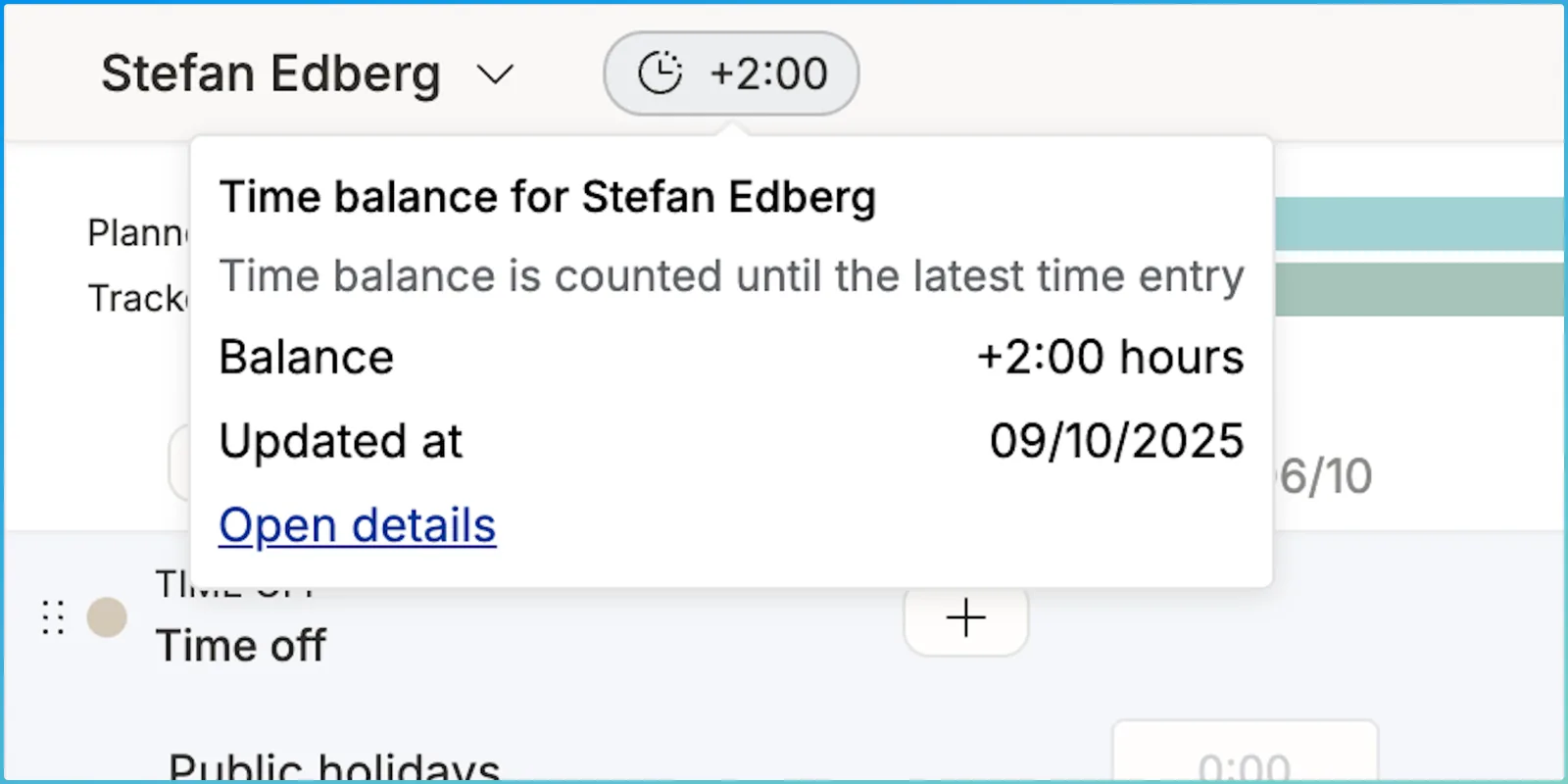
It’s common to track under/overtime with a Time Balance. For an employee, it typically allows for working at higher intensity for some time and then take well-earned time off afterwards, spending the flex balance plus hours. Operating now offers you the option to switch Time Balance on. After enabled from the Time Tracking Settings, you can:
- see your own balance ± on top of the Hours UI
- track time to a “flex leave” time off category to deduct from your balance
- see everyone’s balance on the People Horizon
- reset the balance from the same place, in case the plus hours were paid as salary
Read more on this support page.
Split budgets to follow how many % of project value has been delivered
For fixed price work, progress is rarely directly tied to the number of hours spent. Sometimes you find yourself at 30% done at the halfway point, other times it’s been smooth sailing and you could be already at 70%. In these situations, it makes sense to pause to adjust the budgets to match reality:
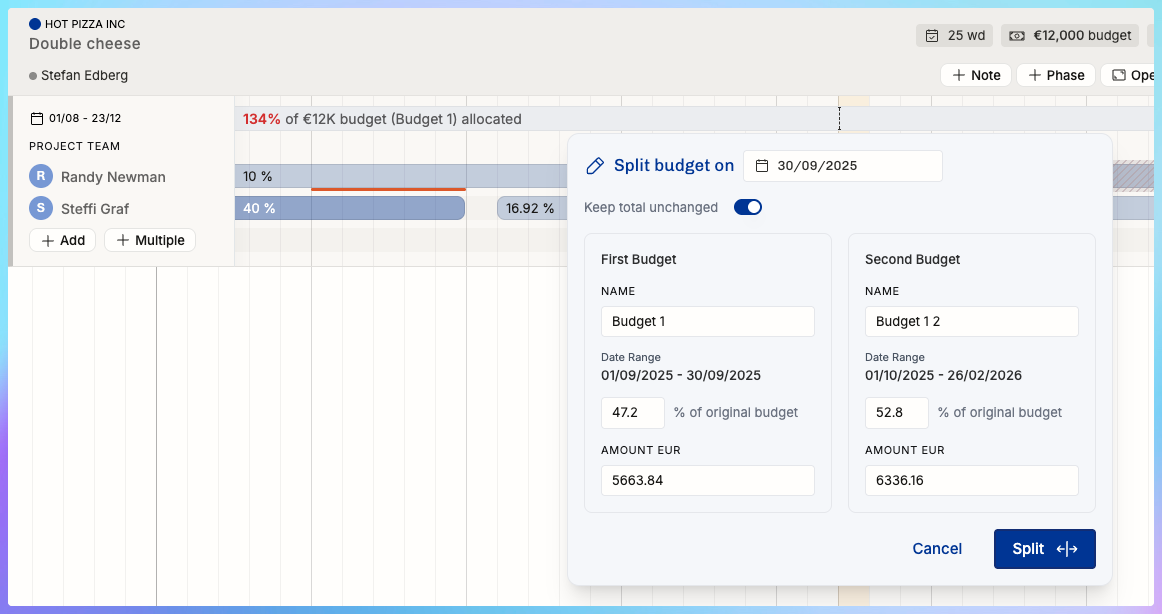
Split on yesterday and set the first budget to match your progress. Make changes to the rest of the budget accordingly – and allocate fewer or more hours to the remainder.
This is groundwork for the FP revenue recognition features we’re shipping next. Can’t wait to tell you more about them! As a teaser, I’m just going to mention that you can finally attribute the value of the work done to people and to past weeks and months. Your finance team will thank you.
Quick! Let’s add the team setup!
It’s now easier than before to add multiple people at once – typically, you the whole team setup early on, even before the exact allocation schedule is known.
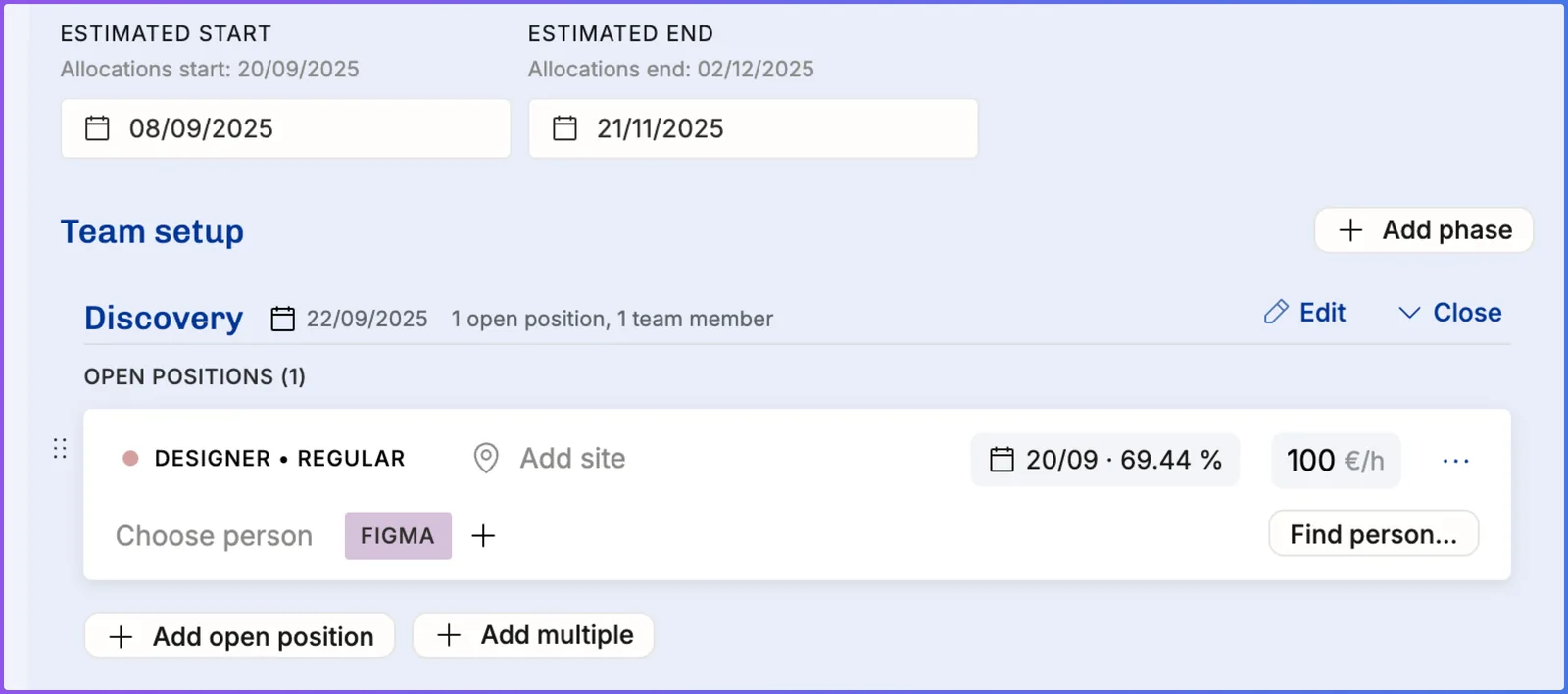
Hit the “+ Add multiple” button to open a dialogue that remembers the Roles you frequently use. Doing this early in the staffing process lets everyone see what size the team will be and whether or not their role is going to be needed.
By the way, in the above picture, you can also see the Discovery phase being planned. Have you tried Phases yet? As a sidenote to a bytheway, try out the Find person… the next time you’re here. The suggestions are likely useful!
All of this work is part of our bigger initiative of making enterprise grade staffing more powerful. Builders of big teams, rejoice!
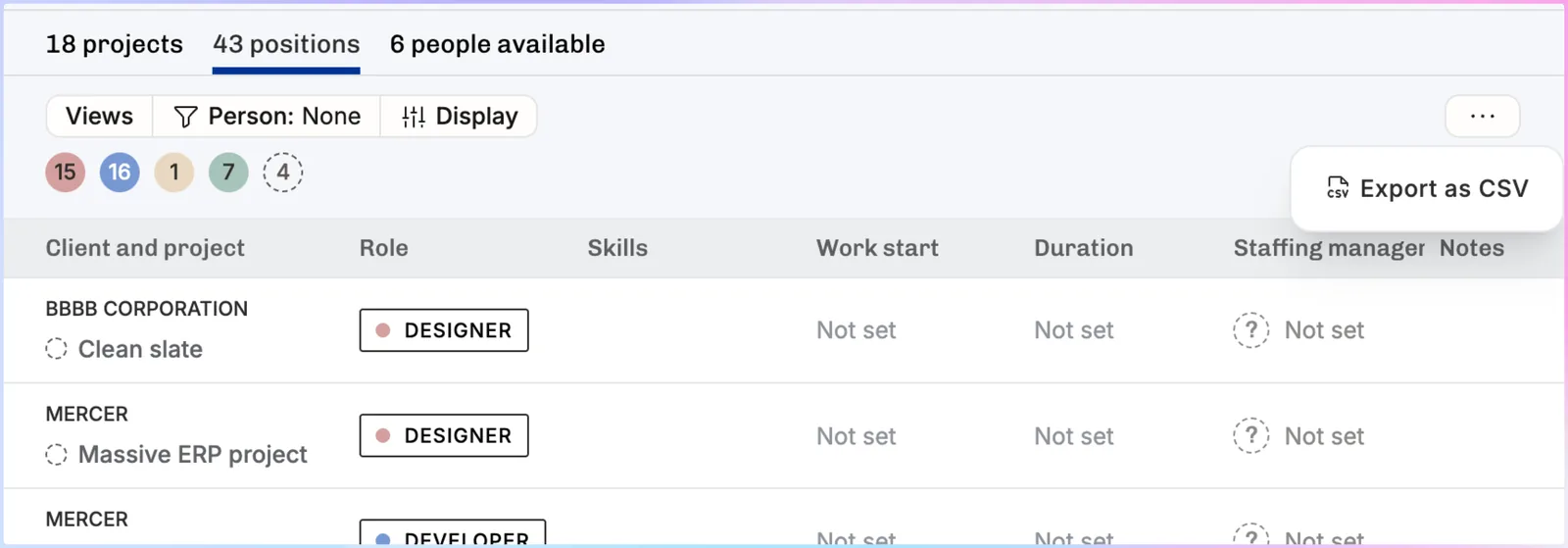
Export open positions, available people, etc
It’s quite common for heavy Operating users to have colleagues who don’t access the app. For them, it might be best practice to share the situation in a spreadsheet and summarise things so that they don’t get that “too much information, sir” sensation.
CSV exports also give you the opportunity to take a snapshot of your situation today – which might be useful for a deeper analysis of today vs. a month from now, for example.
And many more updates
- Support for more HiBob time off types (they support a huge number of different policies!)
- Paint new budgets directly on the Timeline
- Approval flows: new permission for “approve any time entry”, useful for admins
- More detailed financial visibility permissions
- To be invoiced -list became clearer: this time we reduced the amount of info (!)
- Invoice REST API → here
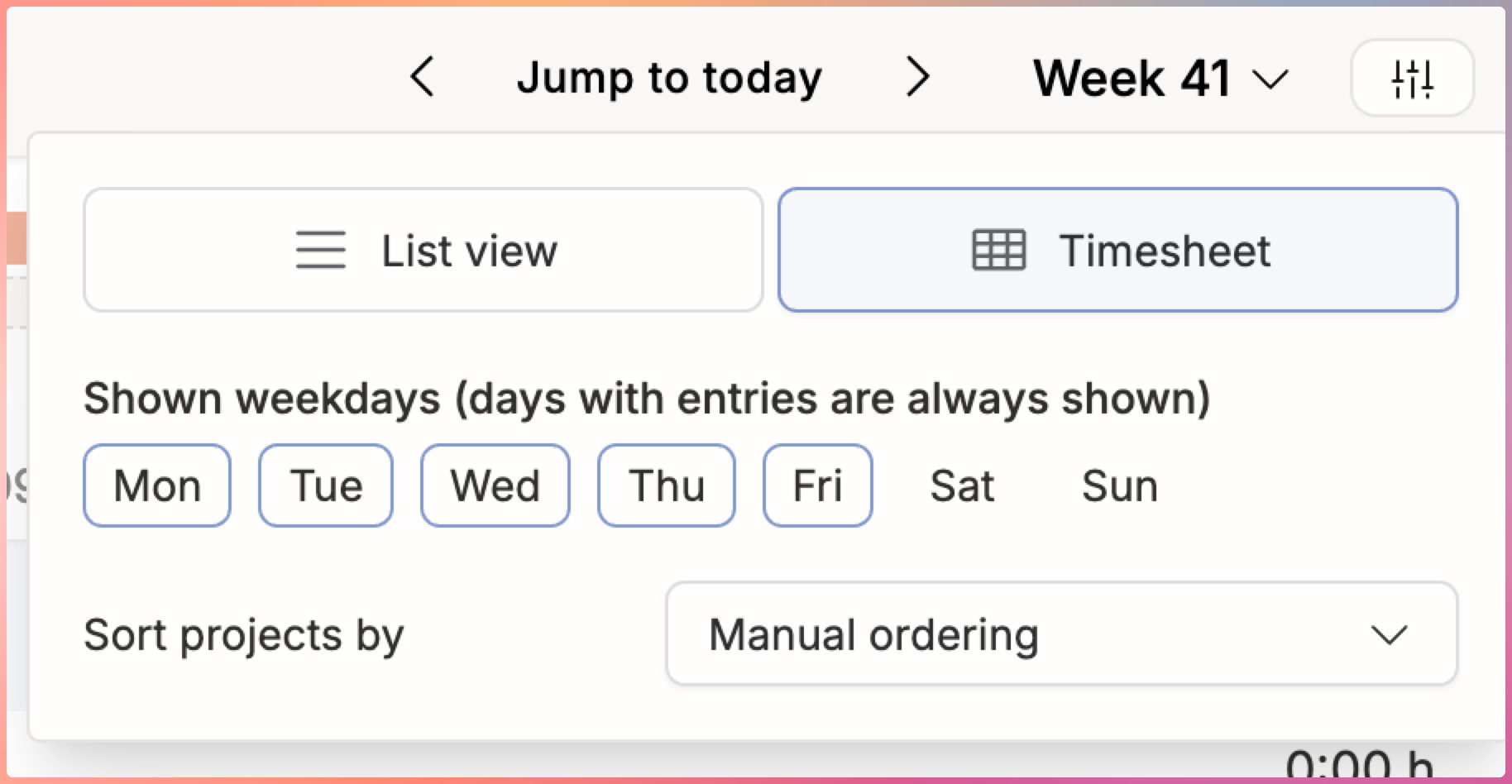
- A handful of Time entry list & timesheet bugfixes. Also supported: manual sorting of rows on the timesheet:
Summary
From flexible hour tracking to clearer project budgets and faster team setup, these updates bring more control and transparency to your daily operations. We’re continuing to make Operating more powerful for growing consulting firms, especially those managing complex projects and large teams.
Explore the new features in your account today, or visit our support page for detailed guides on each update.
FAQ
How do I enable Time Balance?
Enable Time Balance in Time Tracking Settings to track and reset plus/minus hours for everyone.
What is budget-splitting?
It lets you divide project budgets to reflect real progress instead of just hours spent.
Can I add multiple people at once?
Yes, use “+ Add multiple” to quickly add roles and team members in one step.
What can I export to CSV?
Export open positions, available people, and staffing data for sharing or analysis.
Is there an invoicing API?
Yes, the new Invoice REST API supports finance integrations.