


Connect HiBob HRIS with your resource planning tool
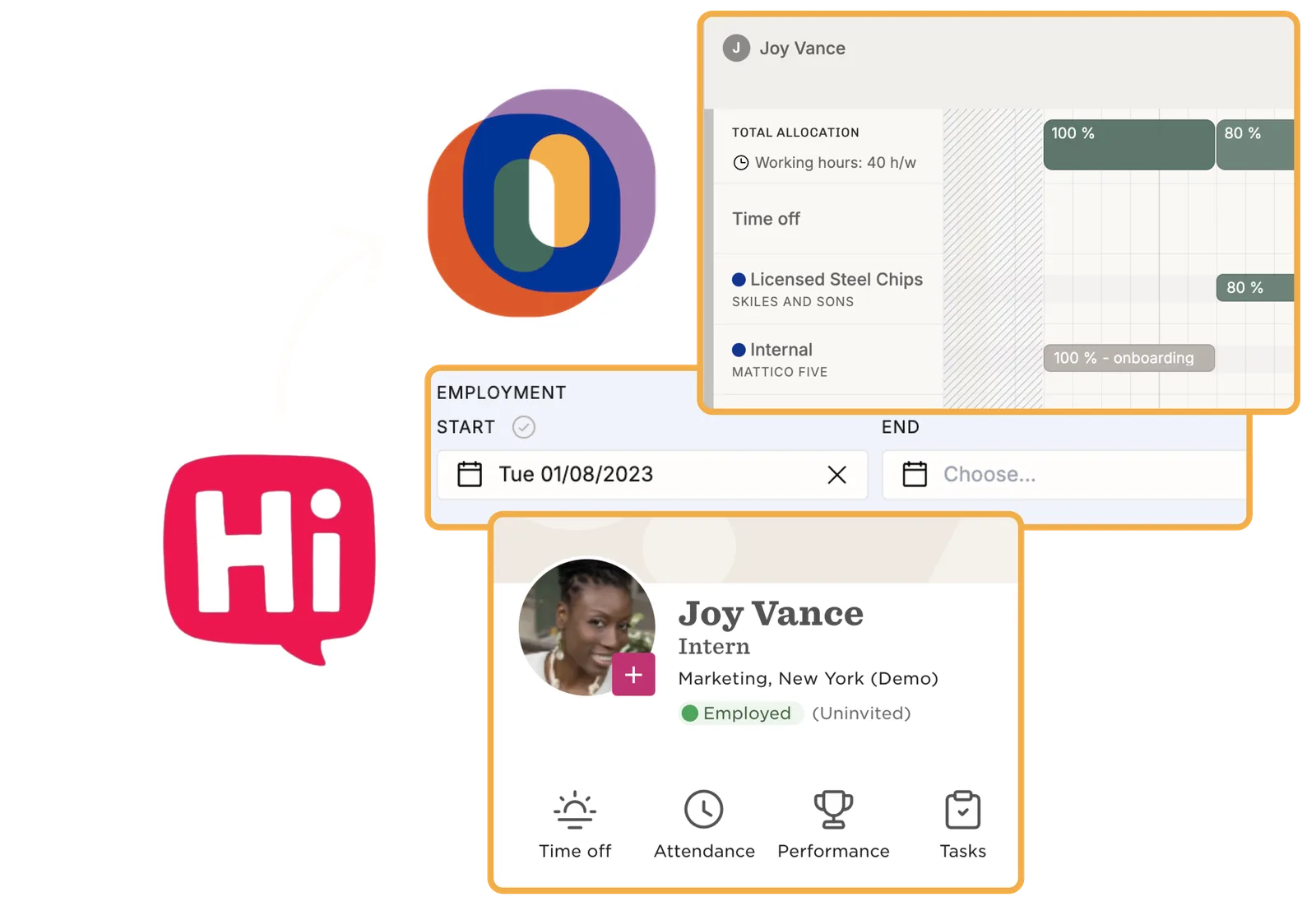
Operating keeps its people list in step with HiBob. Names, titles, managers, sites and working patterns come across, with employment start and end dates, and time off comes with them. The plan then describes the team you actually have. Joiners appear from their start date, leavers drop out of capacity, and nobody retypes a holiday.
Plan against the team you actually have
A consultant left three weeks ago and is still sitting on next month's plan. A new joiner starts on Monday and nobody has added them yet. Operating polls HiBob every five minutes, so the people list keeps itself current and the plan describes the team you really have.
- Joiners appear on the timeline from their employment start date
- Leavers drop out of capacity when their employment ends
- Part-time and non-standard working patterns come through as HiBob records them
- Nobody retypes a starter or a leaver into the planning tool
What moves from HiBob into the plan
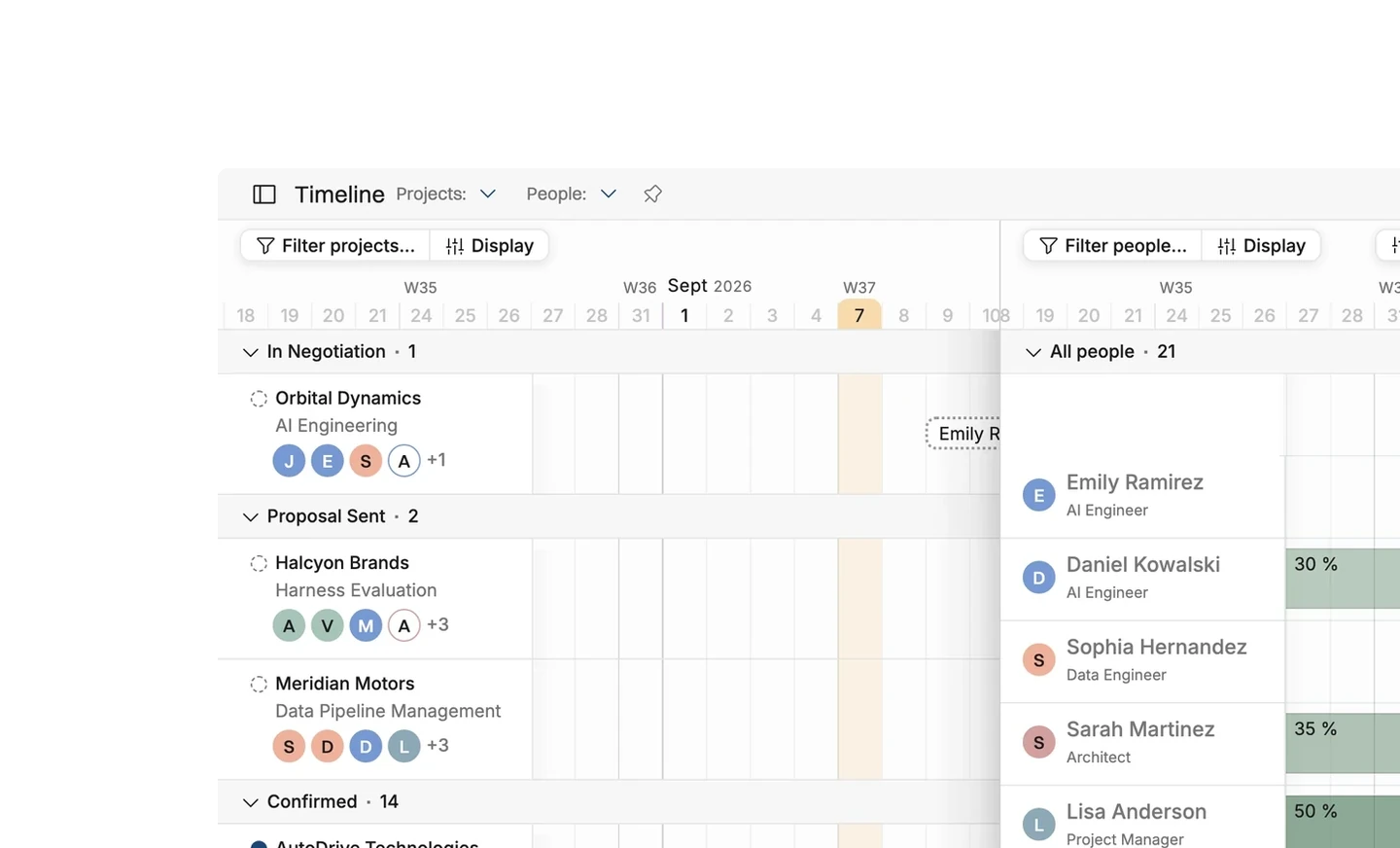
Nobody enters the same holiday twice. People book time off in HiBob the way they already do, and Operating puts it straight into the plan. A request still waiting for approval shows as tentative, so a planner can see it coming. Leave that nobody has booked yet does not show at all, because HiBob does not know about it either.
- Open time-off requests arrive as tentative allocations on the timeline
- Approved time off becomes a confirmed allocation and the time entries that go with it
- People, employment dates, titles, managers, departments and profile pictures come across too
- HiBob caps the time-off look-back at six months, so older absences stay in HiBob
Sites, groups, roles and skills come with the people
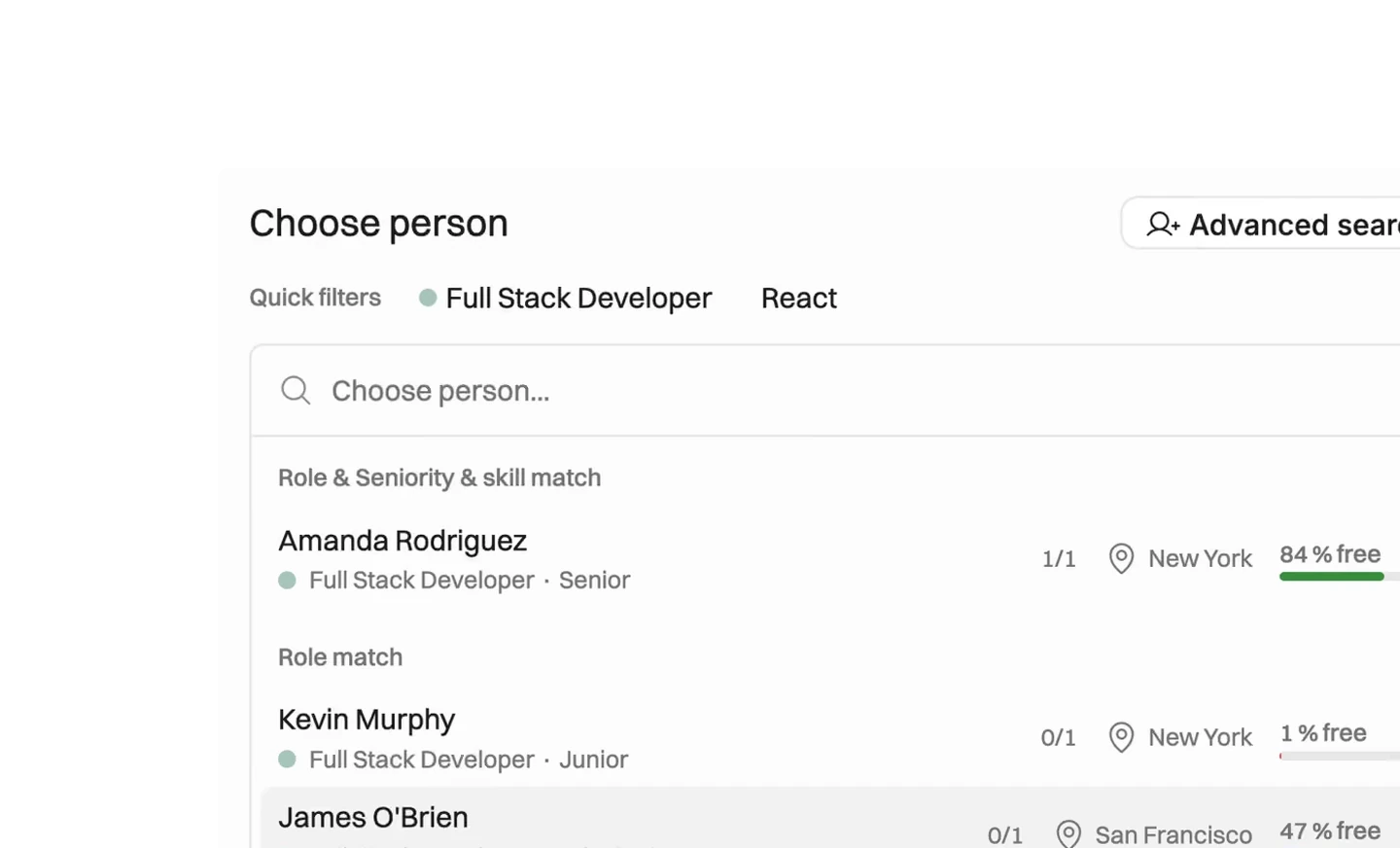
Your organizational structure does not need maintaining twice. Operating maps HiBob sites onto its own, builds groups from your custom list fields, and takes roles, seniority levels and skills from HiBob as well. Who appears at all is HiBob's decision: the permission group on the connection decides who Operating can see.
- Map HiBob sites onto Operating sites during setup
- Build Operating groups from a HiBob custom list field, such as practice or capability
- Bring a person's role and seniority across, so a promotion recorded in HiBob reaches the plan
- Import skills from a custom list field, or map a HiBob people-data table to bring skill levels and skill sentiment too
- Keep role, seniority and skill names in sync, so renaming one in HiBob renames it here
- If somebody added in HiBob never appears, check that permission group first






What syncs between HiBob and Operating
Checked against the product on 2026-09-27.
People, names and employee id
Every five minutes
Employment start and end dates
Every five minutes
Title, manager and profile picture
Every five minutes
Department, site and working pattern
Every five minutes
Sites, mapped to Operating sites
Every five minutes, if switched on
Groups from custom list fields
Every five minutes, if switched on
Roles and seniority levels
Every five minutes, if switched on
Skills, into a chosen skill category
Once a day, if switched on
Skill levels and skill sentiment, from a HiBob table
Once a day, if switched on
Open time-off requests, as tentative allocations
Every five minutes, after the integration start date
Approved time off, as confirmed allocations and time entries
Every five minutes, looking back at most six months
Questions about the HiBob integration
How often does Operating update people data from HiBob?
Operating polls HiBob every five minutes for people, employment dates, titles, managers, departments, sites and working patterns. Skills refresh once a day.
Why would a person added in HiBob never appear in Operating?
The HiBob permission group on the connection decides who is visible to Operating. If a person sits outside that group, HiBob never sends them. Widen the group in HiBob and the person arrives on the next poll.
Does the HiBob integration write anything back to HiBob?
No. Data moves one way, from HiBob into Operating. Nothing Operating does changes a record in HiBob.
How does time off booked in HiBob affect a resource plan?
An open request becomes a tentative allocation, so planners see it before it is approved. An approved request becomes a confirmed allocation and the time entries that go with it, so reports count the leave properly.
How far back can Operating import time off from HiBob?
Six months. HiBob caps how far back its time-off history can be read. Time-off import also does nothing until an integration start date is set, so set one during setup.
What does Operating need in order to connect to HiBob?
A HiBob service user id and a service user token, rather than a personal login. The permission group you give that service user decides which people Operating can see.
Can skills held in HiBob be used for staffing in Operating?
Yes. Skills import into one skill category that you choose, and refresh once a day. They then work like any other skills in Operating when you match people to roles. If your skills sit in a HiBob people-data table rather than a list field, map that table's columns instead, and skill levels and skill sentiment come across with the skill name.
What happens in Operating when somebody is promoted in HiBob?
The new role and seniority level apply from the day the sync sees them, and the role the person held before stays in their history rather than being overwritten. Clearing the role field in HiBob does not remove the role in Operating, so an empty field never wipes somebody's role.
Go deeper



Get the Operating Routine for resource planning
A weekly routine for staffing and capacity, written by people who ran it in their own firms. It gives your resource planning meeting a fixed agenda and a short list of numbers to check. Get the guide.
Thank you!
Get the Staffing Routine by clicking below.
Download guide