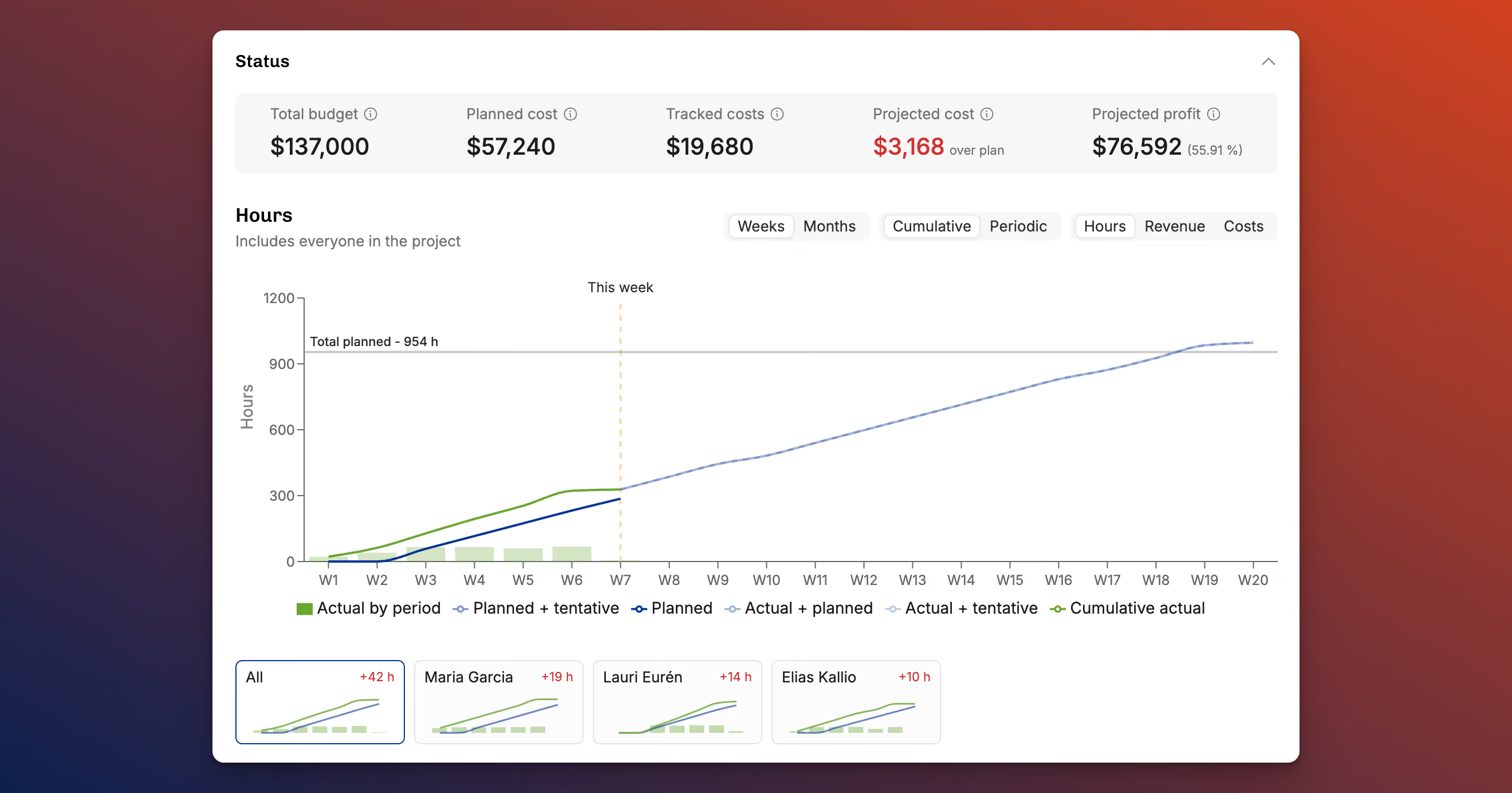
Quick summary: Operating's January 2026 release centers on financial visibility. The project detail page now has a Status section showing current profitability, projected outcomes, and KPIs for revenue earned from tracked time, forecasted budget outcome, and expected gross profit. Fixed-price projects support manually set progress percentages for revenue recognition, the projects list gained money and profitability columns, time entries can be bulk edited or deleted, invoices can be previewed while editing, and reporting APIs now expose revenue data.
January’s release focuses on one thing: clearer financial visibility across projects. From improved project status views to better fixed-price revenue tracking and upcoming navigation changes, this update gives admins and PMs faster insight into money, progress, and permissions.
Project status and financial clarity
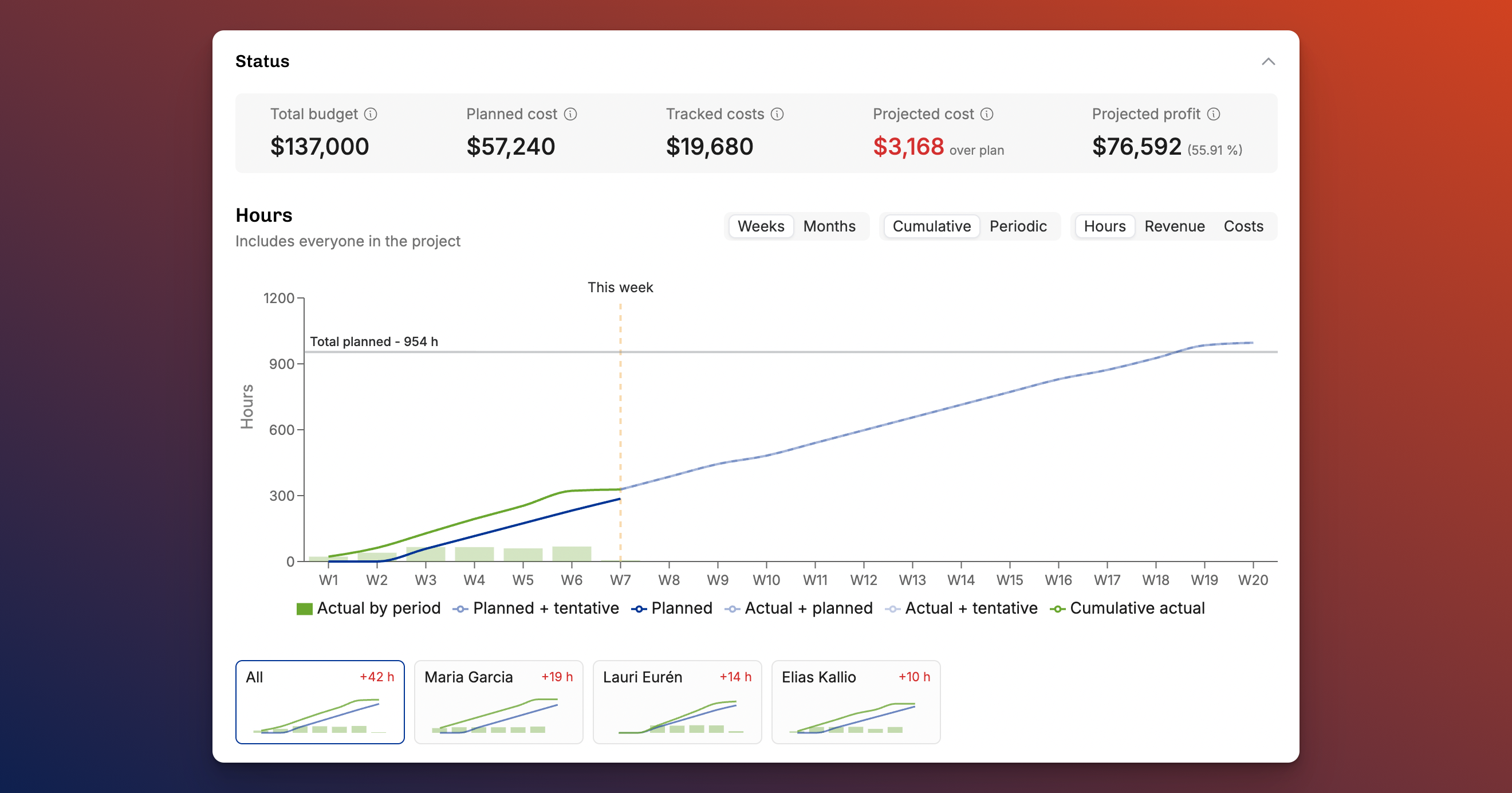
The Project detail page has been reorganized to surface financial outcomes at a glance.
A new Status section now brings together:
- Current profitability
- Projected outcomes
- Key financial indicators previously spread across multiple sections
The Financial setup section now focuses purely on configuration, including billing type, budgets, and revenue recognition settings.
At the top of the page, new KPIs highlight the most important facts for time-and-materials projects:
- Revenue earned based on tracked time
- Forecasted budget outcome
- Expected gross profit
The burnup chart has also been expanded. You can now:
- Toggle between plan vs. actuals
- View performance from project start or from today onward
- Include or exclude tentative allocations with one click
Invoicing and expenses are now visible directly in the project view, removing the need to jump between sections.
Financial columns in the Projects list
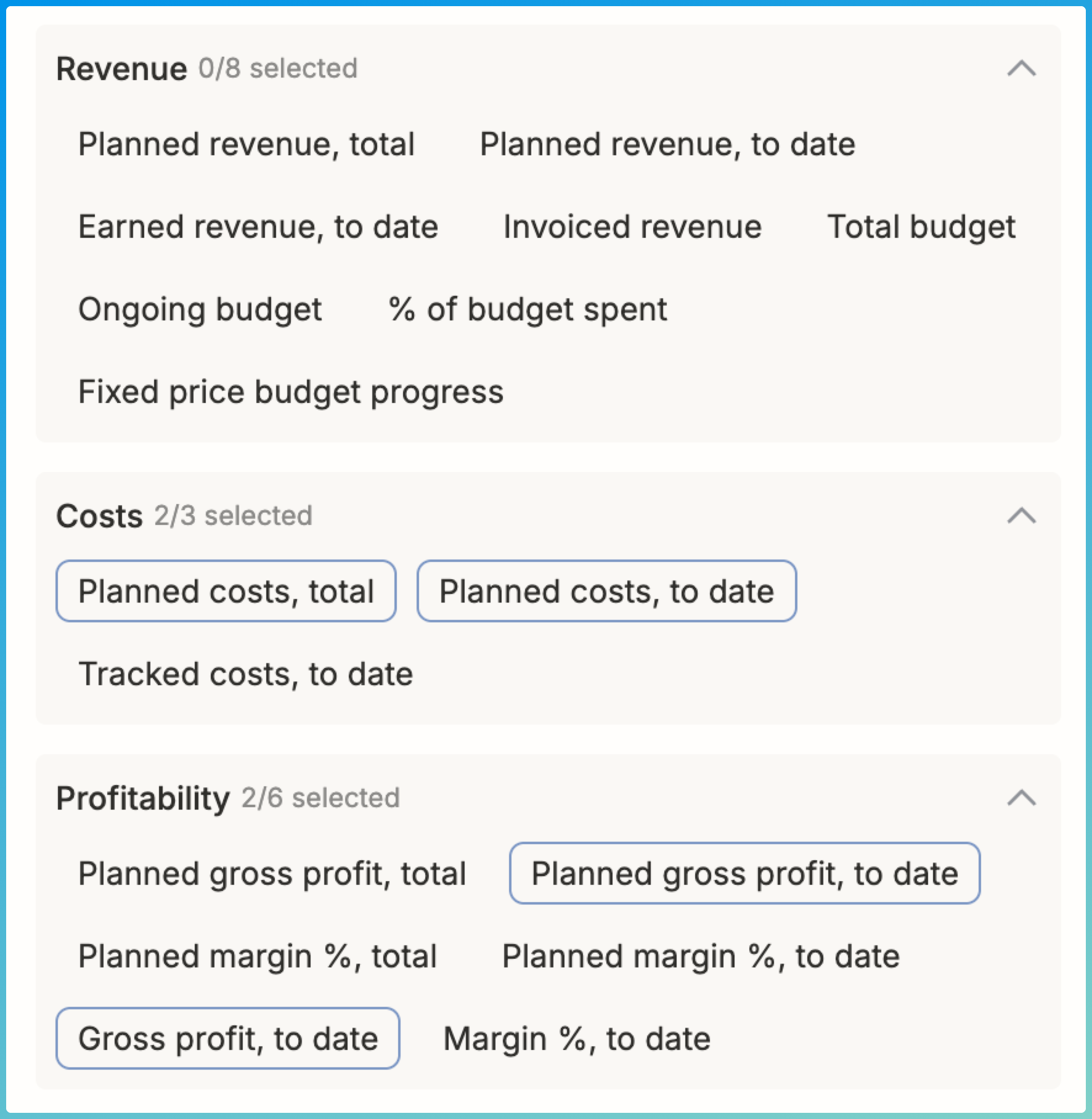
Project lists now support expanded money and profitability columns, accessible through the Display menu.
For PMs and PMOs, this makes it easier to:
- Spot projects at risk of margin erosion
- Identify missing financial inputs
- Improve overall data quality across the portfolio
These views are especially valuable when cost cards are configured. Understanding gross profit at every stage of a project’s lifecycle is essential for accurate forecasting and decision-making.
Fixed Price project progress and revenue recognition
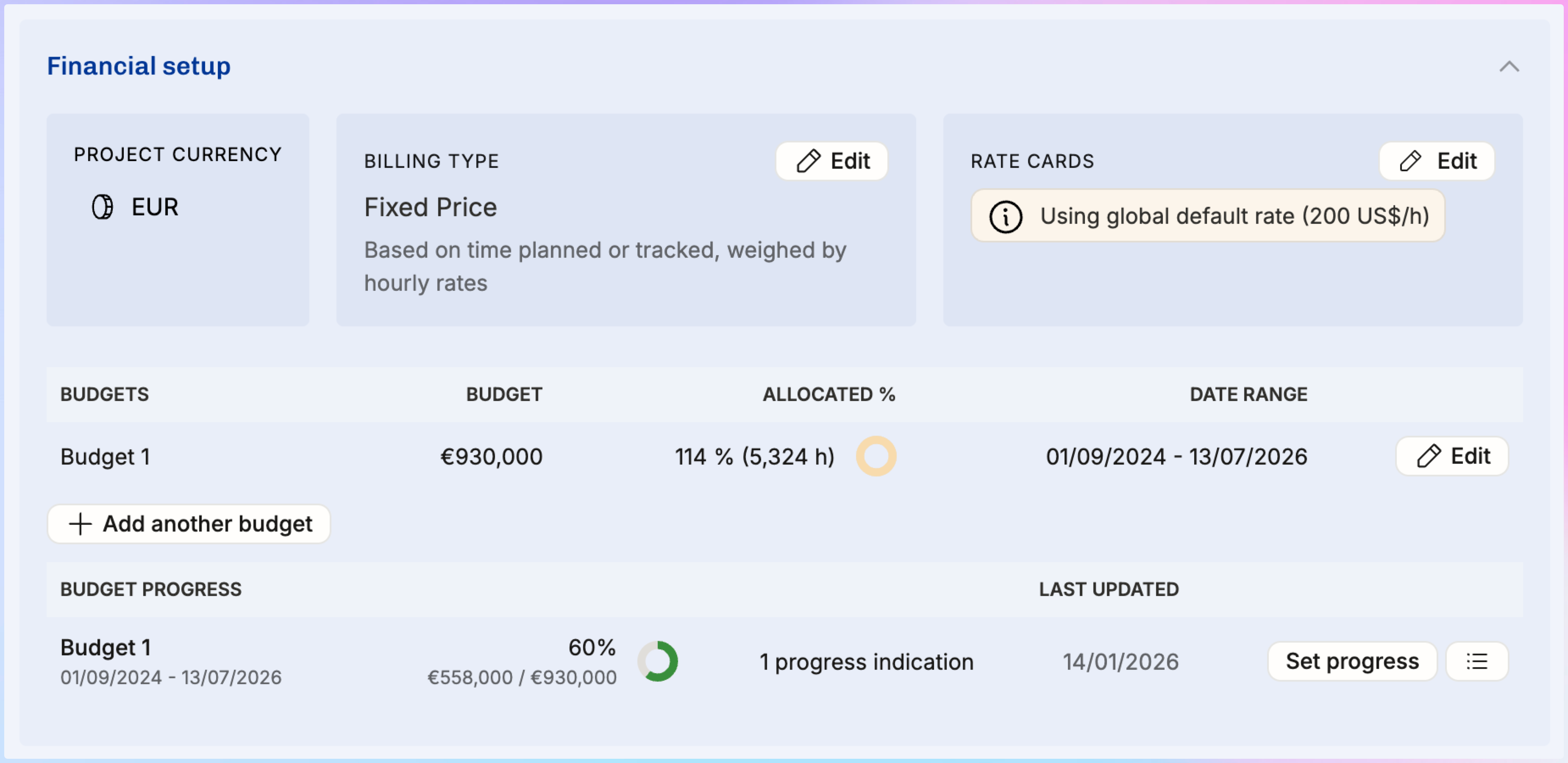
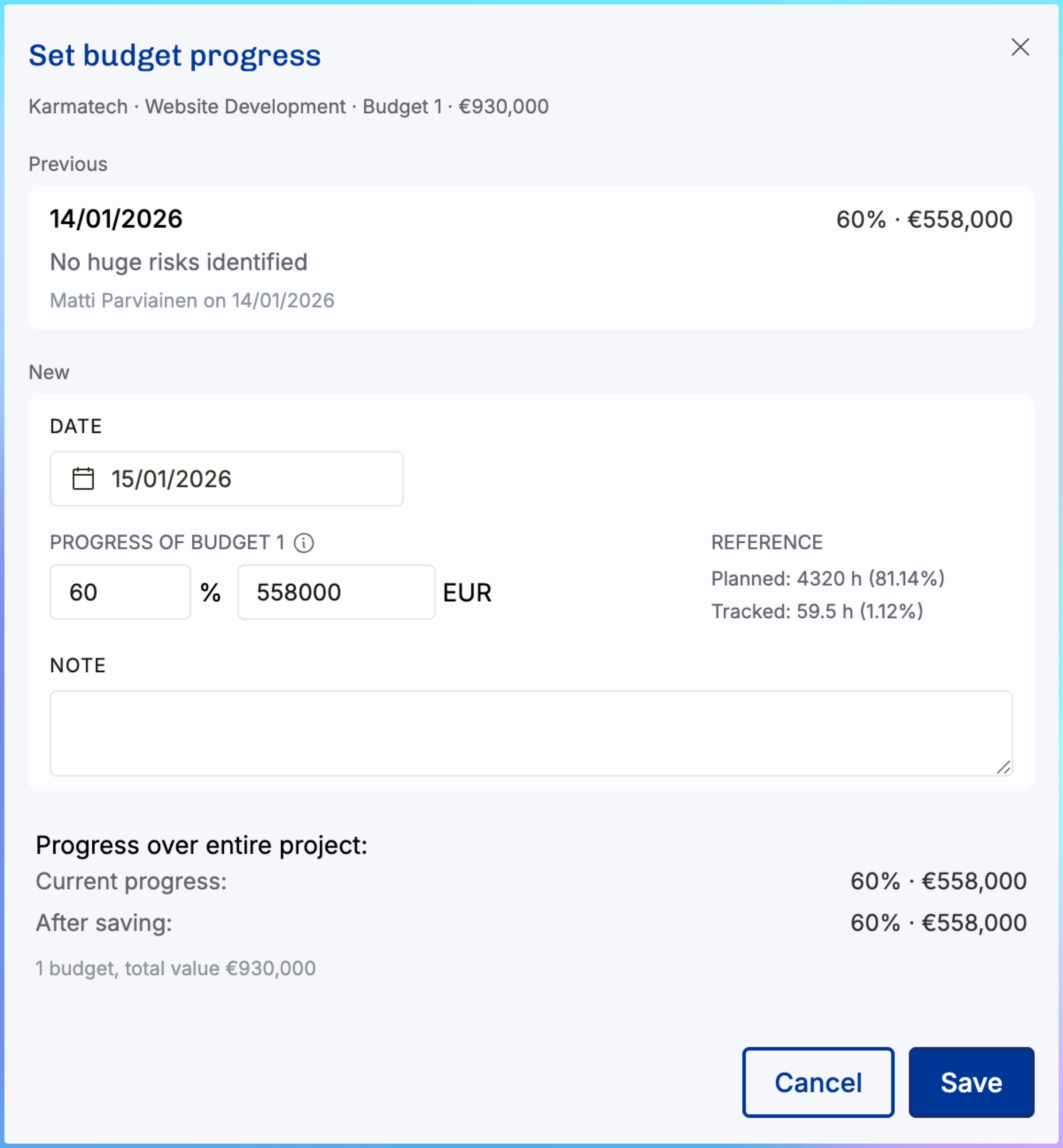
Fixed Price projects now support manual progress percentage tracking when using the revenue recognition method:
Based on time planned or tracked, weighted by hourly rates
This method attributes earned revenue based on:
- Planned allocations and tracked time
- Relative hourly cost or value of each contributor
This is particularly useful for long-running fixed-price engagements spanning multiple reporting periods.
Admins can now manually set project progress as often as needed, commonly at month-end. This ensures revenue recognition reflects actual delivery rather than assumptions.
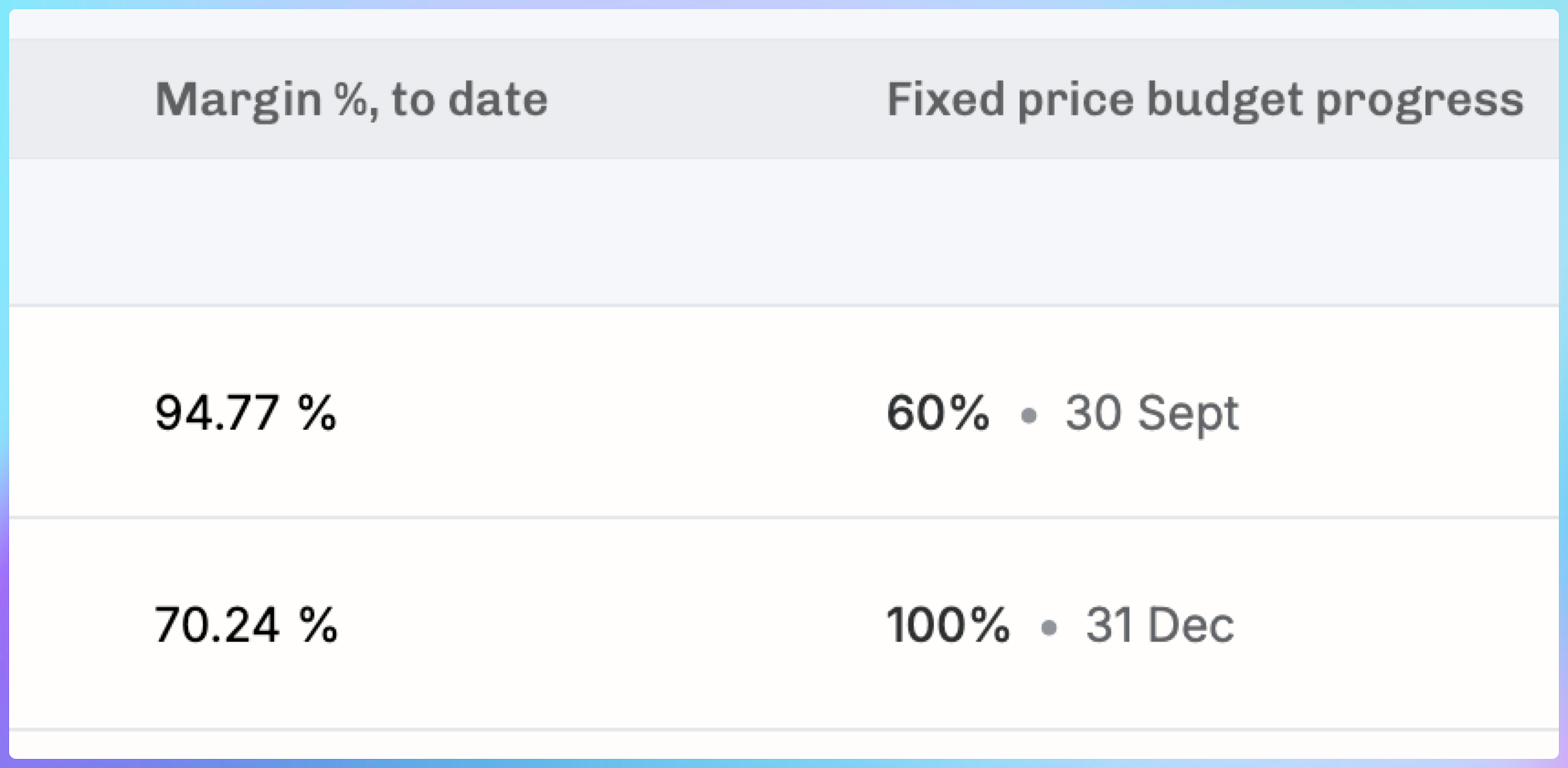
New list columns make this visible across projects, including:
- Current progress percentage
- Timestamp of the last update
Simpler revenue recognition options are still available:
- Evenly by week
- Evenly by month
Permissions updates for the new navigation
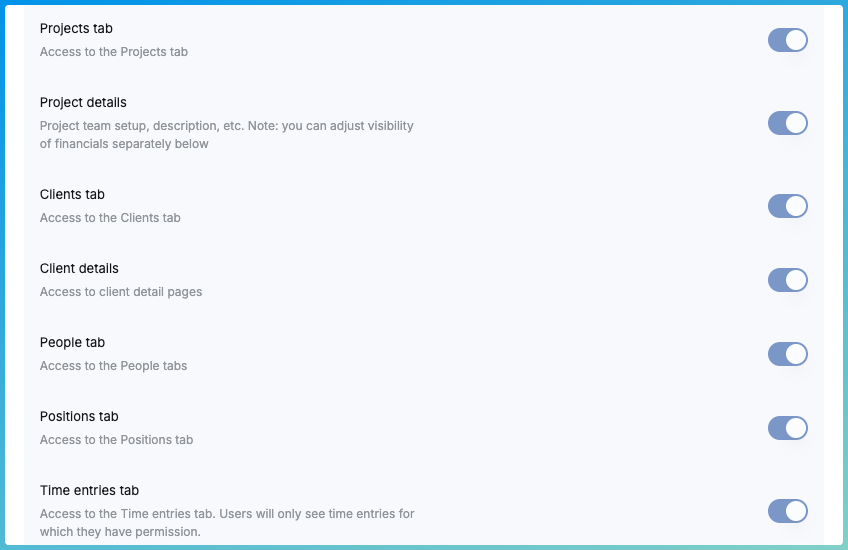
In Settings → Permissions, admins now have more granular control over feature visibility in preparation for the new sidebar navigation.
The updated navigation introduces new tabs and layouts. Permissions allow you to control who sees what without exposing users to data they did not previously have access to.
If permissions are left unchanged, user access remains consistent with the current setup.
A new help article explains:
- How to recreate the Horizon view using Pinned Views
- How global search (Cmd/Ctrl + K) works
- How to pin almost any page for quick access
Bulk editing for time entries
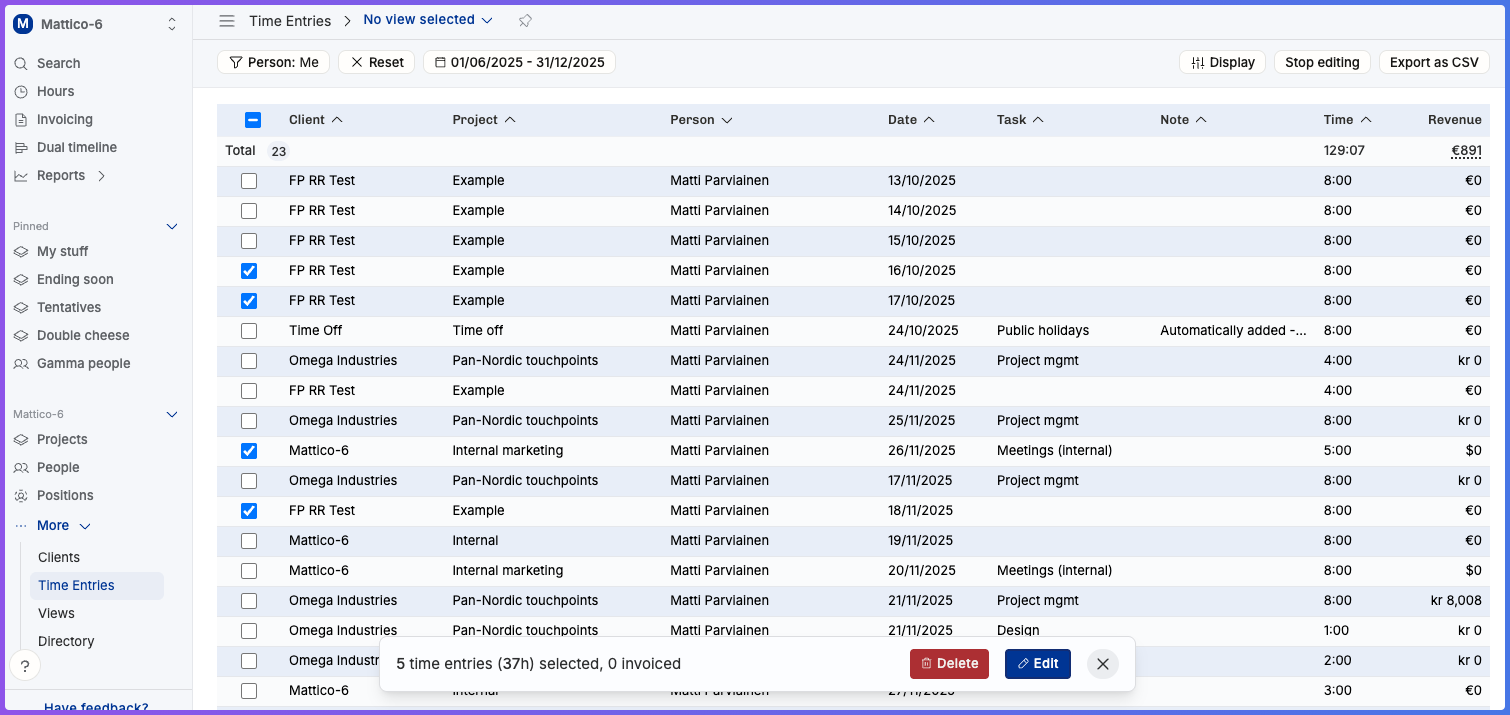
Time entry management now supports bulk editing and deletion.
Admins and managers can update multiple entries at once, significantly reducing cleanup time, especially when correcting late or misallocated entries.
Improvements to invoicing flow
The invoicing experience continues to improve based on early user feedback.
You can now:
- Preview invoices while editing
- See clearer work breakdowns before finalizing
This makes it easier to validate invoices before sending them out.
Reporting and API updates
- Revenue data has been added to the reporting APIs
- Financial data can now be pulled directly from Reports endpoints for downstream systems
Coming soon
- Project status summary with projections
- Burnup views per person
- MCP Server
- Planned expenses and hard costs
- Additional financial and profitability columns
FAQ
What changed in the Project detail page?
The page layout was reorganized so you can see project profitability and projections faster. A new Status section highlights key financial outcomes, while Financial setup focuses on billing type and budget configuration.
What do the new project KPIs show?
For time and materials projects, the KPIs summarize revenue earned from tracked time, budget outlook, and expected gross profit so you can spot risk early.
What’s new in burnup reporting?
Burnup now supports plan vs actual views, filters for “from start” vs “from today,” and a quick toggle to include tentative plans when needed.
What are the new money and profitability columns in the Projects list?
You can now add financial and profitability columns from the Display menu to review project health across a portfolio and catch missing inputs faster.
How does Fixed Price progress % work?
If you use the revenue recognition method based on planned or tracked time weighted by hourly rates, you can now set a manual progress % to reflect how much work has been completed, typically at month-end.
What navigation and permissions updates should admins know about?
Permissions now include more options to show or hide features ahead of the new sidebar navigation. If you do nothing, users should not gain access to anything new.