


Quick summary: There is no universal “good” utilization rate — the right target falls out of your own cost base and margin goal, and copying a benchmark hides whether your firm is actually profitable. At a $150 hourly rate, moving one consultant up by 10 percentage points is worth roughly $30,000 a year, or about $300,000 across a team of ten. Five levers move it: a target derived from your own numbers, resource management tools, skills-based project matching, effortless time tracking, and cross-training for flexible staffing. Professional services automation platforms like Operating keep allocations, budgets, and time tracking in one system.
Want to increase consultant profitability and boost billable utilization? Improving consultant utilization rates — the percentage of available hours spent on client work — is one of the fastest ways to scale revenue. Even a 10-point gain is worth roughly $30,000 per consultant a year
Quick Stat: At a $150 hourly rate, a 10-percentage-point gain in utilization is worth about $30,000 per consultant per year — roughly $300,000 across a team of ten. Dive into the steps to make it happen.
1. Set Clear Utilization Goals for Consultants
To tackle the challenges mentioned earlier, start by defining clear, data-driven utilization targets. These targets are essential for improving consultant productivity while ensuring workloads remain manageable.
Start from what the work actually requires rather than from a number. A consultant on a single client project has few structural reasons for idle time, so their billable share is naturally high. Someone splitting three projects, running recruitment, or ramping up a new skill has a different ceiling — and that difference is a fact about their week, not a performance gap. We do believe the best way to learn consulting work is by doing client projects, so protecting delivery time matters; targets set without the context above just turn into pressure to log hours rather than to deliver work.
Role-Specific Targets
We feel like setting explicit utilization targets might sometimes be harmful for your organization. Every person’s schedule looks different, and it might be another junior consultant is logging 100% utilization each week, whereas another might need to do some upskilling, and is at 90%. Overtime, utilization rates might look like this on average. However, it’s good to have a general understanding of how the calculations work.
To determine your company’s utilization targets, start by calculating break-even rates.
For example, if your company has 100 consultants, each with an average annual salary of $100,000, and overhead costs of $12 million per year, you need to determine how many billable hours are required to cover these costs.
Adjusting for Time Off
A typical full-time consultant works 2,000 hours per year (based on 40 hours per week for 50 weeks). However, with an extra week of paid time off (PTO) and accounting for 10 national holidays, the actual available working hours are reduced. Actual available working hours: 47 weeks × 40 hours = 1,880 hours per consultant
Cost Breakdown
The total cost to run the business includes:
Break-even Utilization Rate
If the company bills clients $200 per hour, the maximum possible revenue (if every hour was billable) is:
To break even, the company must generate at least $22 million in revenue. That means consultants need to bill 59% of their available hours just to cover costs.
Setting a Profitable Utilization Target
Run the same calculation a second time with your margin goal included, rather than adding a percentage on top. Take your total cost base, add the profit you intend to make, and divide by your blended hourly rate: that is the number of billable hours the firm has to sell. Divide those hours by your team's available capacity and you have your utilization target — derived from your own economics instead of borrowed from a benchmark.
In the example above, a $22 million cost base puts break-even at 59% of available hours; add the margin your firm intends to make and the required billable hours, and therefore the target, rise from there. If the resulting number looks unreachable, the problem is usually the rate or the cost base rather than the team.
Measurement Methods
Accurate tracking is key to hitting these targets. Automated systems make this process easier and more efficient. It’s a good practice to have project budgets, allocations, and time tracking data in one system for efficiency’s sake. Focus on these three metrics:
Preventing Burnout
High utilization goals must be balanced with employee well-being. If someone’s working 100% on a client project, they can’t be expected to work on other activities. The amount of client work should go down linearly with more internal work. Regular check-ins, such as weekly team utilization reviews and quarterly strategic assessments, can help identify burnout risks early. Burnout is often a multi-faceted issue, and is rarely not only about work, so a holistic approach should be taken to ensure that people feel great about working.
Actually, the most important thing to reduce burnout, is to have people work on exciting projects where they feel they’re able to contribute and learn. Burnout is often related to frustration at work.
2. Use Resource Management Tools to Improve Utilization
Modern resource management tools help optimize consultant utilization by building on clear utilization targets. Since people are by far the largest cost in a professional services firm, using software to manage these resources effectively can lead to better billable hours and smoother project delivery.
Integrating Tools with Existing Systems
For a smooth rollout, integration with current systems is essential. Here’s an example process on taking a new resource management tool into use.
How Operating's Platform Raises Utilization Rates
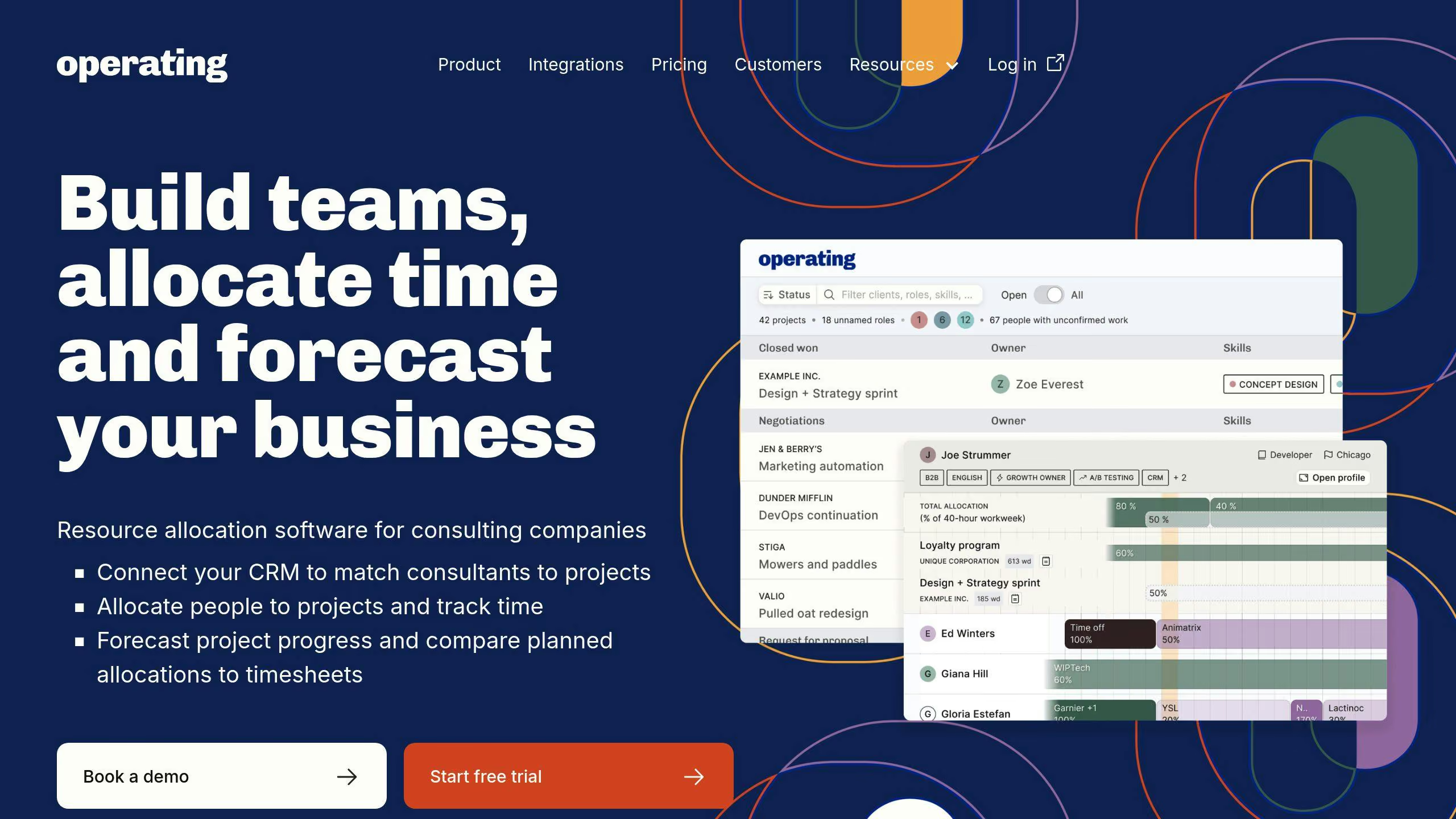
Operating's platform is a great example of how technology can improve resource management. You’re able to map match consultants to projects based on multiple different types of criteria:
By combining this data with CRM project information, the platform provides a real-time view of resource availability and project needs.
Its automated dashboards track essential metrics, including:
This comprehensive system helps firms make smarter decisions and boost efficiency.
sbb-itb-da45abd
3. Match the Right People to Projects
Once you've set utilization targets and adopted management tools, the next step is smart resource allocation. Aligning the right people with the right projects can improve your consultant’s satisfaction and directly boost billable hours, which is key to improving utilization rates.
Use Real-Time Data for Assignments
To make the most of your resources, rely on live data for assignments:
Avoid overloading team members
Match qualifications to project needs
Assign resources at the right time
Match Skills to Project Demands
A structured system for skills matching ensures you assign the most suitable consultants to each project. This builds on the skills database discussed earlier, helping you get the most out of your management tools.
Maintain detailed consultant profiles that include:
You’re most likely maintaining something like this in a spreadsheet already, so it makes total sense to bring in to the same system where resource management is handled.
Plan Ahead to Minimize Downtime
Strategic pipeline planning keeps workloads steady and avoids gaps in assignments.
Effective planning strategies include:
4. Improve Time Tracking
Once project assignments are optimized, the next step is ensuring every billable hour is accounted for through accurate time tracking. This process closes the loop on utilization by providing precise measurements of billable efforts.
Make Time Tracking Effortless
Modern tools have made it easier for consultants to track time effortlessly. Show planned hours next to the timesheet, so your people don’t have to jump between multiple systems. Use an app with intuitive UX, where tracking time becomes smooth sailing.
Link with Resource Allocation Tools
Accurate time tracking becomes even more powerful when integrated with core resource allocation platforms like Operating. It reduces the need to jump between different systems whether it’s about updating your skills & expertise, planning upcoming work, or skimming through possible future projects to work in.
Define Billable Activities
Consistent tracking also supports better resource allocation, creating a feedback loop that improves utilization over time. To ensure clarity, it's crucial to distinguish between billable and non-billable tasks.
Here’s how to streamline the process:
5. Build Multi-Skilled Teams
Alongside smart resource allocation, having teams with a mix of skills can improve utilization by allowing for flexible staffing. Accurate time tracking (as discussed in Section 4) becomes even more impactful when team members can take on a variety of tasks.
Mapping out team skills helps identify gaps and areas for improvement. A structured framework can assess capabilities across three main areas:
Skill Category
Assessment Criteria
Technical Skills
Months/years of experience
Functional Expertise
Knowledge of specific industries or domains
Soft Skills
Abilities like client communication and leadership
Certifications
Explicit certifications in technologies related to the prjoect
Set Up Training Programs
Training programs expand project eligibility, boosting billable opportunities. A T-shaped skills model, where team members have a deep specialty plus a range of complementary skills, is particularly effective. Companies should have a clear idea of which skill sets and competences are in demand, and encourage people with more bench time to upskill towards the skills that clients are asking for. This will have a huge impact on utilization in longer term.
Track Training Results
To measure the impact of multi-skilling, track the direction of travel rather than fixed thresholds: billable hours before and after cross-training, how many project types each consultant can credibly be staffed on, and how long people sit between projects. What counts as good depends on your portfolio mix — the useful signal is whether these are improving quarter over quarter.
To keep teams motivated, some firms tie part of consultant bonuses to training completion instead of just utilization goals. This approach ensures that better matching (Section 3), precise tracking (Section 4), and multi-skilled teams work together for long-term improvements. However, this method might be better suited for large consultancies with the scale at hand, where resources are less scarce. In smaller consultancies, we advocate for hiring people, who enjoy working out of their comfort zone, and learning new skills directly in client projects.
Conclusion: Steps to Higher Utilization
Main Points
By combining the strategies discussed in Sections 1-5, you can achieve measurable improvements:
Strategy
Impact
Efficient Time Tracking
All billable hours captured
Resource Management Software
Fewer mismatched assignments
Skills-Based Project Matching
More efficient and less laborious staffing process
Role-Specific Targets
Easier to lead the business to the right direction
Cross-Training Programs
Reduction in bench time
Implementation Guide
Focus on quick wins first, then roll out changes in stages to build momentum.
Here’s a phased approach to get started:
To keep improvements steady, focus on maintaining and refining these areas:
Frequently Asked Questions
What is a good consultant utilization rate?
There is no single good rate. Calculate yours: total cost base plus target profit, divided by your blended hourly rate, gives the billable hours you need to sell; divide that by available capacity to get your target. Firms with heavy internal investment or a high rate can be profitable at a lower utilization than firms competing on price.
How do you calculate consultant utilization?
Consultant utilization = **(Billable hours ÷ Total available hours) × 100**. For example, if a consultant works 1,500 billable hours out of 1,880 available hours, the utilization rate is 79.8%.
Which tools help track consultant utilization?
Modern resource management tools like **Operating.app** integrate with CRM, HR, and time tracking systems to improve utilization visibility and reduce admin work.



