.avif)
Quick summary: Project phases in Operating's Timeline let you break a project into stages such as discovery, implementation, delivery, and aftercare using the + Phase button, giving a Gantt-style view inside the Timeline. Consultants can be assigned to a single phase, while project managers or advisors stay attached to the whole project. Each phase has its own timeline and allocations, which makes capacity conflicts easier to spot before they hit.
We've released a nice update for companies who want more control over how projects are planned on the timeline. Until now, every project looked the same: one continuous block of work.
That worked, but it didn’t reflect how consulting projects actually run. Most projects move through discovery, implementation, delivery, and sometimes aftercare each with different people, allocations, and budgets.
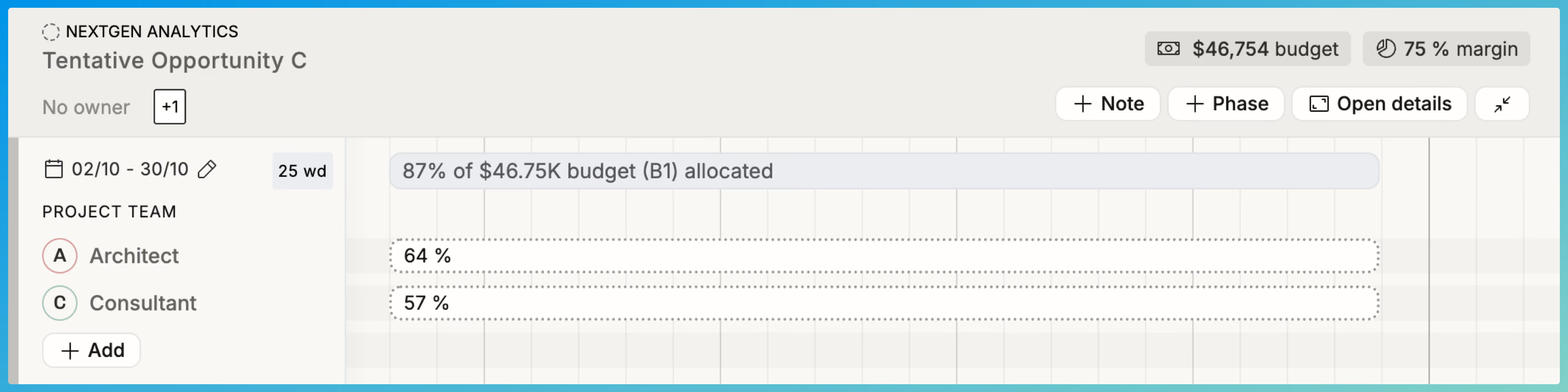
Introducing Project Phases
With the new + Phase button, you can break projects into clear stages. You can still assign people who work across the entire project, but now you can also assign consultants to specific phases.
The result is a cleaner and more accurate view of the project structure:
This gives you a Gantt-style view of your projects, directly inside the Timeline. This was a requested feature from our customers who run longer projects with complex timelines.
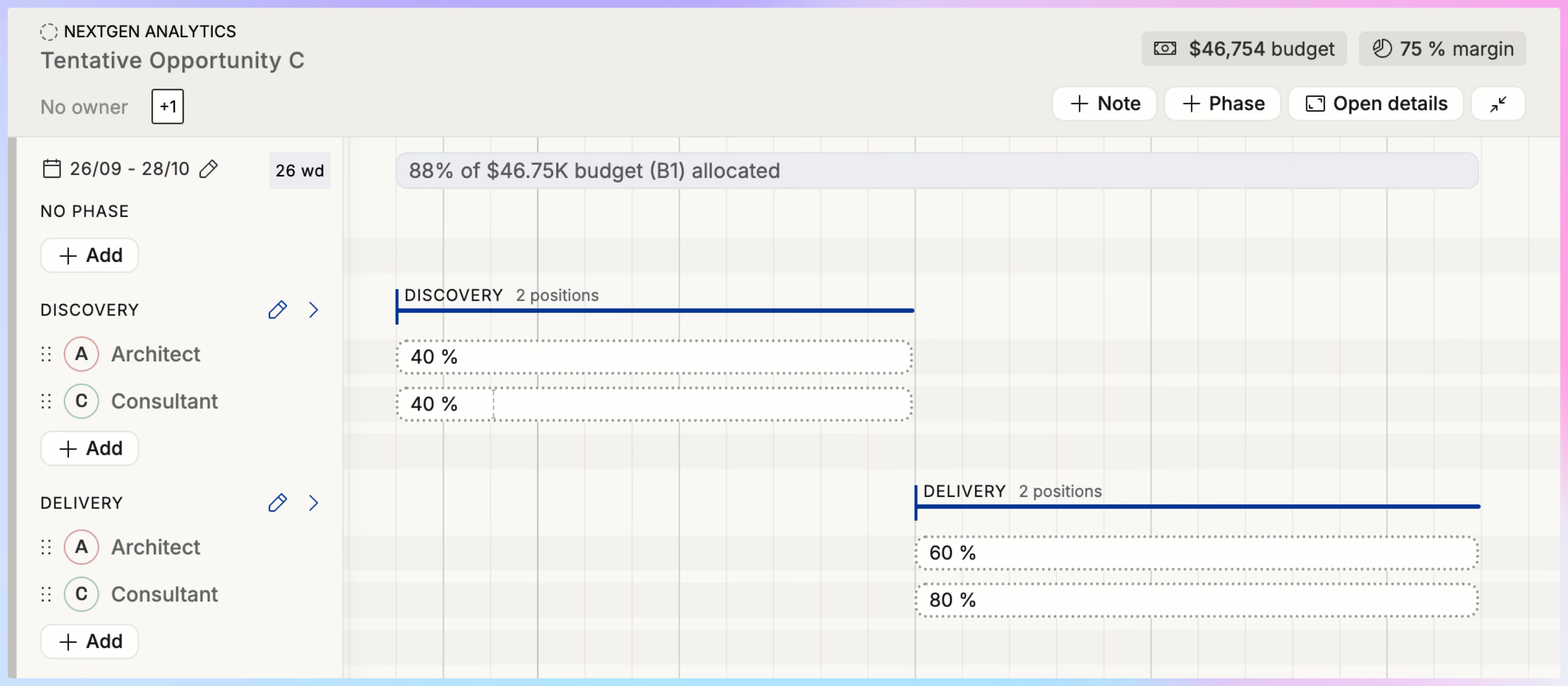
Why This Matters for Consulting Firms
Phases make planning more realistic and easier to manage:
- Reflect how projects really work: Break down work into discovery, delivery, aftercare, or any stages you use.
- Assign people only where they’re needed: Allocate a consultant for a single phase instead of carrying them across the whole project.
- Keep long-term roles visible: Add people who span the entire project without tying them to a single phase.
- Spot capacity conflicts earlier: When allocations shift by stage, it’s easier to see where workloads will spike.
- Improve client communication: A phase-based timeline gives both your team and your clients a clear visual of how the project will unfold.
Try It Out
Phases are now available in every project’s Timeline. Try adding discovery, delivery, and aftercare to your next project and see how much easier it is to plan complex work.
We’d love to hear what you think—especially if something feels clunky. Even small “paper cut” frustrations matter, and your feedback helps us keep improving.
FAQ: Project Phases in the Timeline
Can I still assign people who work across the whole project?
Yes. You can add people to the overall project without linking them to a specific phase. This is useful for roles like project managers or advisors who stay involved from start to finish.
What kind of phases can I create?
You can create any phases that reflect your workflow. Common examples include discovery, implementation, delivery, or aftercare. Each phase has its own timeline and allocations.
How does this help with resource planning?
Phases make it easier to see who is needed, when they’re needed, and for how long. This reduces overallocation, helps you balance workloads, and gives you a Gantt-style view that makes complex projects more manageable.