


Time tracking people actually do, every week
Once a project is sold, staffed and confirmed, tracking time is the next step. Operating pre-fills the timesheet from the plan, so people confirm hours instead of reconstructing their week, and approvals and invoicing run on the same data.
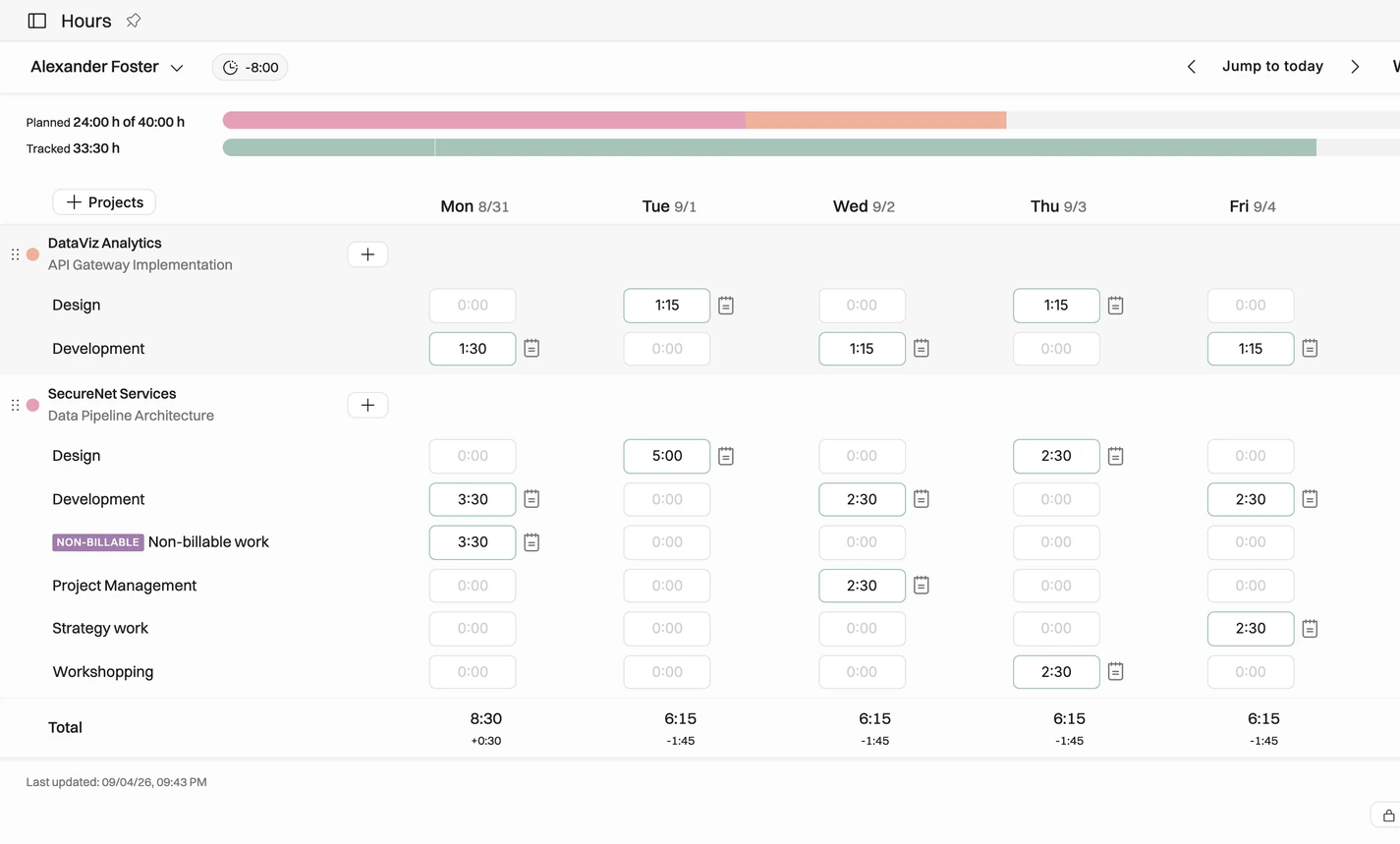

Track time against planned hours
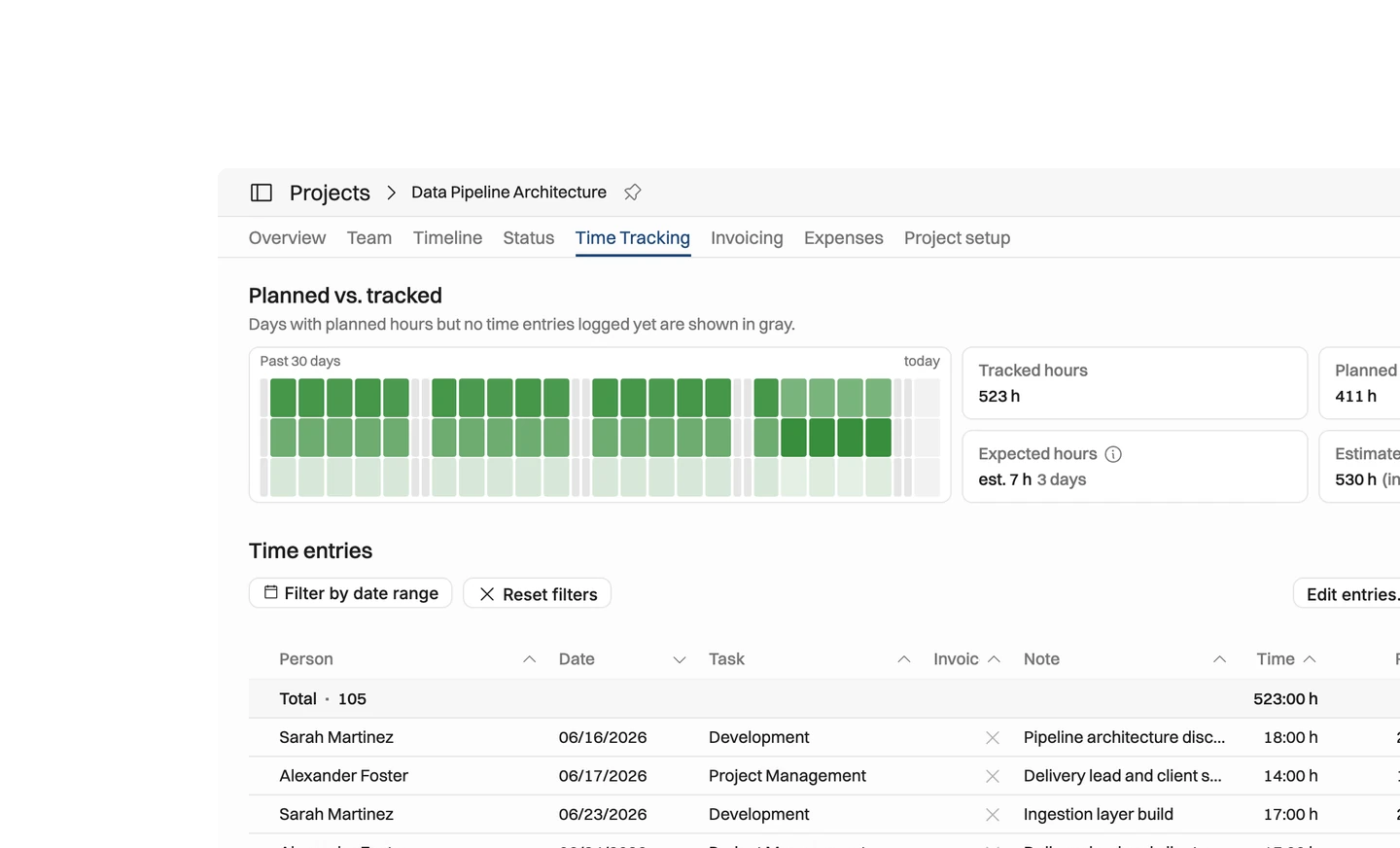
Log hours on a weekly timesheet or a day-by-day list view, and see them against what was planned for your week.

Keep track of time balance
Surplus and deficit hours are tracked automatically, so nobody keeps a manual time balance and everyone sees theirs at a glance.

Submit and approve time entries
Set up approval flows that match your organization, so PMs sign off project hours and managers handle the internal time.
Track time against planned hours
Track time on a weekly timesheet or a day-by-day list view
See how much work is planned for you during the week, and log your hours accordingly
Add tasks, notes and a location only when the project needs them
Quick to use on desktop and mobile
Timer and MCP-based time tracking available
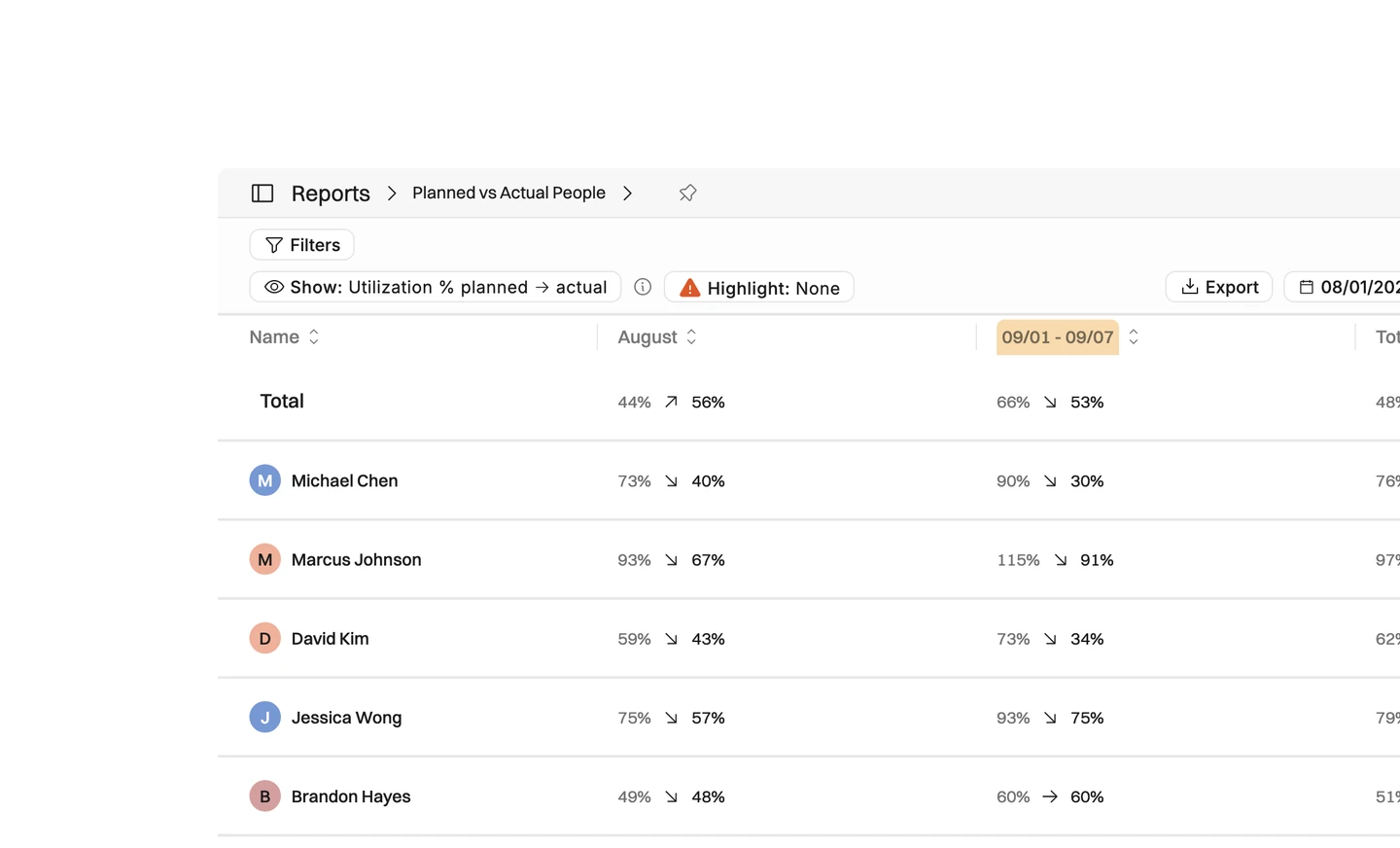
Get reporting against planned hours.





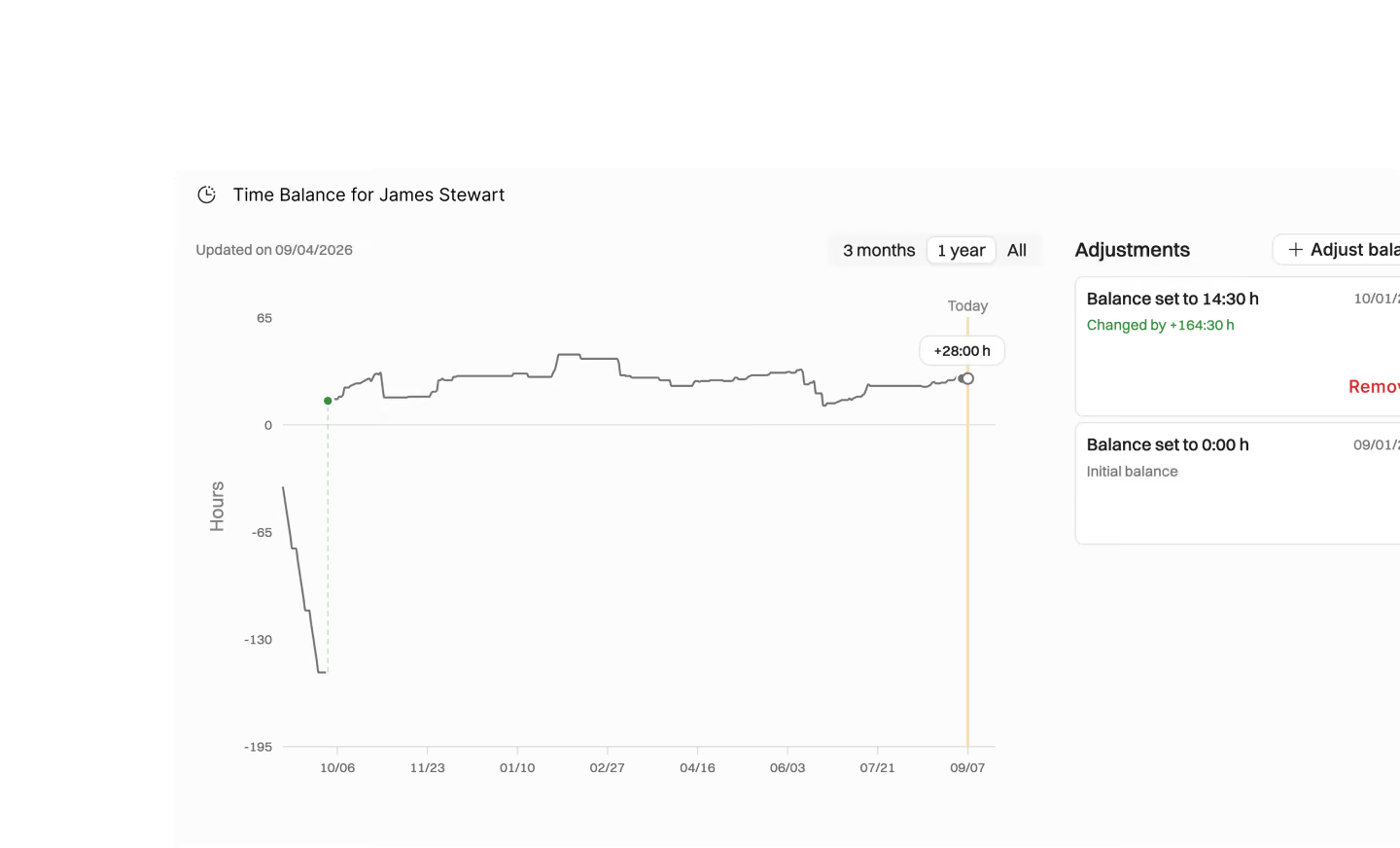
Keep track of time balance
Automatically keep track of surplus and deficit hours and get rid of manual time balance tracking
See your time balance at a glance
Track time on a "time balance task" to reduce surplus hours
Managers or admins can zero out the balance
People have visibility to their surplus and deficit hours
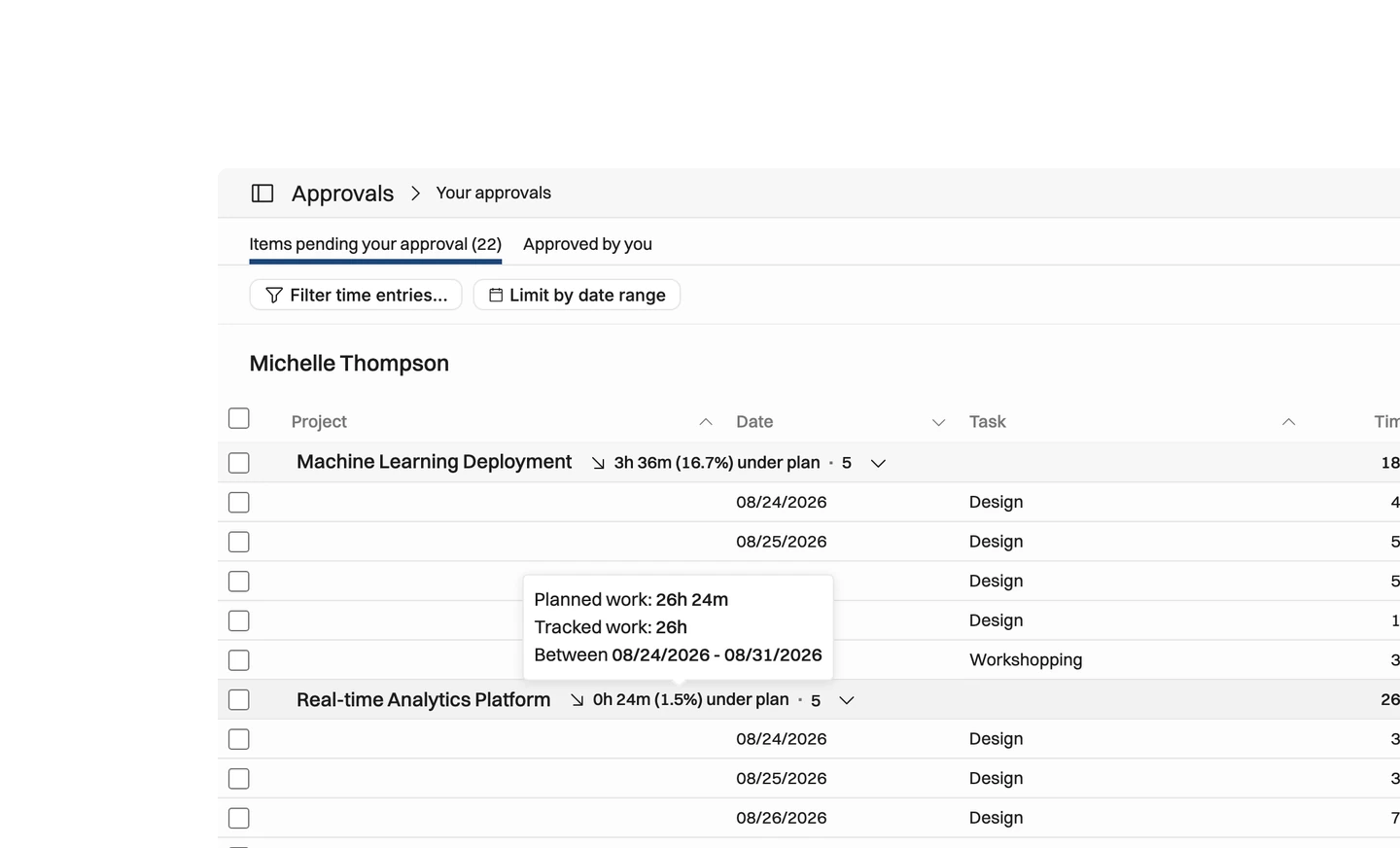
Submit and approve time entries
Create approval flows that suit your time tracking & invoicing workflow
Create approval flows so that PMs approve all project hours, and managers all the internal time: set these up to match your organization's needs
People submit their hours and approver sees if they have done less or more than expected
People in charge of approving hours get a notification and they can skim through and approve hours
Auto-approval possible for project managers
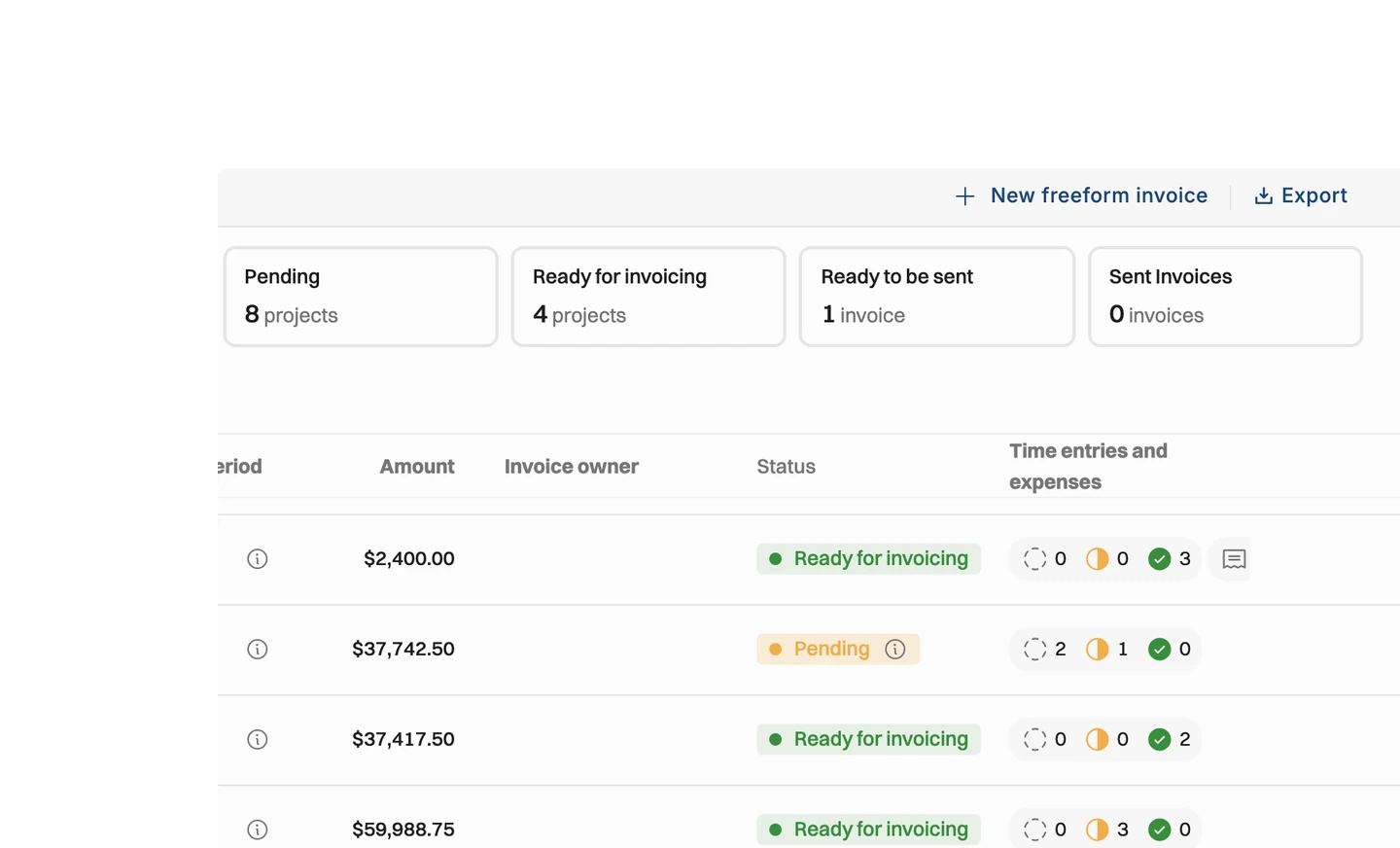
Approved hours visible when invoicing
Know which projects are ready for invoicing by seeing the time entry status
When invoicing, you'll see if there are "open", "submitted", or "approved" hours during the invoicing period.
Choose which time entries are included on the invoice
Send a time entry attachment to the client with the invoice
Flexible exporting options
Filter, sort and group however you need
Export all hours from a given time period and import it to your payroll system for salary & time off calculations
Export your team's hours to analyse utilization, or export project hours to share with clients
Group by client, project, person or task
Why make timesheets this simple?
Time tracking only works if people actually do it, every week.

Tracking time is the natural next step after a project is sold, the team is built and the work is confirmed. So a timesheet has to be quick on desktop and mobile, with tasks, notes and location added only when they are needed.
Hours are only half the story — what matters is how they compare to what was planned, and whether the balance is drifting.
That is why surplus and deficit hours are kept automatically, so nobody maintains a manual time balance. People see their balance at a glance, can track time on a time balance task to reduce surplus hours, and managers or admins can zero the balance out.
Approvals and invoicing sit on the same data. People submit their hours and see if they did less or more than expected, approvers get a notification and skim through, and at invoicing time you can tell open, submitted and approved hours apart before choosing what goes on the invoice.


Get the Operating Routine for resource planning
A weekly routine for staffing and capacity, written by people who ran it in their own firms. It gives your resource planning meeting a fixed agenda and a short list of numbers to check. Get the guide.
Thank you!
Get the Staffing Routine by clicking below.
Download guide
