


Manage resources to keep utilization high, projects within budget
Operating shows who is free, who is overbooked, and what each staffing decision does to utilization and project profitability. Decisions hold up for the people and for the business.

See idle time before it costs you
Real-time visibility into every consultant's bench time — so you can act on it before utilization drops.

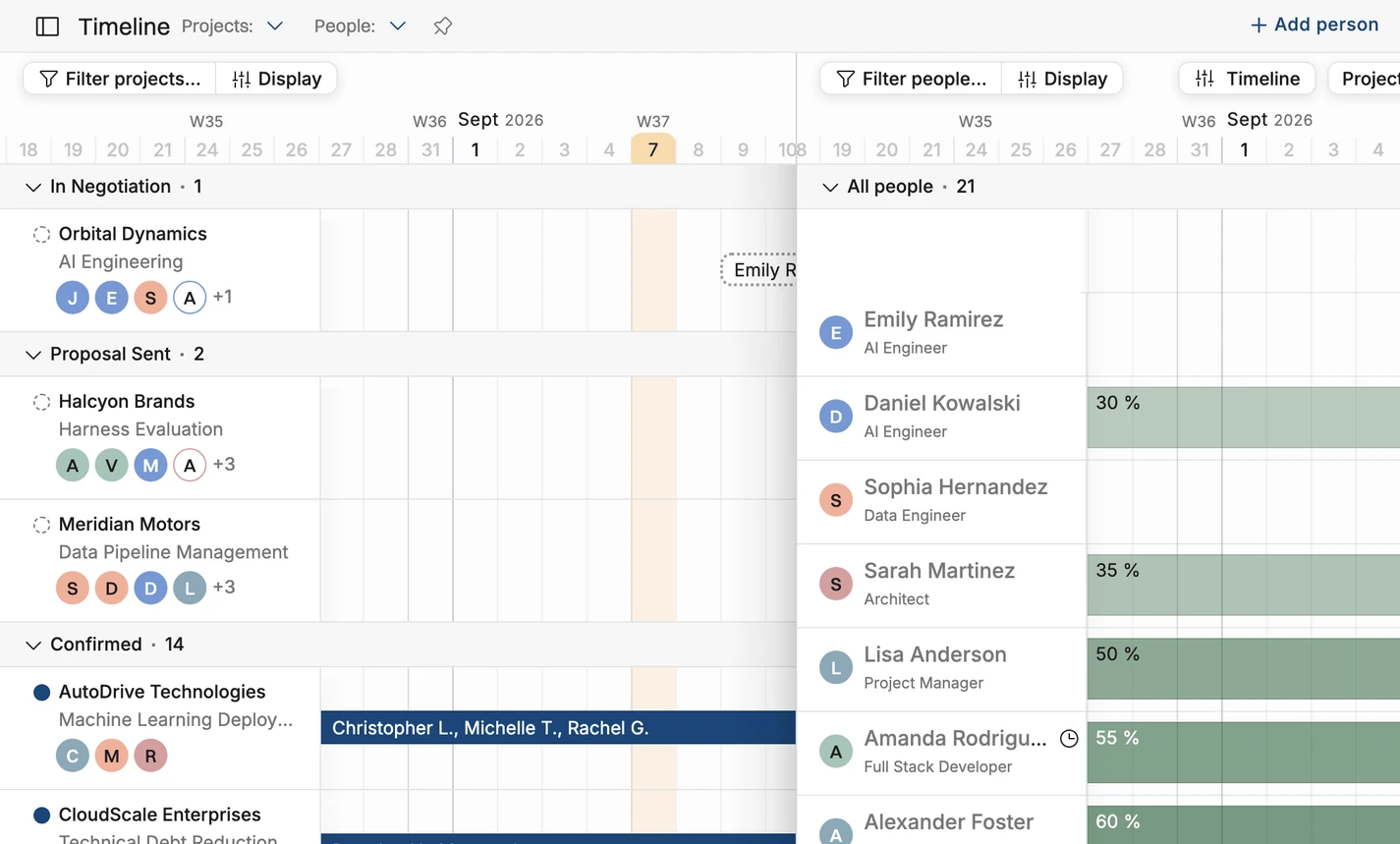
Plan against actual availability
Visualize people, projects, and budgets on one timeline, and allocate work by who's actually free.

Know which teams are profitable
Calculate margins by role and seniority, so every staffing decision is one you can defend with numbers.
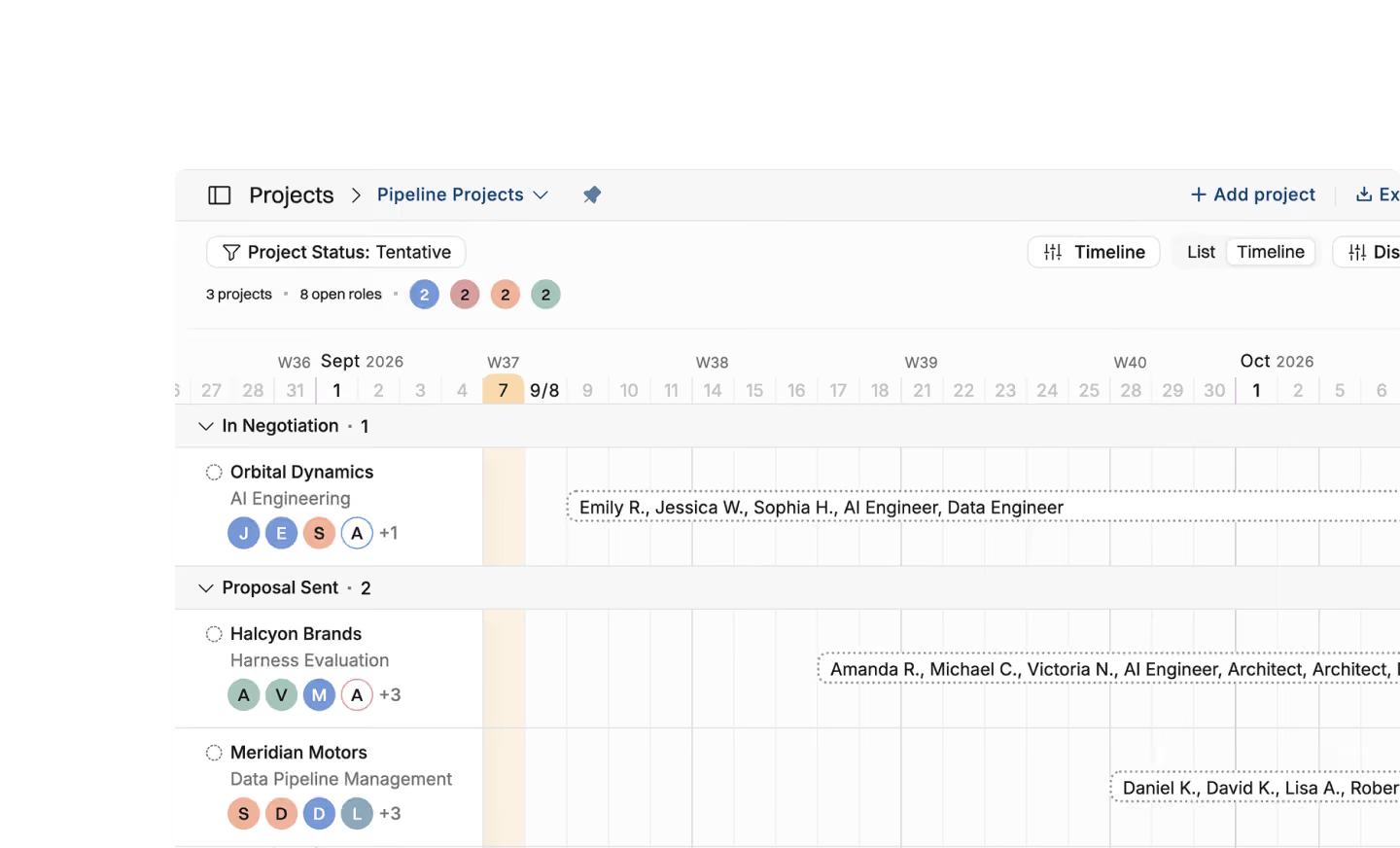
Tentative project planning
See all your tentative projects. Group and sort by stage, client or team.
Sort potential projects based on CRM deal stage
See projects on a timeline or in a list
Plan the team setups early on to keep a list of staffing needs
See every tentative project in the pipeline, so the weekly resourcing meeting starts from the full list of needs





Matchmaking of people to projects
Match people to projects based on role, skills, and availability.
Filter based on availability during a given time frame e.g. all React developers with at least 50% availability in August.
Narrow the search by skill level and by interest in a skill
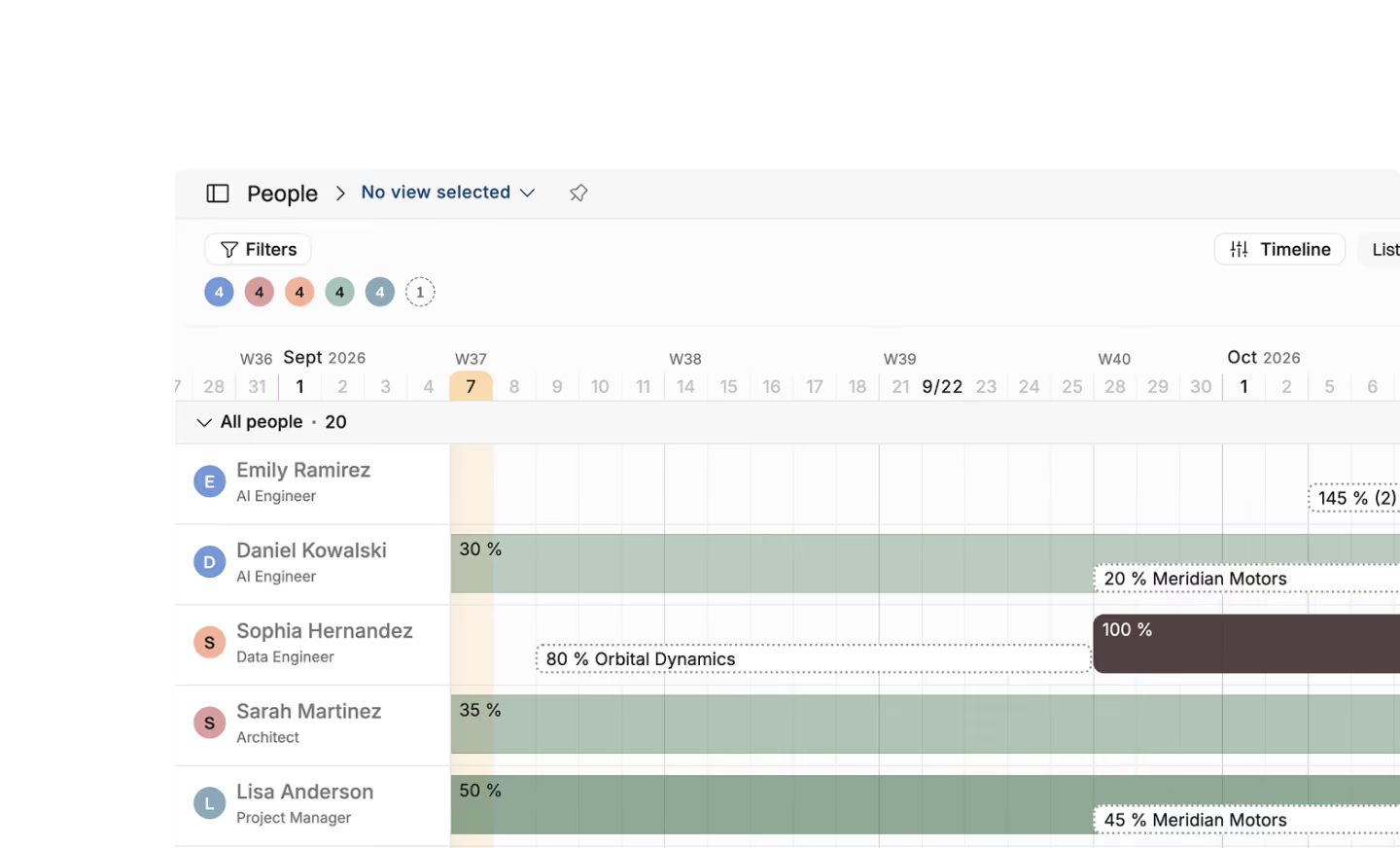
See availability over the next months and tentative projects the person has already been planned to
.avif)
Resource management
Sort your people based on availability and clear the bench
See who's been the most available the longest to prioritize project staffing decisions
See availability per unit, role, skills, and competence
Make sure everyone has a tentative plan
See confirmed allocations, tentative work, internal work and time off in one view
All open project positions in one view
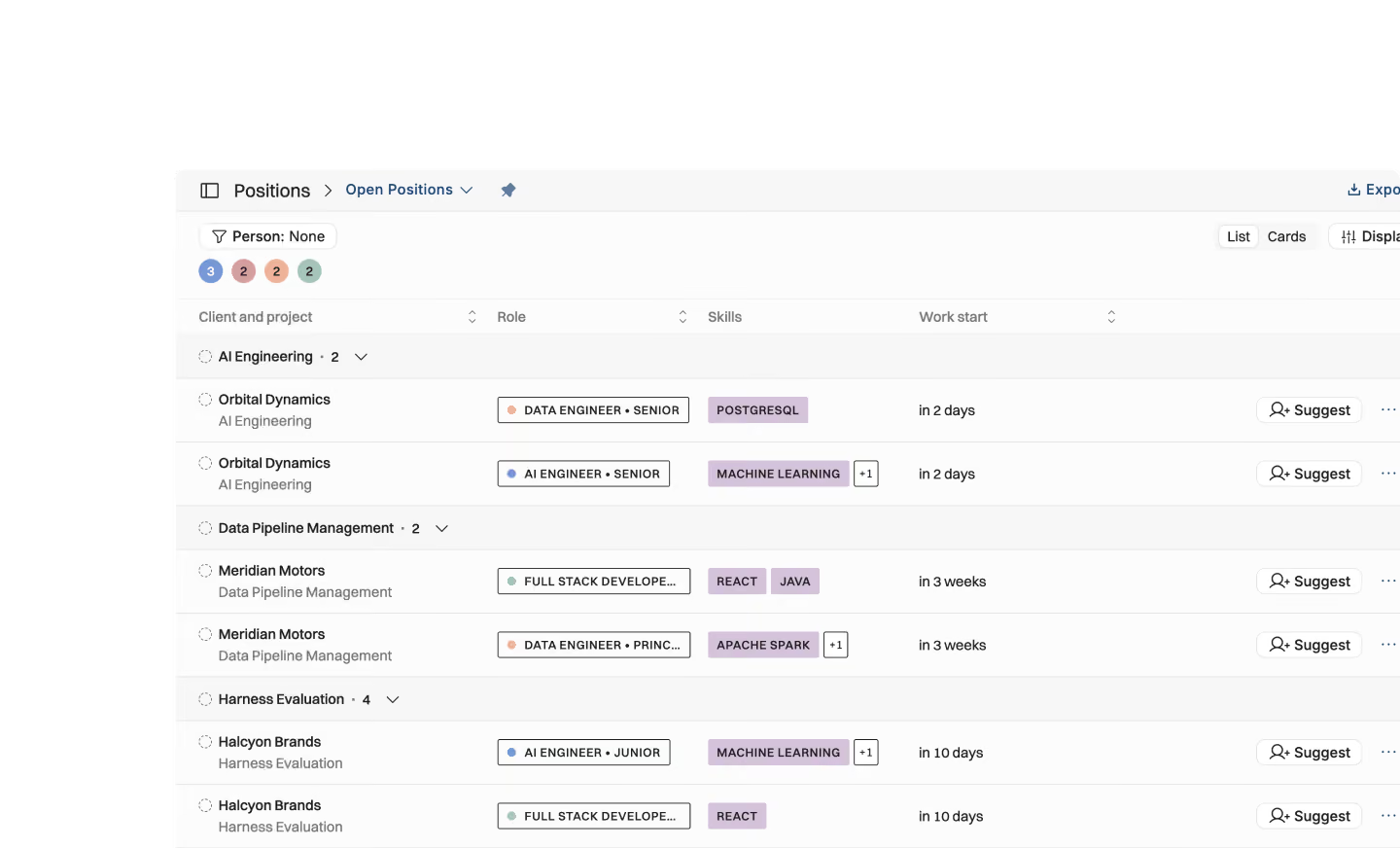
See all open positions listed in the positions view by filtering it with "Person: None" and keep track of open staffing needs
See all positions with estimated starting dates to keep your staffing to-do in order
Filter per unit, competence, and geographical location to understand what's in demand where
View estimated delivery margin in all your positions across projects to make profitable staffing decisions
Jump on the timeline for more detailed planning, or suggest and assign the right person to the role
Person profiles
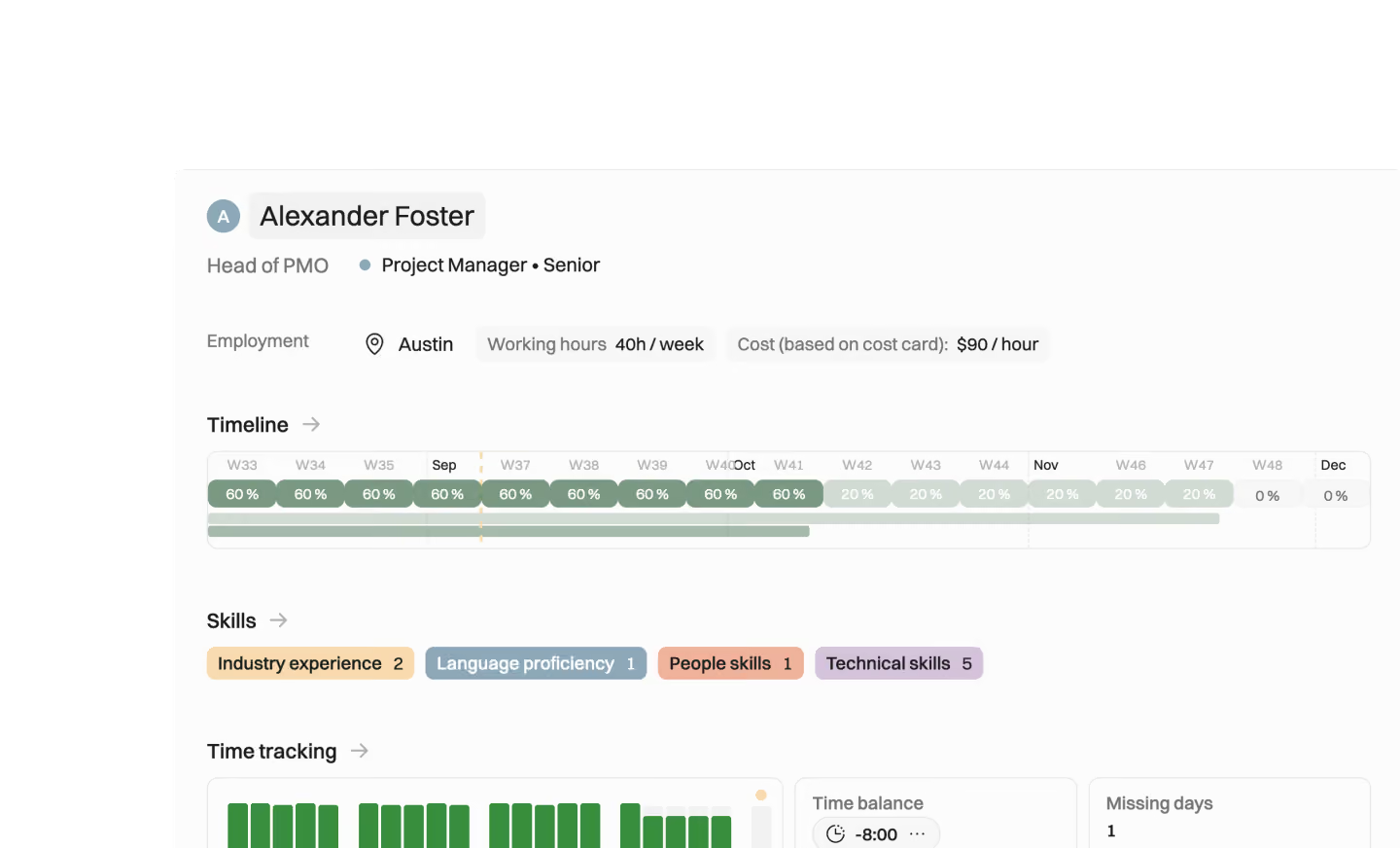
Besides availability, it’s important to know what the person has going on at the same time. It's also useful to know a bit about their past work and the skills they bring to the table.
Skills, expertise levels and preferences give you a feel for what your consultants are seeking next
Seeing people’s commitments on the timeline reveals a lot: what happens if all the urgent things land at once?
Open the full profile for project history, career plans and skills, an internal CV for staffing
Skill management
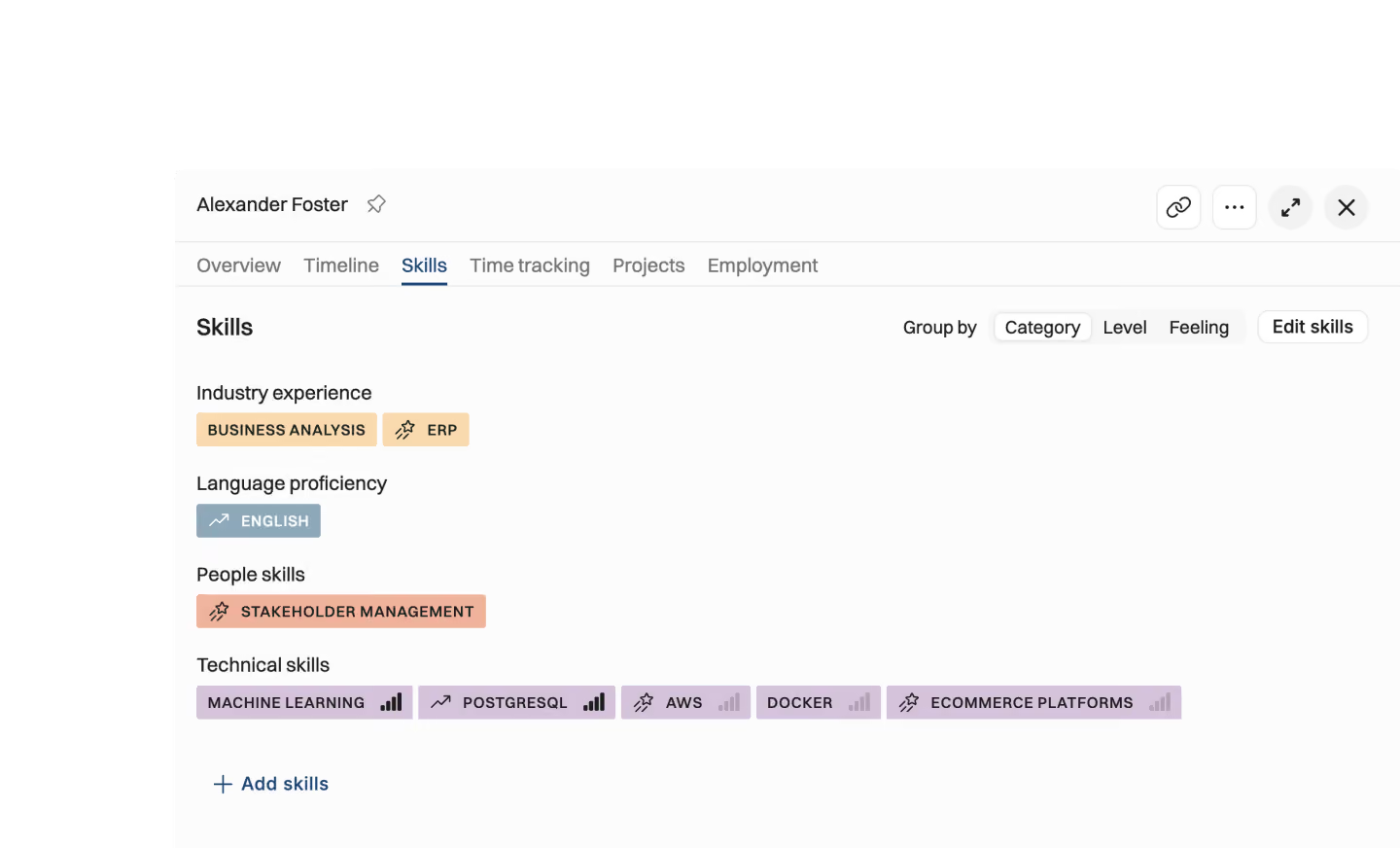
Most skill or learning management systems are overkill for a consulting company. What you really need is the high-level skill information required for staffing projects in your resource allocation tool to staff projects efficiently.
Use the skill information to find the right person for a job and motivate people to keep their profiles fresh
Let people list the skills they want to learn, and staff them where they can learn them
Define your skill levels, and map them to people's skills
Easily keep skills up to date using our MCP server: just ask which projects people have worked on and let AI fill in missing skills
Time off, leaves and public holidays
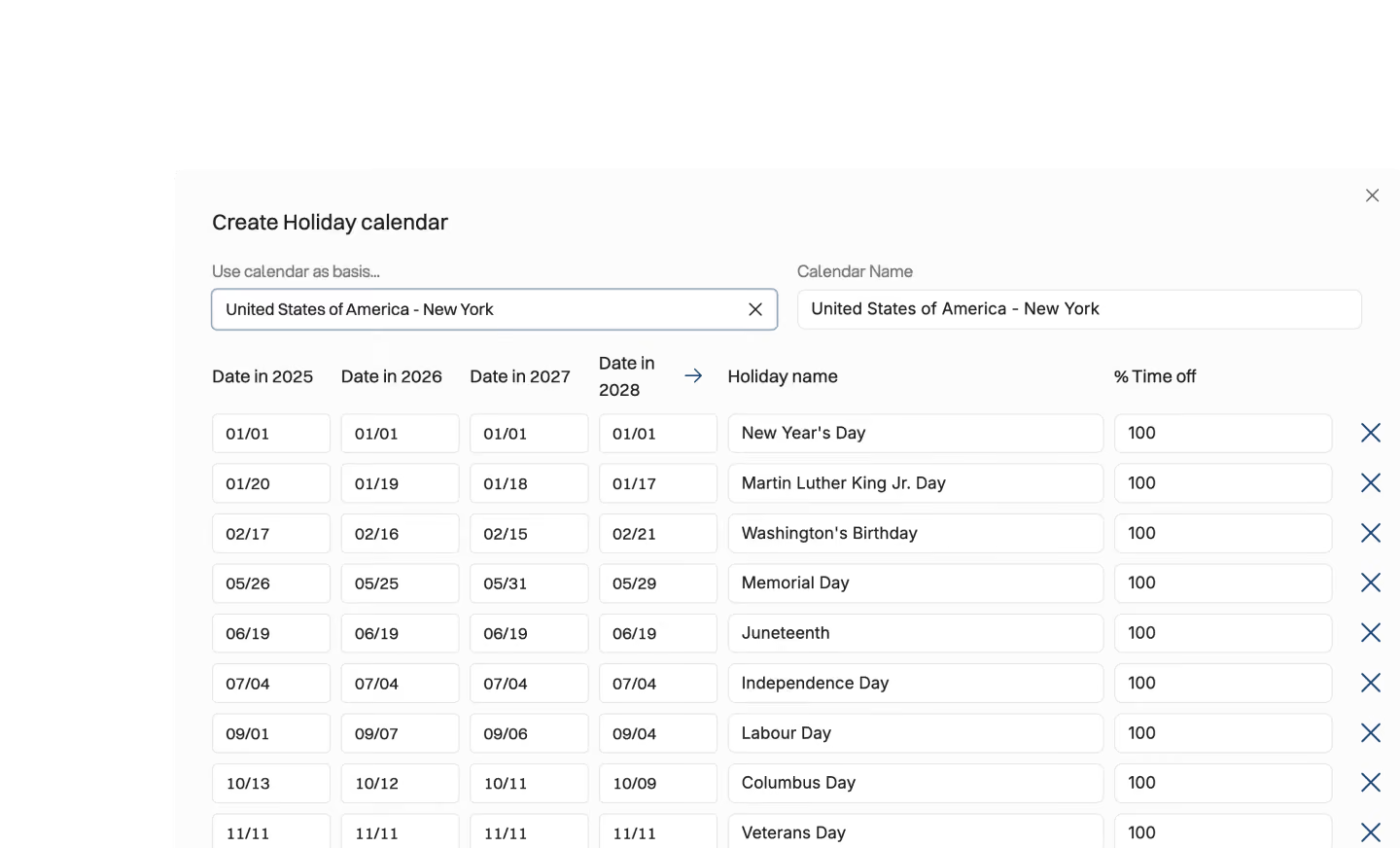
Time off, leave and public holidays on the same timeline as the work.
See time off. Pull it from your HR tool (Hibob, Personio, Rippling or the like) or manage in Operating
Notice when time off overlaps with work efforts–and see how it impacts the project budget
Manage individual working hours and see if someone’s hours per week change in the near future
Set public holidays for people automatically based on their location using our built-in holiday calendar database
Why such an emphasis on resource planning?
For many PSA platforms, resourcing is an afterthought.

Most systems in this category were built for the finance team alone. Operating was built for both sides of the business: the people who deliver the work and the numbers behind it. Resourcing carries weight in Operating for that reason.
Resourcing sets the day-to-day reality of the firm. Underutilization, schedule clashes and overworked people are all results of poor planning.
So Operating brings every part of resource management into one picture, from tentative staffing to planned versus actual revenue per project.
The point is to plan ahead instead of reading last month's report. With availability, skills and margin in one view, staffing decisions hold up for the people and for the finances.


Get the Operating Routine for resource planning
A weekly routine for staffing and capacity, written by people who ran it in their own firms. It gives your resource planning meeting a fixed agenda and a short list of numbers to check. Get the guide.
Thank you!
Get the Staffing Routine by clicking below.
Download guide