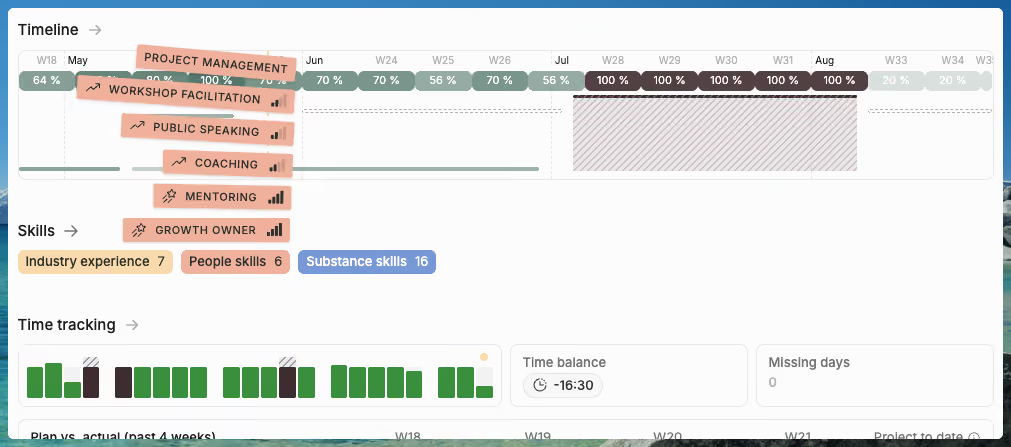
Quick summary: Operating's May release redesigns the project, person, and client detail pages with tab-based layouts, an embedded project timeline, inline financial summaries, cost card visibility, and setup completeness flags. Portfolio reports gain beta forecasted revenue, cost, gross profit, and margin with a configurable actuals cutoff across all billing types. The release also adds a Salesforce integration in beta, public Pipedrive v2, HubSpot deal amount as default project budget, expense CSV import, an archival cleanup, timesheet fixes, and MCP server authentication fixes for Microsoft Copilot.
May brought a large set of improvements across Operating, with a focus on making financial reporting more comprehensive, and day-to-day operations easier to manage with many smaller updates. Operating also entered the Salesforce land, as the Operating Salesforce CRM integration saw daylight.
This release includes redesigned project, person, and client detail pages, a major archival cleanup, new CRM integration improvements, better expense handling, project-specific task updates, timesheet fixes, and a beta version of forecasted revenue in portfolio reports.
At a Glance
Here are the main updates in this release:
- Redesigned project detail page with a tab-based layout, embedded timeline, inline financial summary, rate visibility, cost card details, and setup completeness indicators
- Redesigned person and client detail pages with timeline views, time tracking visuals, planned vs. actual comparisons, skills, and project history
- Expense improvements including CSV import, expense filtering in burnup charts, and a “cost in project currency” export option
- Archival overhaul to properly hide archived entities across views, selectors, filters, groupings, and timelines
- HubSpot and HiBob field mapping improvements, including deal amount as default budget and better handling of multiple deals
- Pipedrive v2, now available as a new public Pipedrive integration app
- Salesforce integration beta, usable today and pending AppExchange publication
- Project-specific task improvements, including archiving, conversion from shared tasks, and cleaner task management UI
- Timesheet fixes for mobile duplicate entries, planned hours with time off, and timeline consistency
- MCP server reliability improvements for Microsoft Copilot and other clients
- Quality-of-life updates including more accurate utilization, tenant currency exports, invoicing pre-checks, and bug fixes
- Beta forecasted revenue in portfolio reports, blending actuals-to-date with adjusted future plans
Redesigned Project Detail Page
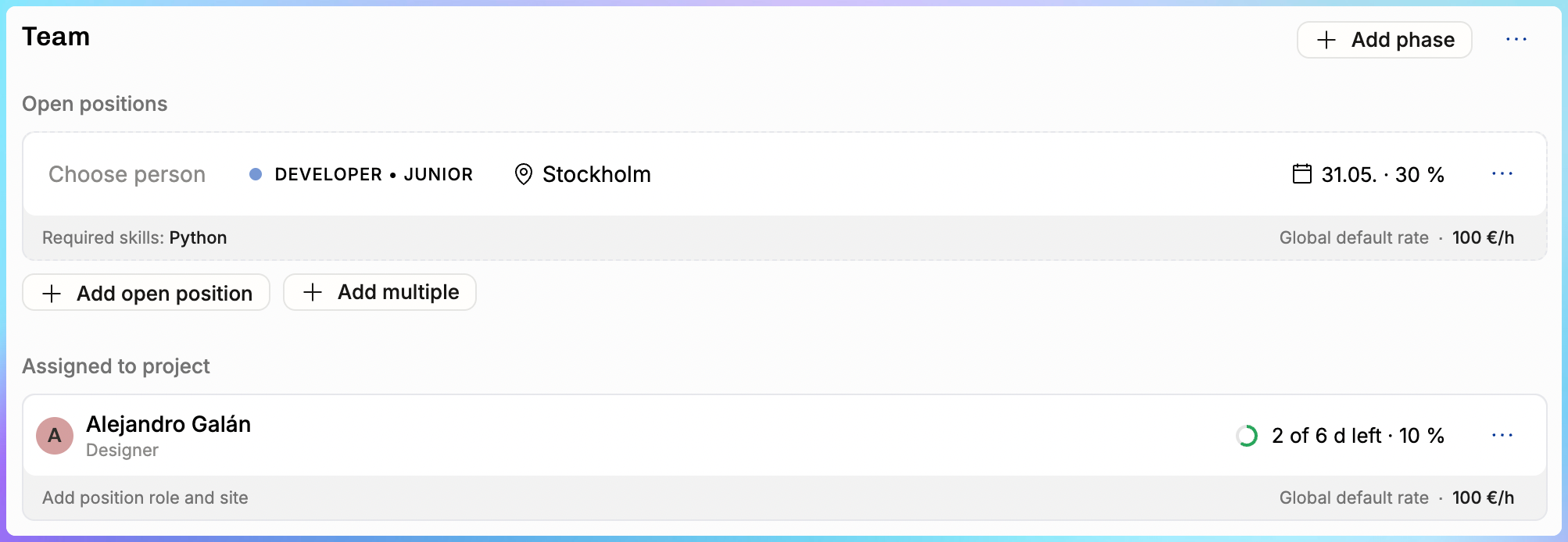
The project detail page has been rebuilt with a tab-based layout. The goal is simple: help you get to the information you need without scrolling through everything else first.
The new layout makes project staffing, financial review, and planning easier to manage from one place.

Embedded Project Timeline
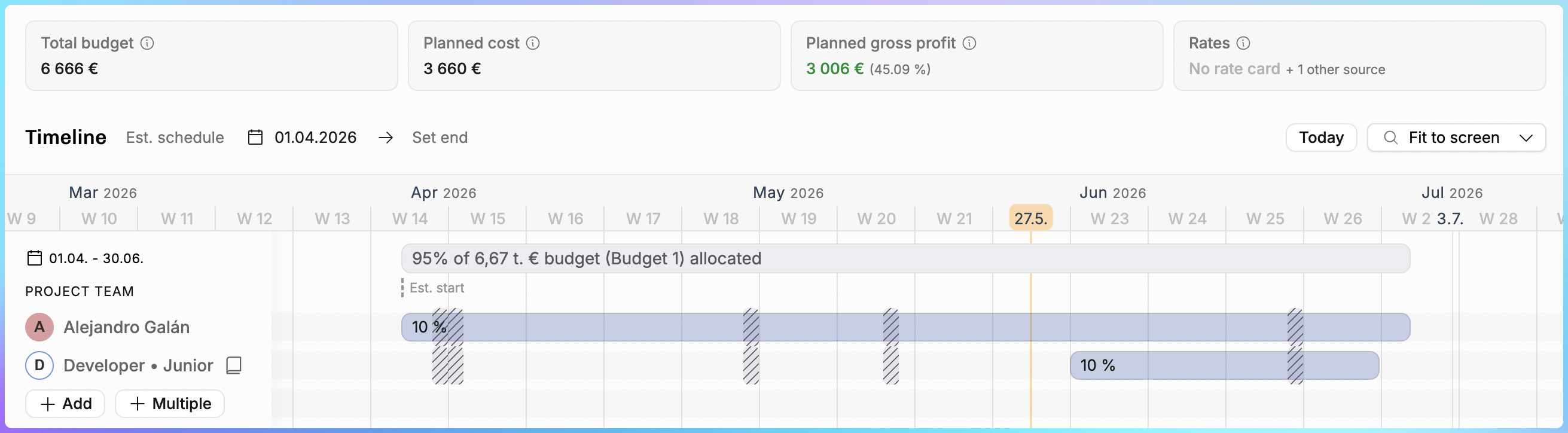
The Planning tab now includes a full interactive timeline, similar to the one used in staffing views, but scoped to a single project.
You can:
- Add positions
- Drag allocations
- Manage project phases
- Review project staffing plans
- Use “Fit to screen” to quickly adjust the view
This makes it easier to manage project staffing decisions without leaving the project page.
Financial Summary in the Planning Tab
Rate and revenue data is now visible directly in the planning section.
You can see:
- Billing rates
- Planned vs. actual revenue
- Project financials
- Rate impact during staffing decisions
This is especially useful when staffing decisions affect revenue, utilization, and project margins.
Cost Card Visibility
The person detail page now shows which cost card applies to each person and the effective hourly rate.
The effective hourly rate is calculated from monthly or weekly cost rates and accounts for the actual number of working days in each month.
Setup Completeness Indicators
The Overview tab now flags missing setup items, such as:
- Missing billing type
- No budget
- No positions
These indicators help catch project setup gaps before they turn into reporting gaps.
UI Polish
We also cleaned up several layout and timeline issues:
- Long project and client names no longer break the top bar layout
- Allocation descriptions that were getting clipped now display properly
- The timeline no longer accidentally expands beyond two years in edge cases
Thank you to everyone who opted into this feature early. Your feedback helped shape the final version.
Redesigned Person and Client Detail Pages
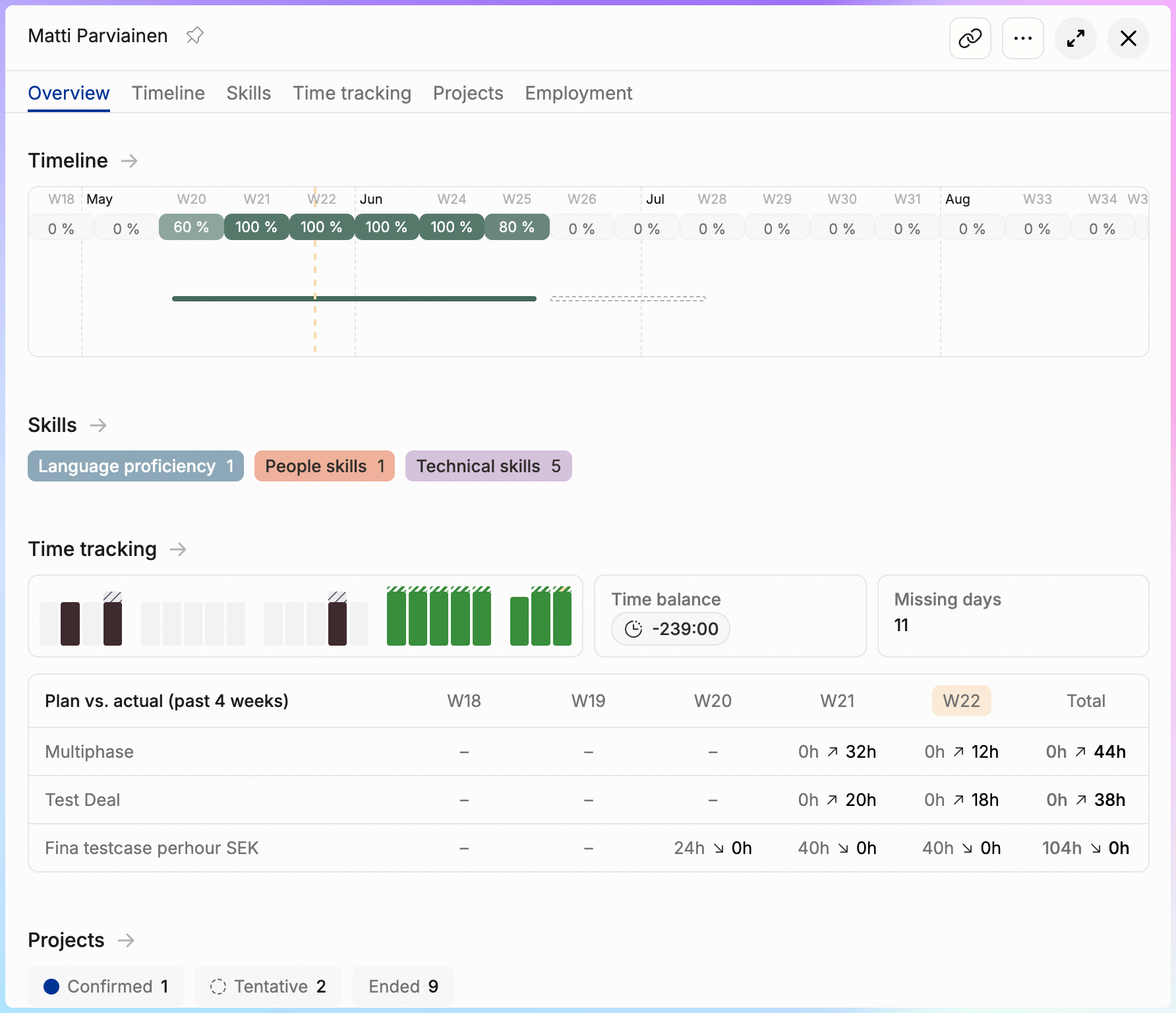
Person and client detail pages have also been rebuilt with a tab-based layout.
The person detail page now gives a clearer overview of each team member, including:
- What they are working on
- Their time tracking status
- Planned vs. actual hours
- Project history
- Skills
- Timeline activity
This gives managers and operations teams a better way to review availability, work history, and time tracking behavior in one place.
Client details are still early, but the direction is clear. We want this area to grow into a stronger account management view inside Operating.
Beta: Forecasted Revenue in Portfolio Reports
Portfolio reports can now show forecasted numbers. This blends what has already happened with what is still planned.
This is especially useful for consulting teams that need a more realistic view of future revenue, cost, and margin.
New Forecasted Report Units
We added four new report units:
- Forecasted revenue
- Forecasted costs
- Forecasted gross profit
- Forecasted margin percentage
These sit alongside the existing planned and earned units.
Configurable Cutoff Date
You can now choose where actuals end and future plans begin.
Available cutoff options include:
- Start of the current month
- Start of the current week
- Custom date
Changing the cutoff triggers a re-fetch, so the report updates immediately.
Support Across Billing Types
Forecasted revenue works across all billing types:
- Time and materials projects sum actuals and plans directly
- Capped time and materials projects respect the budget ceiling
- Fixed-price projects scale remaining planned periods so the total equals the contract budget exactly
The calculation also handles mid-month cutoffs by splitting periods at the boundary instead of approximating.
This is the foundation for Estimate at Completion reporting in Operating. If you would like to use this already, let us know. We are still refining the details and making sure it handles expenses and edge cases reliably.
Expense-Related Improvements

This release also builds on the expense management system from the previous release.
If your team regularly imports or manually enters expense data, these updates should make that workflow easier. The new importer work also lays the foundation for more uploading features in the future.
Beta: Expense CSV Import
You can now import expenses from external systems via CSV.
This is useful for:
- Migrations
- Teams managing expenses in other tools
- Organizations consolidating expense data into Operating
Multi-line-item expenses are supported, with expense-level fields repeated per row.
Expense Filtering in Burnup Charts
The burnup chart’s person filter now includes an “Expenses” card.
Click it to isolate expense actuals vs. plans in the burnup chart, with the same comparison style used for person cards.
This makes it easier to track expense budget burn visually.
Cost in Project Currency Export
“Cost in project currency” was previously only available as a display option. It is now also available as a column in CSV exports.
Archival Overhaul
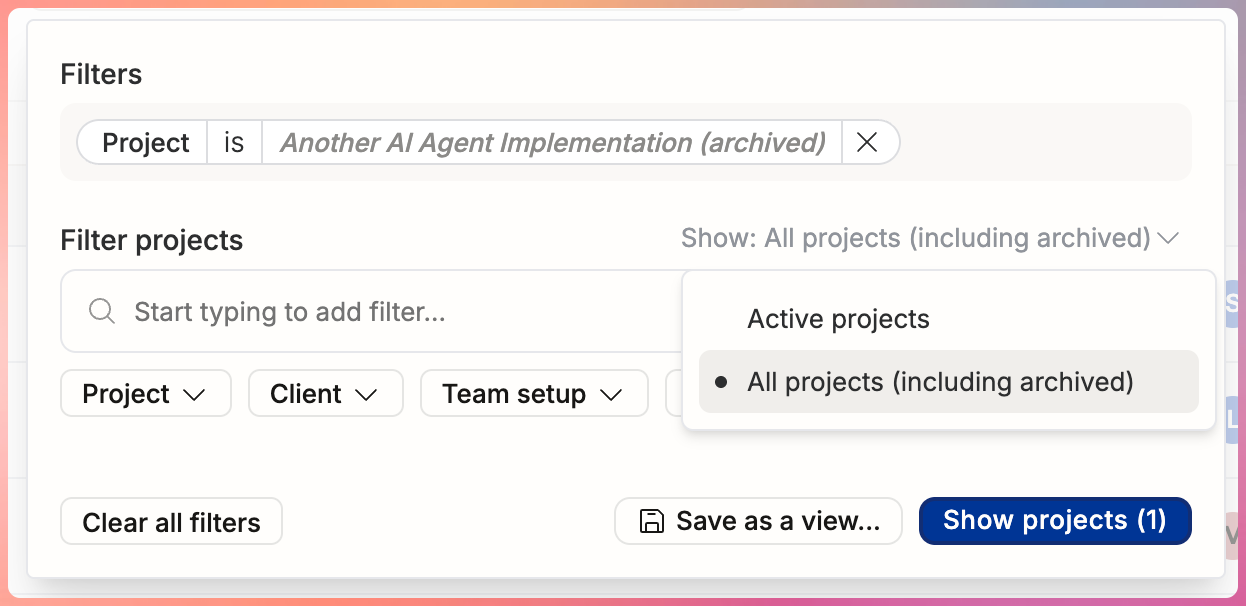
Archived entities have been cleaned up across the app.
This was one of the most reported sources of confusion. Archived people, projects, groups, and roles sometimes appeared in places where they were no longer relevant.
Archived Items Hidden from Selectors
Archived items are now hidden by default in:
- Person selectors
- Project selectors
- Group dropdowns
- Role dropdowns
- Filter lists
When an archived item is the current selection, it still appears with greyed-out italic styling, so you can see what is set without losing context.
Show Archived Toggle on Lists
People, project, and client lists now have explicit controls for including archived items.
Search results also indicate when archived matches exist and offer an option to show them.
Archived Items Hidden from Groupings
When grouping lists by role, group, seniority, or tags, archived categories no longer appear as grouping headers, even if some items still reference them.
Timeline Cleanup
We cleaned up several timeline behaviors:
- Archived projects no longer appear on the people timeline in collapsed view
- Time-off shadows display correctly for people whose employment started or ended outside the visible timeline range
Filter Fixes
Several filter issues have also been fixed:
- Filtering by “Role: none” no longer incorrectly returns people with roles
- The “Team member: Me” filter no longer includes projects where your position has been archived
Consistent Archived Styling
Archived items across reports, rate cards, currencies, expense categories, tags, and other views now use consistent styling with an italic grey label and “(archived)” suffix.
HubSpot and HiBob Field Mapping
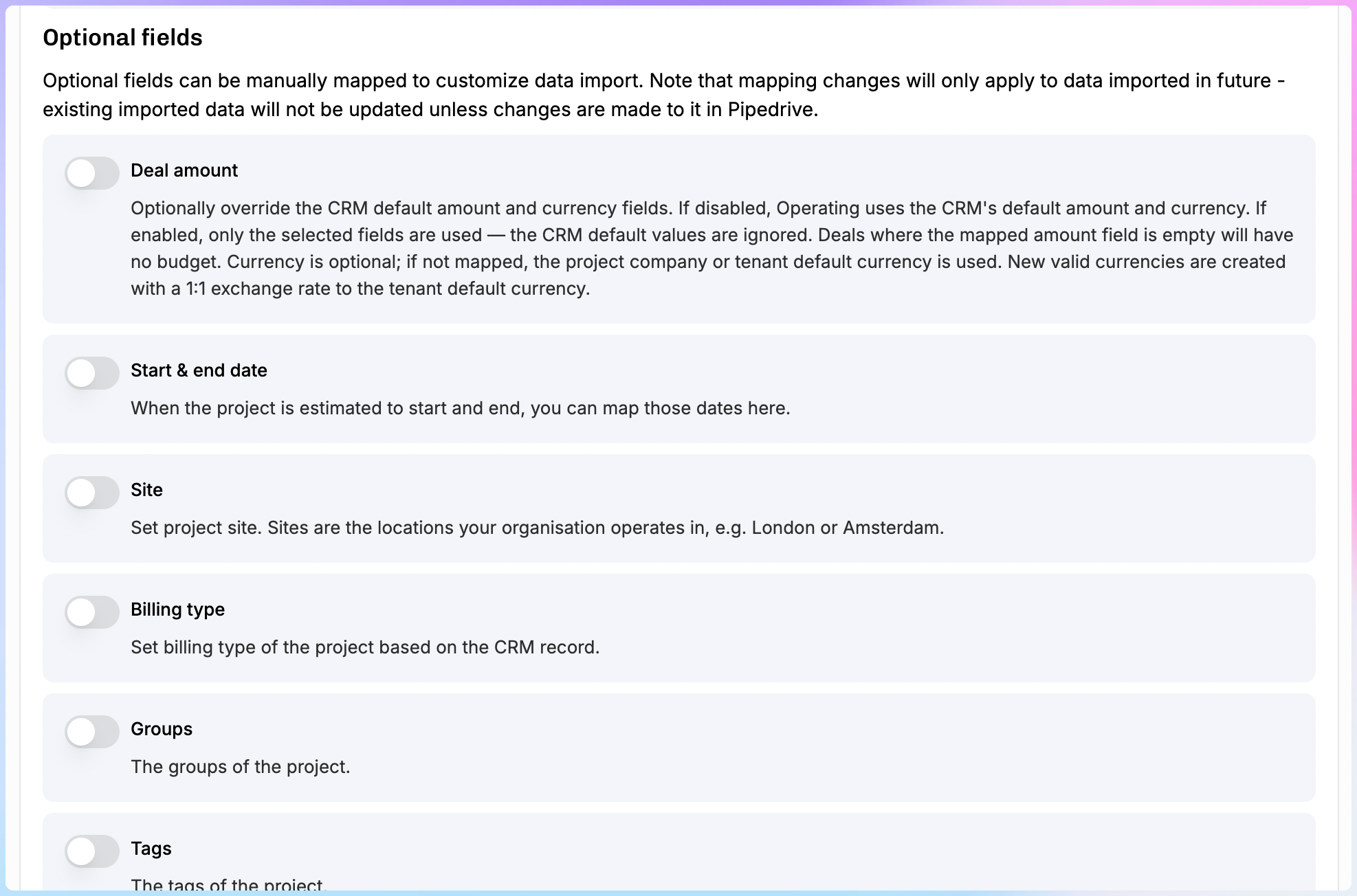
We improved how Operating handles CRM and HRIS field mapping, especially around budgets, deal relationships, and project creation.
Deal Amount as Default Budget
When a deal syncs from HubSpot or Pipedrive and creates a project, the deal amount is now used as the default project budget.
Project start and end dates also map from the deal.
This reduces manual setup and helps project financials start from a more accurate baseline.
Manually Set the Latest Deal
When a project has multiple linked deals, you can now explicitly set which one is the “latest.”
This matters because the latest deal defines the project’s probability.
Previously, this was automatic and sometimes selected the wrong deal.
Pipedrive v2
The rebuilt Pipedrive integration is now available as a public app.
The new version includes:
- Real-time sync
- Better field mapping
- Direct deal-to-project linking
Existing Pipedrive users will need to disconnect and reconnect. See the migration email for setup details.
Salesforce Beta
The Salesforce app is usable today and pending AppExchange publication.
If your team uses Salesforce and Operating, reply to the release email or contact us and we will help you get connected.
Project-Specific Task Polish
Following the Tasks 2.0 launch, we made several improvements to project-specific task management.
Archive or Delete Project-Specific Tasks
Project-specific tasks can now be archived if they have time entries, or deleted if they do not.
Previously, deleting was the only option, which could leave “No Task” entries in reporting.
Convert Shared Tasks to Project-Specific Tasks
You can now convert a shared task into a project-specific task.
We also clear the “reported as” field when it is no longer relevant.
Cleaner Task UI
Task management is now easier to understand:
- The task assignment popover clearly marks project-specific tasks
- “Billable in this project” has been simplified to “Billable”
- Archived tasks are hidden by default behind a “Show archived” button
- Task rate inputs only appear when task-based rates are enabled
Unset Tasks in Bulk Edit
When a project no longer has active task assignments, you can now bulk-clear the task field from time entries.
This helps remove references to archived tasks more efficiently.
Timesheet Fixes
We fixed several timesheet and time-off issues.
Mobile Duplicate Entry Fix
On mobile browsers, including iOS Safari and Firefox, adding a time entry could create two entries instead of one.
This long-standing bug has been fixed with a rewrite of how the timesheet handles position and task combinations across different scenarios.
Correct Planned Hours with Time Off
The weekly planned hours bar and summary now correctly deduct time off from project allocations.
Previously, if vacation overlapped with a project allocation, planned hours could show the sum of both, which inflated the number beyond actual working hours.
Consistent Time-Off Display Across Timelines
The people timeline and project timeline now show the same capacity percentage when allocations overlap with time off.
Previously, one view could stack them while the other correctly subtracted time off.
Time-Off Day Count Consistency
The allocation popover now shows consistent time-off day counts across timelines.
Holiday calendar days and individual time off are now counted the same way everywhere.
Shift-Click Multi-Select
You can now hold Shift and click a checkbox to select everything between it and the last checked box.
This works in time entry approval lists and other list views.
MCP Server Reliability
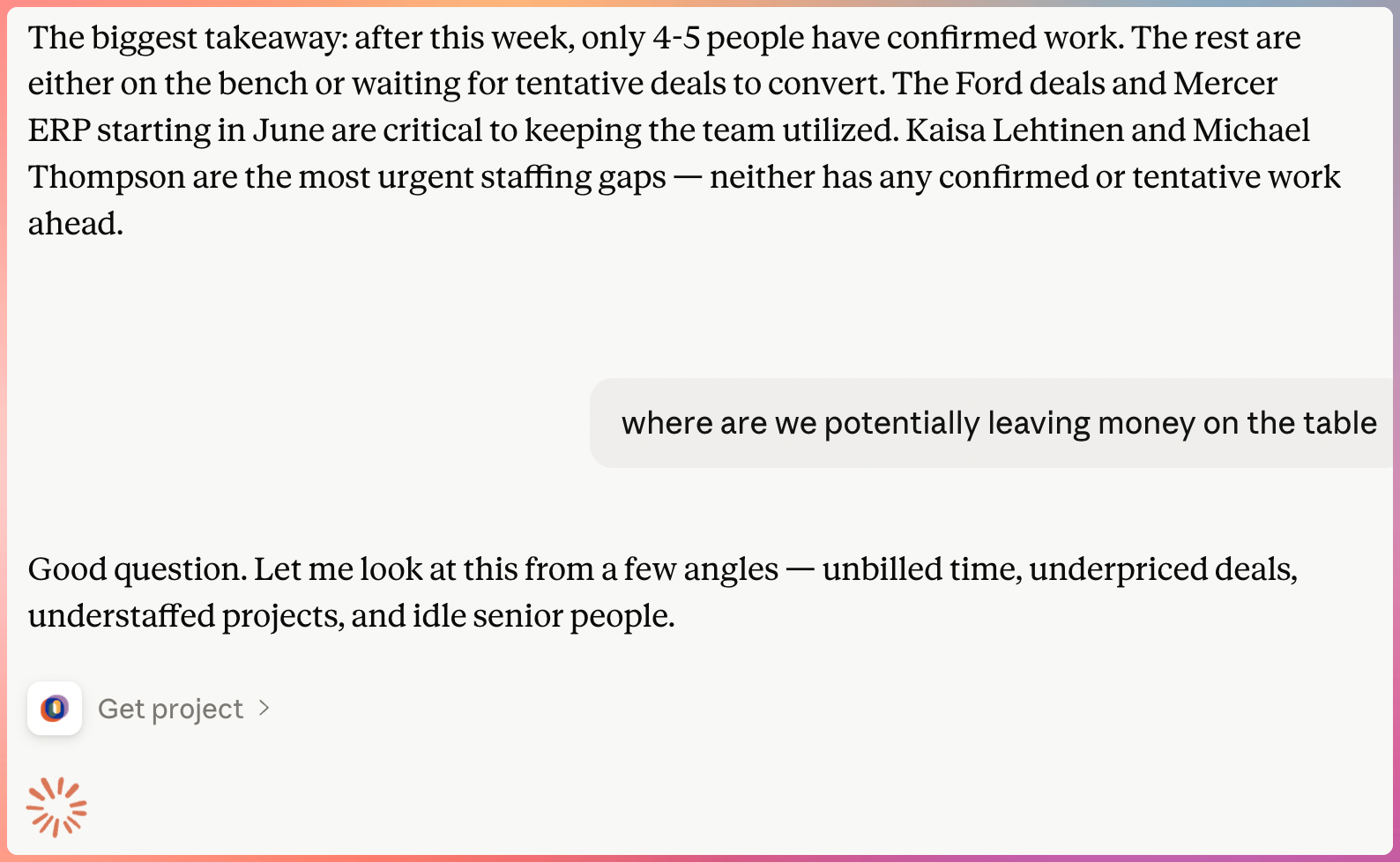
We improved MCP server reliability for third-party clients, including Microsoft Copilot.
Auth Fixes for Third-Party Clients
The OAuth discovery document now includes support for authorization code and refresh token grant types.
This fixes errors that prevented Microsoft Copilot and other MCP clients from connecting.
Scaled-Up Infrastructure
We increased MCP server CPU, memory, and task count.
We also simplified the network architecture, which reduces cost while improving reliability.
Quality of Life and Bug Fixes
This release also includes several smaller improvements and fixes.
Utilization Excludes Pre- and Post-Employment Periods
Utilization averages now exclude periods before a person’s start date and after their end date.
This means someone who joined mid-quarter is no longer penalized with months of zero utilization dragging down their average.
Portfolio CSV Export in Tenant Currency
You can now export the project portfolio CSV in your organization’s default currency instead of per-project currencies.
A currency column is included in each row when exporting money units.
Additional Bug Fixes
We also fixed issues related to:
- Name whitespace showing as “undefined”
- Projected cost tooltip showing total instead of delta
- Duplicate archived tasks appearing in timesheets
- API schema incorrectly exposing externalId on project create and update
- Client bulk-delete returning a 500 error when invoices exist
- HubSpot webhook signature validation
Final Note
This release improves several core workflows in Operating: resource planning, project staffing, time tracking, expense management, CRM syncing, and portfolio reporting.
A special thank you to everyone who shared feedback, tested early versions, and reported issues. These updates are shaped by how teams actually plan, staff, and manage consulting work in Operating.