Quick summary: The Operating MCP server connects Operating data such as allocations, timesheets, consultant profiles, utilization, and margin to AI tools including ChatGPT, Claude, Gemini, and Claude Code, which can read and write it through structured tools under your existing permissions. Practical uses include turning a signed proposal into a staffed team plan with positions and allocations, answering availability and utilization questions in natural language, and generating time entries from Jira, GitHub, Slack, and calendar activity.
Project allocations. Timesheets. Consultant profiles. Project history. Utilization. Margin data.
In most consulting firms, this information lives inside the PSA. It stays there unless you build a custom API integration or wire it to another tool.
The Operating MCP server changes that.
You can now connect Operating directly to ChatGPT, Claude, Gemini, or Claude Code. AI can read and write real Operating data using structured tools, based on your existing permissions.
Suddenly all Operating data is harnessed for AI to consume. and take action on. Team plans can be generated from proposals, staffing decisions can be analyzed in seconds, and time tracking flows can be automated across systems.
Below, we explain how it works, how to enable it, and why it's such a fundamental change to how you run your operations.
What is an MCP server?
An MCP server is a secure connection between Operating and AI tools like ChatGPT or Claude. It allows AI to read and write real data in your Operating workspace using structured functions. It's like you have a translator who understands both human language and the whole Operating data model.
All actions follow your existing user permissions. An admin using the Operating MCP server in Claude can reach all data. A consultant who can only see their own time entries in Operating sees only those through the MCP server.
Instead of exporting spreadsheets or manually copying data, AI can interact directly with your resource planning, timesheets, and project data inside Operating. However, you can use our MCP server inside Excel too! You can actually build reporting faster than ever before having Claude being plugged into Excel or Google Sheets, while being connected to Operating.
"I'm late to our leadership team meeting. Can you make a summary of our utilization for the next 90 days by role, site and seniority?" And a spreadsheet is generated on the fly.
Understanding “tools” in the MCP server context?
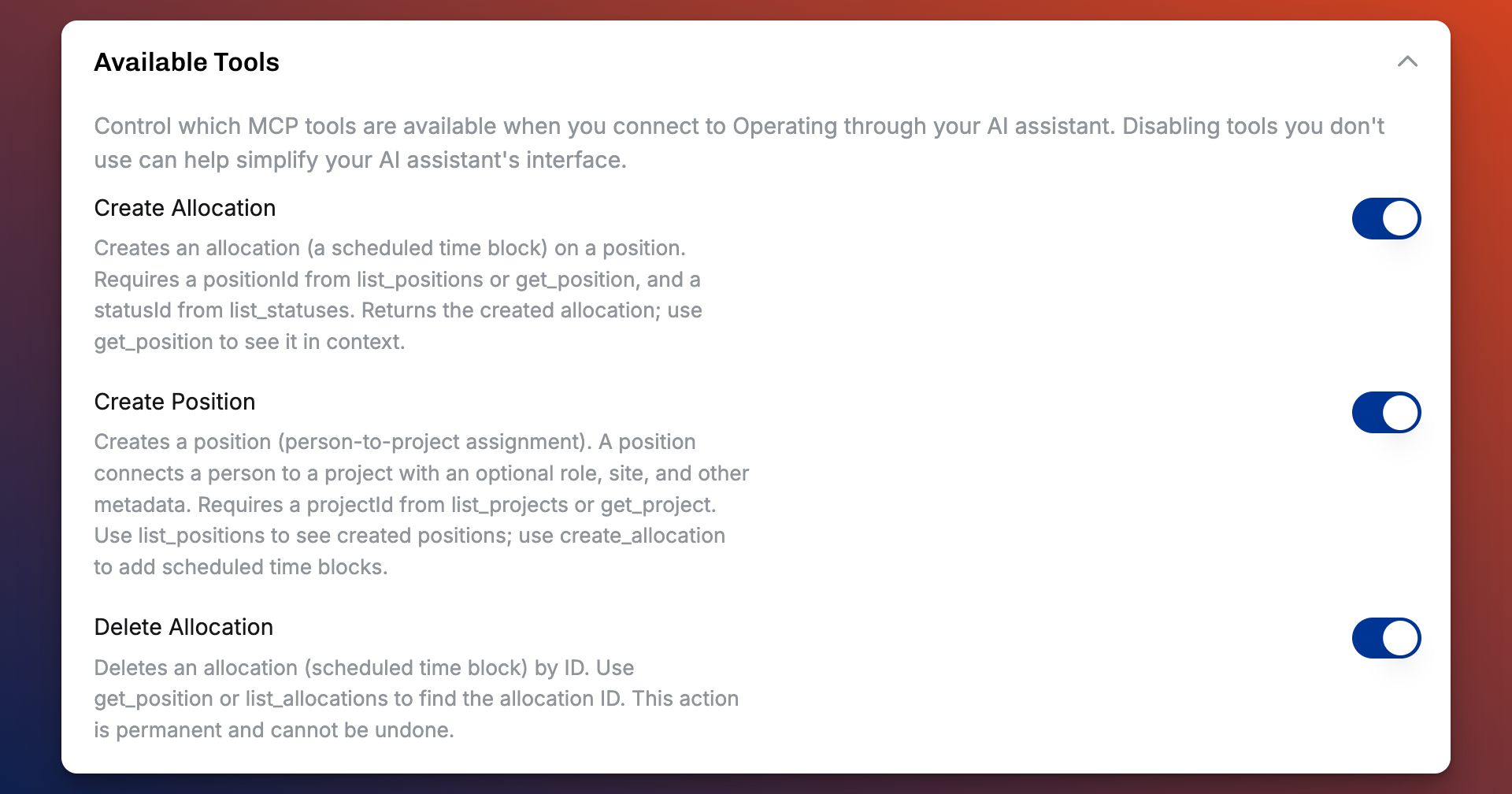
Tools are predefined actions the AI can execute inside Operating.
Examples include:
- Listing projects or people
- Creating positions
- Creating or updating allocations
- Logging time entries
Each tool has structured inputs and outputs. The AI calls these tools to retrieve or modify data in a reliable way.
You control whether tools are:
- Read-only
- Allowed to create or update data
- Always allowed or confirmation-based
With that foundation in place, here is what this enables in practice.
Example: From proposal document to structured team plan
When a deal closes, operations typically needs to:
- Extract scope from the proposal
- Identify roles and seniority
- Estimate effort
- Create positions
- Add allocations
- Check availability
- Adjust for utilization and margin
With MCP enabled, you can paste a proposal into ChatGPT or Claude and instruct:
“Create the team plan in Operating with roles, seniority, and allocations per phase.”
The AI can:
- Parse phases and timelines
- Create positions in Operating
- Create allocations across the project duration
- Suggest named consultants based on skills and availability
You can then refine the plan:
- “Keep utilization below 85%.”
- “Optimize for target margin.”
- “Flag allocation conflicts in May.”
Instead of building everything manually in the UI, you get a structured draft inside Operating. Operations then reviews and adjusts. This greatly reduces the time spent on manual work when building new projects.
Example: AI-assisted project staffing
Because the AI works with structured data, it understands:
- Skills and skill levels
- Seniority
- Current allocations
- Availability windows
- Roles
You can ask:
- “Who is available for a 3-month data project starting in April?”
- “Which consultants are below 70% utilization next month?”
- “Suggest candidates for a senior frontend role with React experience.”
The AI retrieves live data and returns recommendations. With our MCP server, you can simply tell AI to "edit the allocations" and you don't have to do it manually in our UI anymore.
For firms managing multiple concurrent engagements, this reduces manual cross-checking and supports utilization rate optimization.
Example: Automated time tracking in consulting
Time tracking gaps directly affect margins and revenue leakage.
With write tools enabled, AI can create time entries in Operating.
Example workflow:
At the end of each day:
- Review Jira tickets
- Check Github commits
- Scan Slack activity
- Scan Google Calendar events
- Generate time entries in Operating
The AI can interpret activity, map it to projects and tasks, and log structured time entries using the Track Time tool.
You can also automate:
- Slack reminders for missing timesheets
- Notifications when billable hours drop below target
- Weekly utilization summaries
This strengthens visibility into planned vs actual hours and improves billing accuracy.
Defining operational logic for AI
The longer-term value comes from defining how your consulting data should be interpreted.
Define your utilization logic
For example:
If Billable utilization drops below 70%, do the following
- Identify underutilized consultants
- Trigger follow ups for team leads/sales
- Suggest internal project assignments, or shadowing in existing projects
Define margin risk rules
You can define:
- Target utilization per seniority
- Cost assumptions
- Margin thresholds
AI can then analyze allocations and flag margin risk before it becomes visible in financial reports.
Building a central intelligence for your consulting firm
Most consulting firms operate across multiple systems:
- CRM for pipeline
- ERP and/or Operating for billing and revenue
- HRIS for people data
- Jira/Linear for task management
What you want to do is connect the data from these different systems with either their APIs or respective MCP servers. This way Operating becomes part of AI-driven workflows that connect your whole consulting workflow. Instead of having to "ask from a colleague" and then wait 3 hours for an answer, all your operational intelligence is now at your fingertips, and you can query it with natural language—and get an instant answer
For firms focused on structured resource planning and operational control, this creates a foundation for running a consulting operation end-to-end with AI.
How to enable the MCP server
Setup takes a few minutes.
- Go to use.operating.app → Settings
- Enable the MCP server
- Configure which user groups can access it by editing the MCP Permission under settings -> Permissions
- From settings -> MCP Setup, copy the MCP server URL to your clipboard
After that, you can connect the Operating MCP server to your AI tool.
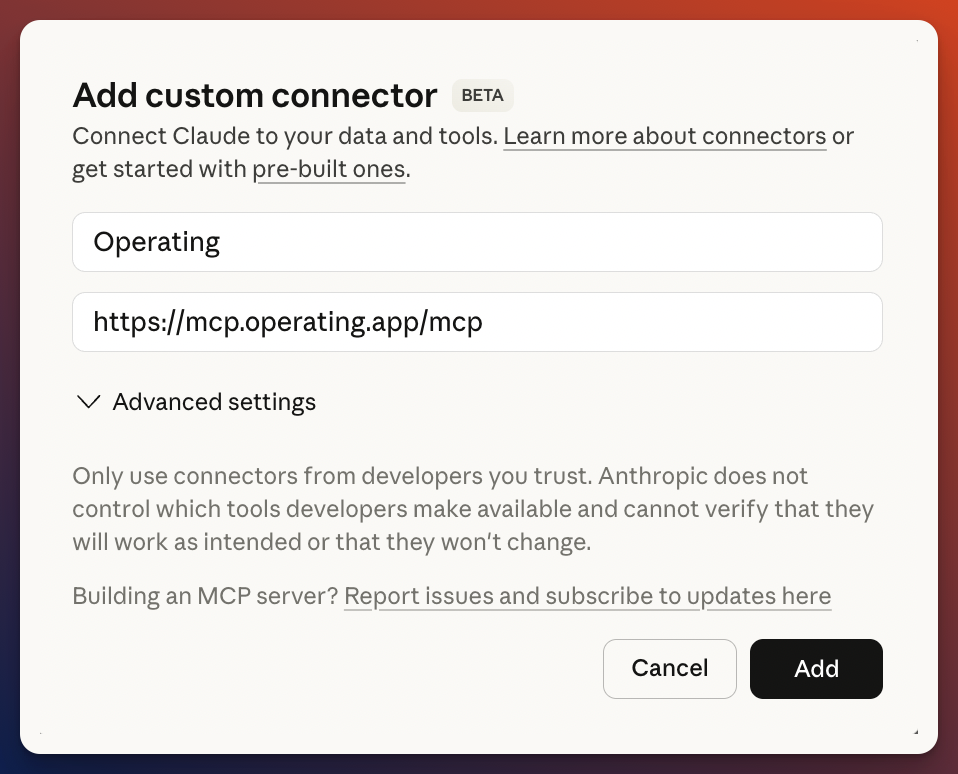
In Claude:
- Settings → Connectors
- Add custom connector
- Paste the MCP URL
- Authorize
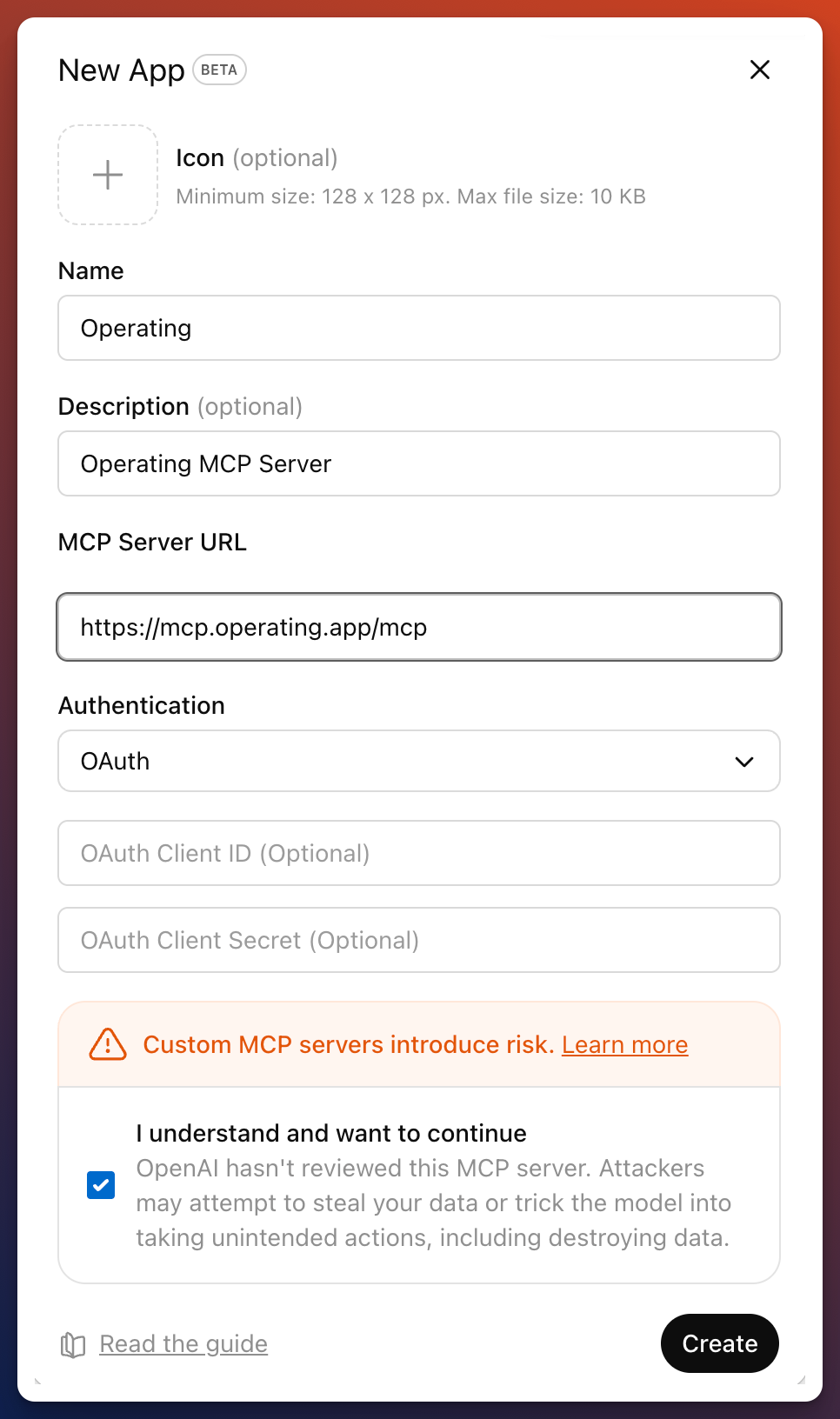
In ChatGPT:
- Settings → Apps
- Enable Developer Mode
- Add the MCP server URL
- Authorize
You can configure whether tools are:
- Read-only
- Write-enabled
- Always allowed or confirmation-based
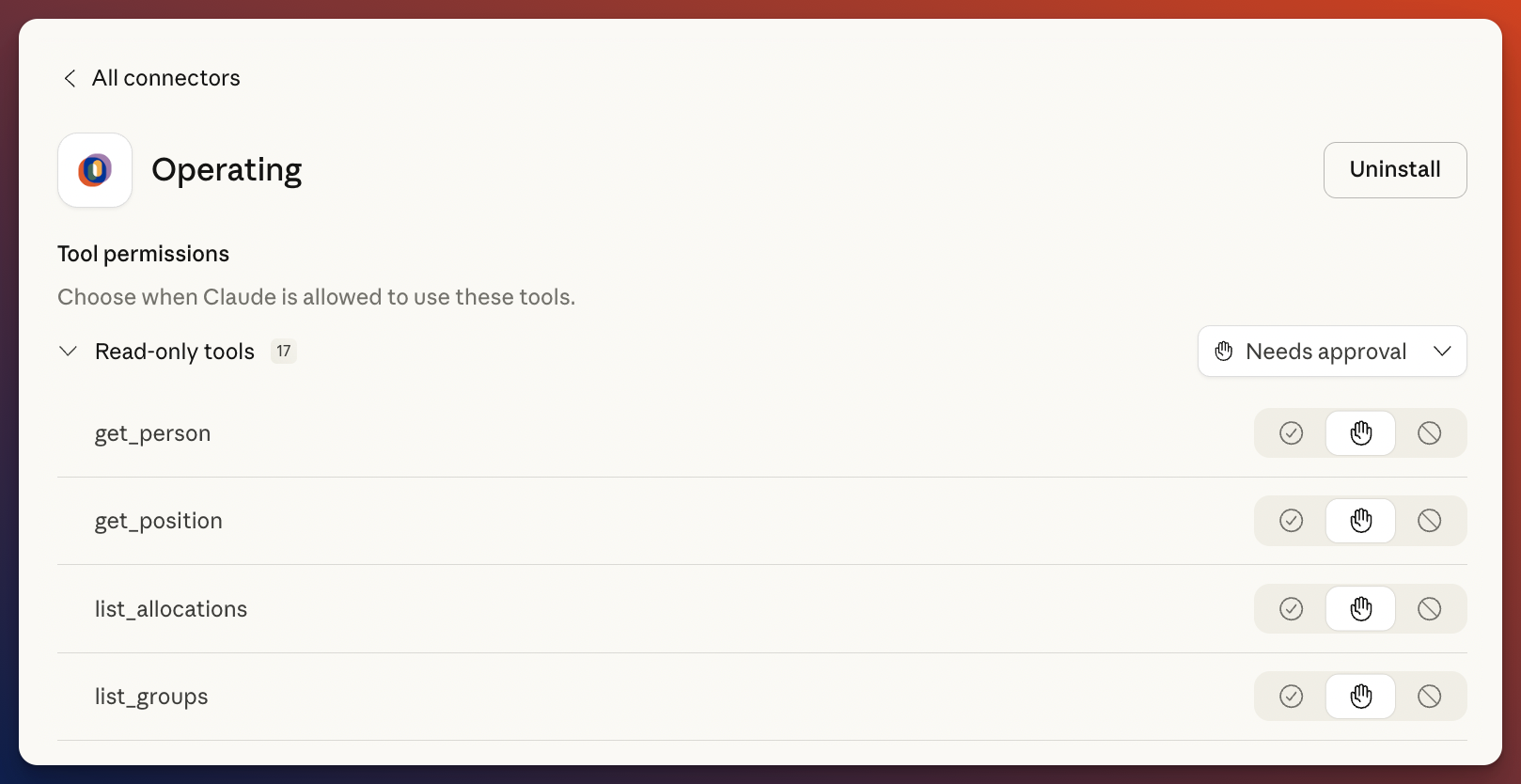
You can control the access to tools both in Operating. Claude also lets you control the access to different tools under connectors - configure, and then toggling the tools between "Always Allow", "Needs Approval", and "Blocked".
In Operating, the access to tools is configured in settings - MCP Server and then toggling access on or off to certain tools.
Security and data handling
When connecting Operating to external AI tools such as ChatGPT or Claude, data processed through those tools is handled according to the AI provider’s terms and data policies.
We recommend using enterprise AI plans where data is not used for model training and aligning usage with your internal data governance guidelines. All access through MCP follows your existing Operating permission model.
FAQ
What is the Operating MCP server?
The Operating MCP server is a secure connector that allows AI tools like ChatGPT and Claude to read and write structured data inside Operating.
What can AI modify inside Operating?
If write access is enabled, AI can create and update positions, allocations, and time entries. All actions follow existing user permissions.
Is my consulting data secure?
MCP access follows your existing Operating permission model. When connected to external AI tools such as ChatGPT or Claude, data is processed according to the AI provider’s security and data policies. We recommend using enterprise AI plans and aligning usage with your internal data governance guidelines.
Can I use this for resource planning and project staffing?
Yes. AI can retrieve availability, skills, and allocation data to support resource planning, staffing decisions, and consulting capacity planning. Think of it as your new AI staffing manager, or AI head of PMO!
How does this support better resource planning decisions?
AI can analyze availability, skills, allocations, and planned vs actual hours in real time. This enables faster staffing decisions, earlier risk detection, and more structured capacity planning.