
Spot project overruns before they cost you
See the gap between planned and logged hours at a glance, balance team workloads, and stop revenue leakage before it impacts your bottom line.





See Where Your Team’s Hours Really Go
Catch workload issues and lost revenue before they hurt your consulting firm's bottom line with fast, clear planned vs. actual hours reporting.
Catch unwanted surprises early
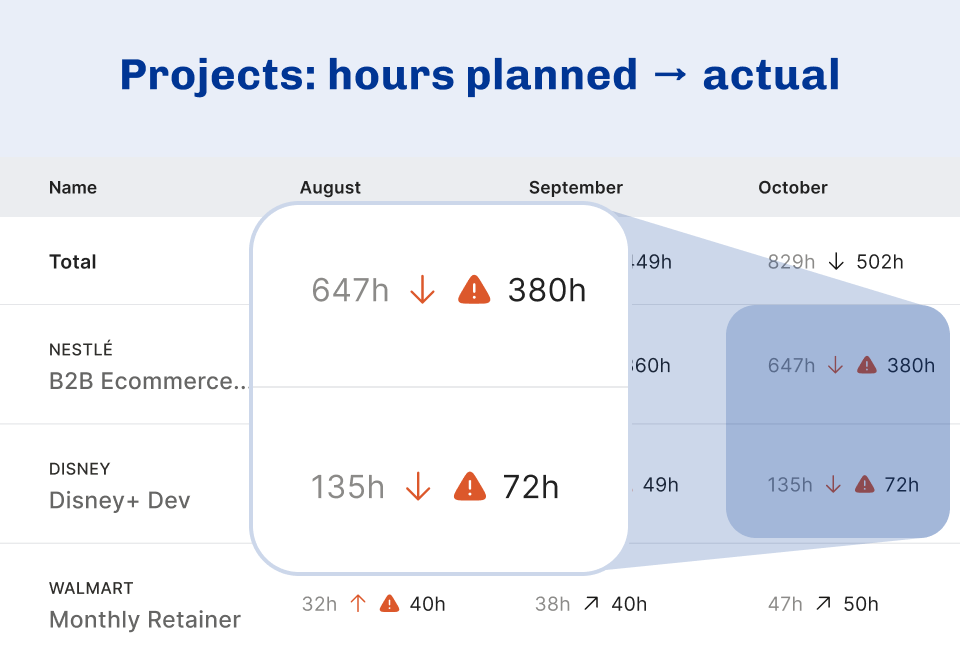
See the difference between planned and actual hours, so you can step in before budgets go off track or billable work goes missing.
Keep workloads in check
Spot overwork or underutilization fast, helping you keep your team healthy and projects on schedule without costly overtime.

Save time on reporting
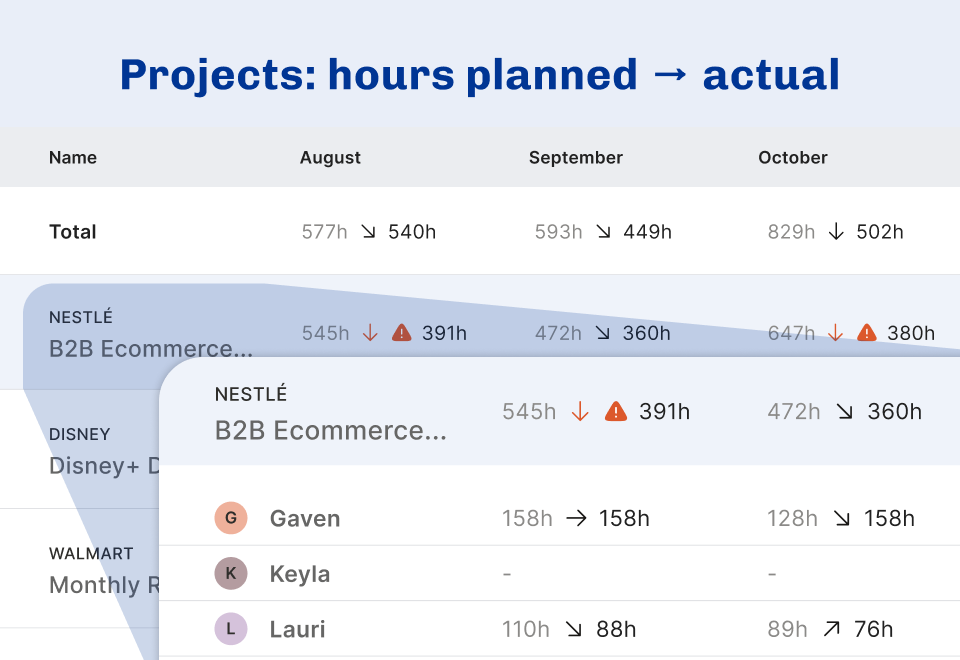
Get all your timesheets and project allocations in a single dashboard—no more patching together spreadsheets or wasting hours on manual reports.
Forecast project spend
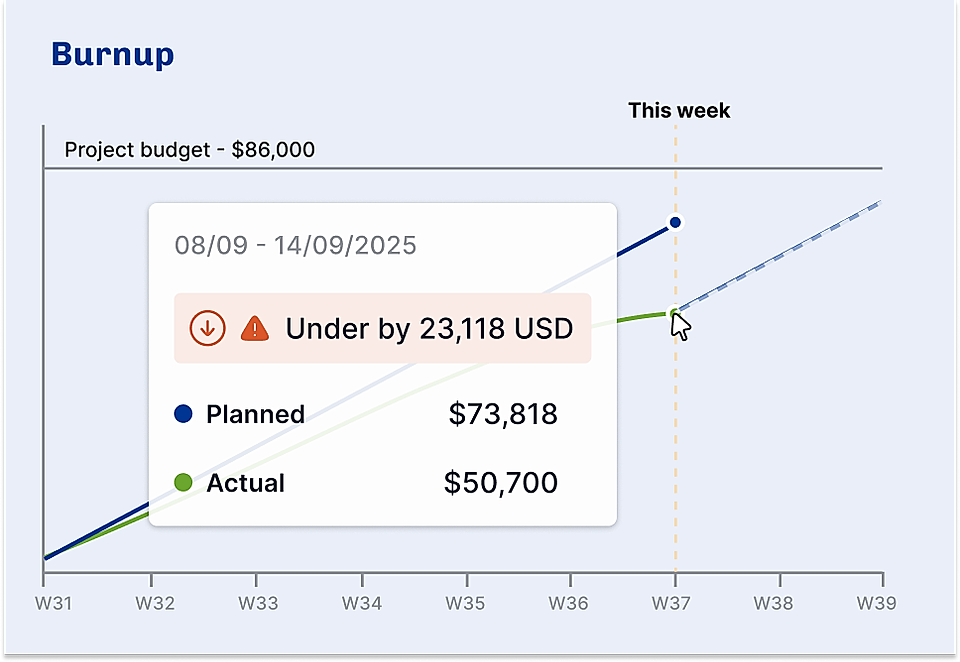
See, if your projects are trending over over or under the budget. Make the needed adjustments early, like adjusting allocations, or negotiating more budget with the client.
Operating and the planned vs. actual hours reporting helps us spot project overages and lets us know whether we're overservicing our customers and losing profits.
Frequently Asked Questions
What is planned vs. actual hours reporting?
Planned vs. actual hours reporting shows you how the hours you thought a project would take compare to the hours actually worked. This makes it easy to see where things went off track and helps you manage time and budgets better.
How can Operating help my team with planned vs. actual hours?
Operating puts all your scheduled hours and tracked hours in one place, so you can see the gaps at a glance. It shows which projects are running as planned and where you’re going over or under, so you can fix problems fast without spreadsheets.
Will I be able to see if a project will end up over or under budget?
Yes, our predictive project burn-up shows you in advance whether a project is on track to finish over or under budget. It factors in time planned, time already spent, consultant rates, and the project’s overall budget, so you get a clear forecast before issues arise.
Who can use these reports inside my company?
Everyone from COOs to project managers and team leads can use the reports. You can look at results by person, project, or the whole company, so it’s easy to find the details you need.
How does this save time compared to how I’m doing it now?
With Operating, you don’t have to build reports by hand or mess with spreadsheets. The dashboard brings everything together automatically, so you get back the hours you used to spend crunching numbers.
Will this help us avoid missed billable hours?
Absolutely. By comparing planned hours to actuals in real time, you spot any unbilled work or overtime that might slip through the cracks. This means you can bill for every hour worked and plug revenue leaks before they become costly.
Know Where Project Hours Go
Catch budget overruns before they happen. Get instant insight into planned vs. actual hours so you never leave money on the table again.